

- Messages
- 463
- Country

I am taking part in an around Scotland helicopter event over at SOH and just to make things look a bit more interesting and realistic in P3D I downloaded a simple BGL scenery item of animated wind turbines at their geographically correct locations that I found on Avsim via a link from a UK scenery site. The scenery BGL is supposedly for FSX but I figured it would work in P3d as I've never had a problem with FSX scenery items in P3D before.
This is the BGL when opened up in MCX.

Just a simple model with stock material colours and no texture mapping or associated texture file.
This is what I see in the sim at one of the turbine farms:
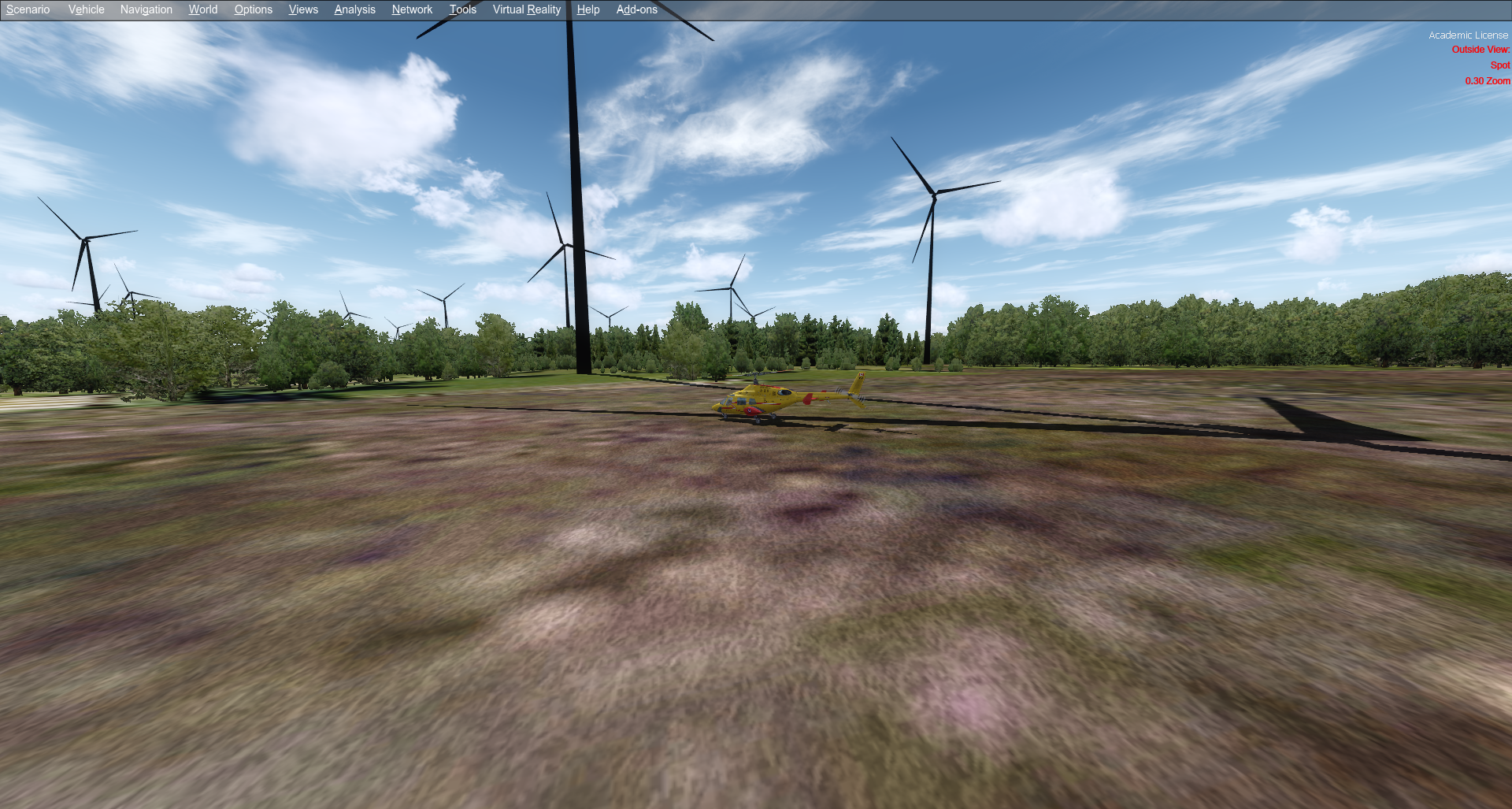
All of the turbines are pure black which is what you normally see if the texture is missing but there is no texture on the model.
I have imported the model into MCX and exported the BGL again as an FSX BGL and every flavour of P3D available but they still remain totally black no matter what I do.
Has anyone seen anything like this before and is there a fix?
This is the BGL when opened up in MCX.
Just a simple model with stock material colours and no texture mapping or associated texture file.
This is what I see in the sim at one of the turbine farms:
All of the turbines are pure black which is what you normally see if the texture is missing but there is no texture on the model.
I have imported the model into MCX and exported the BGL again as an FSX BGL and every flavour of P3D available but they still remain totally black no matter what I do.
Has anyone seen anything like this before and is there a fix?


