Hello:
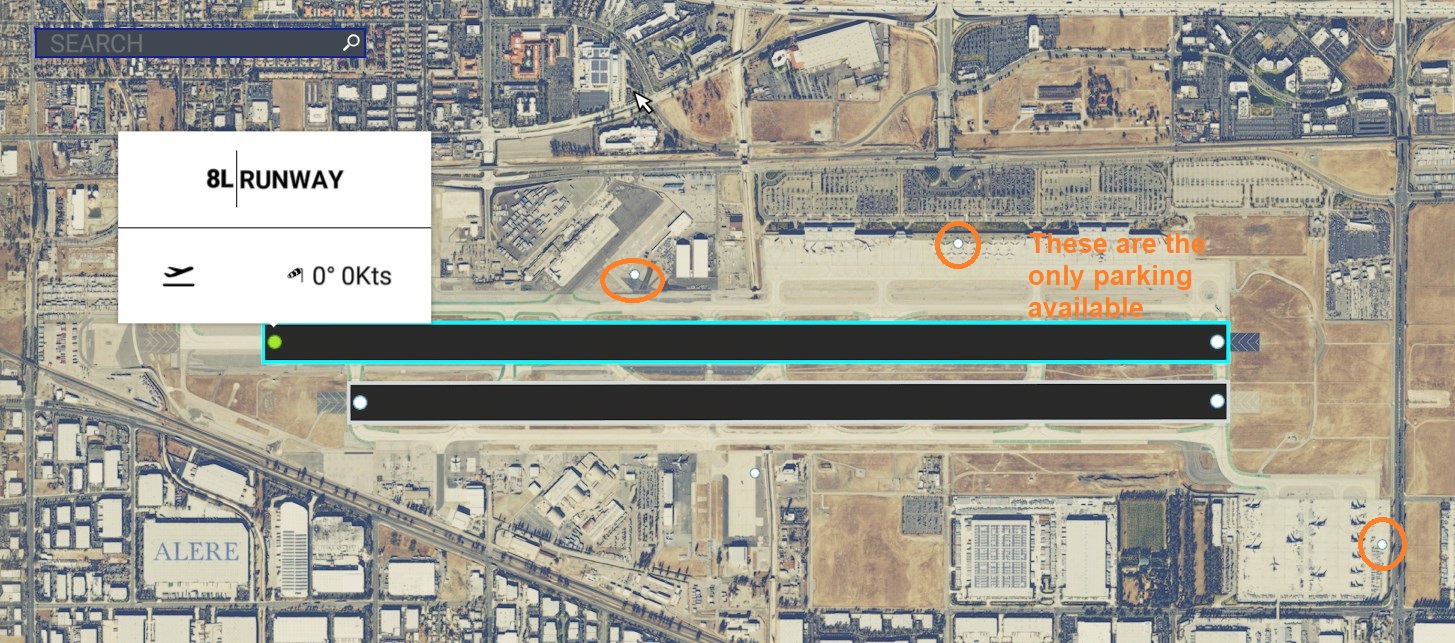
IIUC, you created a new
KONT via MSFS DevMode GUI because you were unable to find the default
KONT via the ADE GUI ??
https://www.fly.faa.gov/Information/west/zla/ont/ONT_layout.pdf
https://www.google.com/maps?ll=34.056111,-117.601111&q=34.056111,-117.601111&hl=en&t=h&z=14
AFAIK, you are working on ICAO
KONT which is accessible for editing via ADE as a
Replacement for MSFS' "generic airport".
Assuming you may be interested, this info is for use of ADE Alpha -21 HotFix-5 to
Replace the MSFS default
KONT aiport.
First, download / install the latest ADE Alpha-21, followed by HotFix-4 and HotFix-5 (aka "
HF-4 & HF-5")
https://www.fsdeveloper.com/forum/threads/ade-2020-alpha-21-hotfix-4.454244/
https://www.fsdeveloper.com/forum/threads/ade-2020-alpha-21-hf5.455259/post-902030
In ADE: Menu > File >
Create Project From MSFS BGL (to import the MSFS default airport from its
new sub-folder location)
NOTE: ADE has a Alpha build 'Bug';
KONT is a default "Stock" airport,
but Asobo moved many airports to a new sub-folder
Note as well that the Fault Finder feature in ADE ADE Alpha-21 HotFix-5 reportedly may not yet work properly.
So, as mamu advises, check that all airport infrastructure objects are linked 'correctly' to avoid errors and to enable A.I. Traffic etc.
Follow the SDK naming rules (ADE will also attempt to correct some aspects of project naming for you)
Enter
KONT in the ICAO field, then click [
Check] button
Fill in the other fields at the
top left of the ADE project input form (do not fill in other fields, or check other check-boxes yet):
Click [
Go] button, then Browse / Select (...from the
MS-Store version of MSFS):
[MSFS-2020_Packages install path]\Official\OneStore\fs-base-genericairports\scenery\0202\
APX16190.bgl
Check:
2-Way Edit to use either ADE Alpha-21 HotFix-5 MSFS DevMode GUI (...live in a MSFS flight session) to edit this
copy of
KONT
NOTE:
Other check-boxes are optional ...depending on whether one creates custom content or lists a project via MS-Store etc.
Review all PDF and CHM Help files packaged with ADE downloads; also refer to the ADE Online Help:
Use the Search feature on the MSFS SDK Documentation website for additional info:
https://docs.flightsimulator.com/html/Introduction/Introduction.htm
PS:
For MSFS DevMode GUI, the online SDK Docs have a tutorial which gives a good overview of the steps to exclude / replace airports:

docs.flightsimulator.com
That DevMode tutorial branches and provides links to steps for excluding / replacing or adding new scenery objects to a project.
One may click on the 'Magnifying Glass" icon to open a Search text box (the fewer words entered the better) to query the SDK Docs.

docs.flightsimulator.com
If using ADE Alpha-21 HotFix-5, IIRC, after a "Build", ADE offers to copy [
Package name] sub-folder into the MSFS_Packages\Community sub-folder; otherwise one can manually copy [
Package name] sub-folder into the MSFS_Packages\Community sub-folder.
To load and view one's [
Package name], one must fully re-start the MSFS app.
This may help get you a bit farther along with your ADE project.
 BTW
BTW:
For more info on how to use ADE work-space GUI:
Review all PDF and CHM Help files packaged with ADE Alpha-21 HotFix -4 & -5 downloads; also refer to the ADE Online Help:
Additionally, although there are some changes in ADE Alpha for MSFS 2020, most general work-flow is similar to prior ADE versions.
See: ADE 1.65 PDF Manual with a web browser
or Adobe Acrobat Reader DC:
Download free Adobe Acrobat Reader software for your Windows, Mac OS and Android devices to view, print, and comment on PDF documents.

get.adobe.com
ADE 1.65 PDF Manual download:
http://www.mediafire.com/download/8rp6jr7en9xwdls
...from this web page:
https://www.scruffyducksoftware.com/downloads
I hope this helps you in ADE Alpha-21 HotFix-5 with a (
Replacement copy) of MSFS'
default KONT for your project.
 PS
PS: Are "space craft" now parked at KONT ?

GaryGB