
I had built exclusion polygons for buildings in my scenery for KIFP. The default buildings are now appearing as before they were not. If i turn off "Bing world graphics" the old buildings disappear, and it is just the custom. This scenery is a custom published scenery so if I have to edit this, I will have to republish the whole thing. My guess is that I should have used another type of exclusions other than "all buildings".

-
Which the release of FS2020 we see an explosition of activity on the forun and of course we are very happy to see this. But having all questions about FS2020 in one forum becomes a bit messy. So therefore we would like to ask you all to use the following guidelines when posting your questions:
- Tag FS2020 specific questions with the MSFS2020 tag.
- Questions about making 3D assets can be posted in the 3D asset design forum. Either post them in the subforum of the modelling tool you use or in the general forum if they are general.
- Questions about aircraft design can be posted in the Aircraft design forum
- Questions about airport design can be posted in the FS2020 airport design forum. Once airport development tools have been updated for FS2020 you can post tool speciifc questions in the subforums of those tools as well of course.
- Questions about terrain design can be posted in the FS2020 terrain design forum.
- Questions about SimConnect can be posted in the SimConnect forum.
Any other question that is not specific to an aspect of development or tool can be posted in the General chat forum.
By following these guidelines we make sure that the forums remain easy to read for everybody and also that the right people can find your post to answer it.
You are using an out of date browser. It may not display this or other websites correctly.
You should upgrade or use an alternative browser.
You should upgrade or use an alternative browser.
Building exclusion polygons
- Thread starter madddog80
- Start date
-
- Tags
- fs2020 sdk
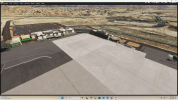
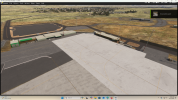

Hi Scott:
IIUC, you refer to this rendition of your project ?
https://flightsim.to/file/73360/laughlin-bullhead-intl-airport
If so, you have come a long way with this project since your FSX version, which I discussed with another FSDEV participant here:
https://www.fsdeveloper.com/forum/threads/terrain-help.440753/
If you provide Geographic coordinates for placement of your own custom buildings at KIFP, it may be easier to distinguish their placement datums from those of the MSFS default, as the MSFS default buildings are not rendered when you disable "Bing world graphics".
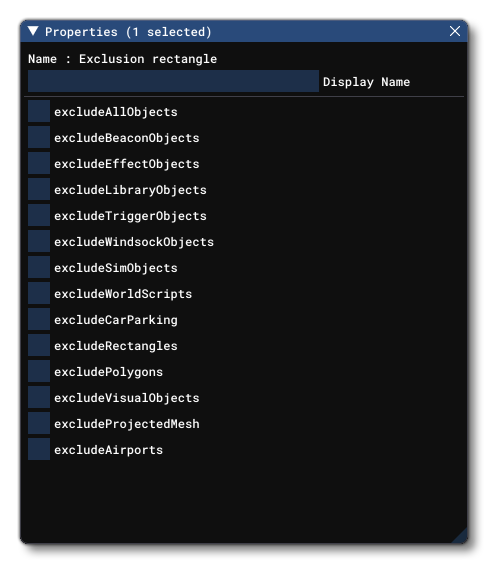
While it is true MSFS {Esc} key > Options > General Options > Data > Bing Data World Graphics > [OFF] also disables Photogrammetry, this scenario appears less likely to involve MSFS' Photogrammetry objects, and more likely MSFS' default 3D models, so we must exclude the MSFS default object(s) using 1 or more ExclusionRectangle objects with the required 'Property'.
Test ExclusionRectangle Properties in MSFS DevMode Scenery Editor to disable a default 3D model live in the GUI.
https://docs.flightsimulator.com/ht...angle_Objects.htm?rhhlterm=exclusionrectangle
PS: It is possible that upon more detailed inspection, you may find other tweaks are needed for "full" MSFS 2024 'compatibility'.
GaryGB
IIUC, you refer to this rendition of your project ?
https://flightsim.to/file/73360/laughlin-bullhead-intl-airport
If so, you have come a long way with this project since your FSX version, which I discussed with another FSDEV participant here:
https://www.fsdeveloper.com/forum/threads/terrain-help.440753/
If you provide Geographic coordinates for placement of your own custom buildings at KIFP, it may be easier to distinguish their placement datums from those of the MSFS default, as the MSFS default buildings are not rendered when you disable "Bing world graphics".
While it is true MSFS {Esc} key > Options > General Options > Data > Bing Data World Graphics > [OFF] also disables Photogrammetry, this scenario appears less likely to involve MSFS' Photogrammetry objects, and more likely MSFS' default 3D models, so we must exclude the MSFS default object(s) using 1 or more ExclusionRectangle objects with the required 'Property'.
Test ExclusionRectangle Properties in MSFS DevMode Scenery Editor to disable a default 3D model live in the GUI.
https://docs.flightsimulator.com/ht...angle_Objects.htm?rhhlterm=exclusionrectangle
excludeEffectsObjects
Checking this will exclude any VFX Objects within the rectangular area.
excludeLibraryObjects
Checking this will exclude any Scenery Objects within the rectangular area.
excludeTriggerObjects
Checking this will exclude any triggers within the rectangular area.
NOTE: Triggers are deprecated in Microsoft Flight Simulator, so checking/unchecking this option will make no difference to rendering.
excludeWindsockObjects
Checking this will exclude any Windsocks within the rectangular area.
excludeSimObjects
Checking this will exclude any SimObj Objects within the rectangular area.
excludeWorldScripts
Checking this will exclude any WorldScript Objects within the rectangular area.
excludeCarParking
Checking this will exclude any areas designated as CarParking Objects within the rectangular area.
excludeRectangles
Checking this will exclude any Rectangle Objects within the rectangular area.
excludePolygons
Checking this will exclude any Polygon Objects within the rectangular area.
excludeVisualObjects
Checking this will exclude all VFX Objects within the rectangular area.
excludeProjectedMesh
Checking this will exclude all ProjectedMesh Objects within the rectangular area.
excludeAirports
Checking this will exclude Airport Objects that it has been placed over. This requires that the exclusion rectangle covers the center point of the airport, and it will prevent all airport objects from spawning, including towers, runways, aprons, etc... Note that this will not change any ground textures, and so - if the airport being excluded exists in the real world - there may still be airport areas visible in the TIN."
PS: It is possible that upon more detailed inspection, you may find other tweaks are needed for "full" MSFS 2024 'compatibility'.
GaryGB
Last edited:
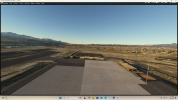
I tried to update the original file, but I couldn't find the XML file. I just built another scenery set with an exclusion rectangle. It works and solved my issue. I had a bunch of exclusion polygons before. I think I am going to use a rectangle from here on out in scenery design. The question is, "who else is seeing bleed through of stock photogramy scenery?
Attachments
Hi again:
I am glad to see you have succeeded in excluding the unwanted default MSFS buildings with an ExclusionRectangle.
I would consider it likely that your 'Property' exclusion parameter type assigned was:
Checking this will exclude any Scenery Objects within the rectangular area.
...or possibly (depending on whether unwanted objects were MSFS' default buildings with SimObject attributes / code extensions):
Checking this will exclude any SimObj Objects within the rectangular area.
Had the unwanted building objects been placed photogrammetry TIN objects, they would not have had such "clean geometry".
Instead, it is likely they are MSFS default glTF 3D model buildings, OSM buildings or MS (Microsoft) buildings.
But it is possible one may be able to exclude them via an exclusion Polygon even if they were not TIN photogrammetry objects:
https://docs.flightsimulator.com/html/Developer_Mode/Scenery_Editor/Objects/Polygon_Objects.htm?rhhlterm=polygon polygons polygonal
GaryGB
I am glad to see you have succeeded in excluding the unwanted default MSFS buildings with an ExclusionRectangle.
I would consider it likely that your 'Property' exclusion parameter type assigned was:
excludeLibraryObjects
Checking this will exclude any Scenery Objects within the rectangular area.
...or possibly (depending on whether unwanted objects were MSFS' default buildings with SimObject attributes / code extensions):
Checking this will exclude any SimObj Objects within the rectangular area.
Had the unwanted building objects been placed photogrammetry TIN objects, they would not have had such "clean geometry".
Instead, it is likely they are MSFS default glTF 3D model buildings, OSM buildings or MS (Microsoft) buildings.
But it is possible one may be able to exclude them via an exclusion Polygon even if they were not TIN photogrammetry objects:
https://docs.flightsimulator.com/html/Developer_Mode/Scenery_Editor/Objects/Polygon_Objects.htm?rhhlterm=polygon polygons polygonal
GaryGB
Last edited:

- Messages
- 6,565
- Country

What sim is this for?
Hi Dick:
I did not cue the OP as his thread is thread placed in a correct sub-forum and the thread subject conveys the version as MSFS.
But as a search shows no FS version prefix in prior threads, this quote seems appropriate to post for future reference by the OP:
"To help FSDev index, and forum participants to follow- and perhaps contribute posts to- your thread(s), it is important for you to:
* Please state which version of FS this thread pertains to; edit your first post (aka "Opening Post" aka "OP") to insert this info.
Choose a FS version as the subject of a thread by clicking the 'down arrow' next to "(No prefix)" ...when starting a new thread. "
"
Again, congratulations, Scott for successfully excluding Asobo's 'new' placement of scenery content in good old MSFS 2020.
GaryGB
I did not cue the OP as his thread is thread placed in a correct sub-forum and the thread subject conveys the version as MSFS.
But as a search shows no FS version prefix in prior threads, this quote seems appropriate to post for future reference by the OP:
"To help FSDev index, and forum participants to follow- and perhaps contribute posts to- your thread(s), it is important for you to:
* Please state which version of FS this thread pertains to; edit your first post (aka "Opening Post" aka "OP") to insert this info.
Choose a FS version as the subject of a thread by clicking the 'down arrow' next to "(No prefix)" ...when starting a new thread.
"Again, congratulations, Scott for successfully excluding Asobo's 'new' placement of scenery content in good old MSFS 2020.
GaryGB
Last edited:

- Messages
- 82
- Country

Same issue here and I can't see what is not working with excluding default Asobo airport (FS2024).
I have polys excluding buildings and a large exclusion rectangle. Results show good in the Sdk tool but not when the scenery is active in Community folder.
Any ideas folks?
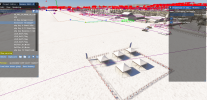
Here the result in the SDK:
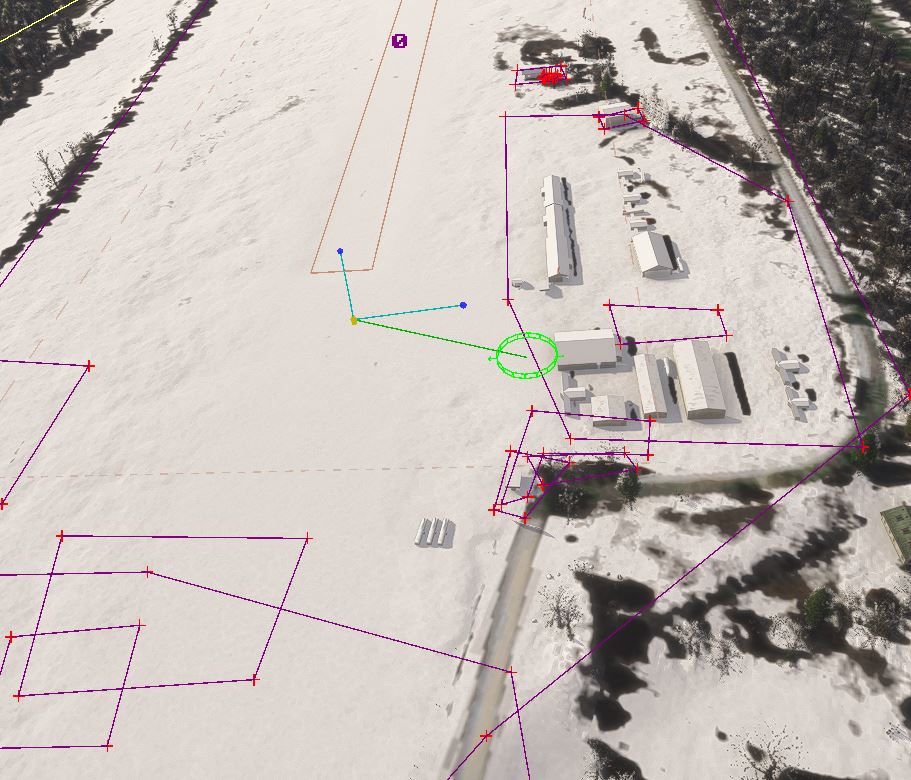
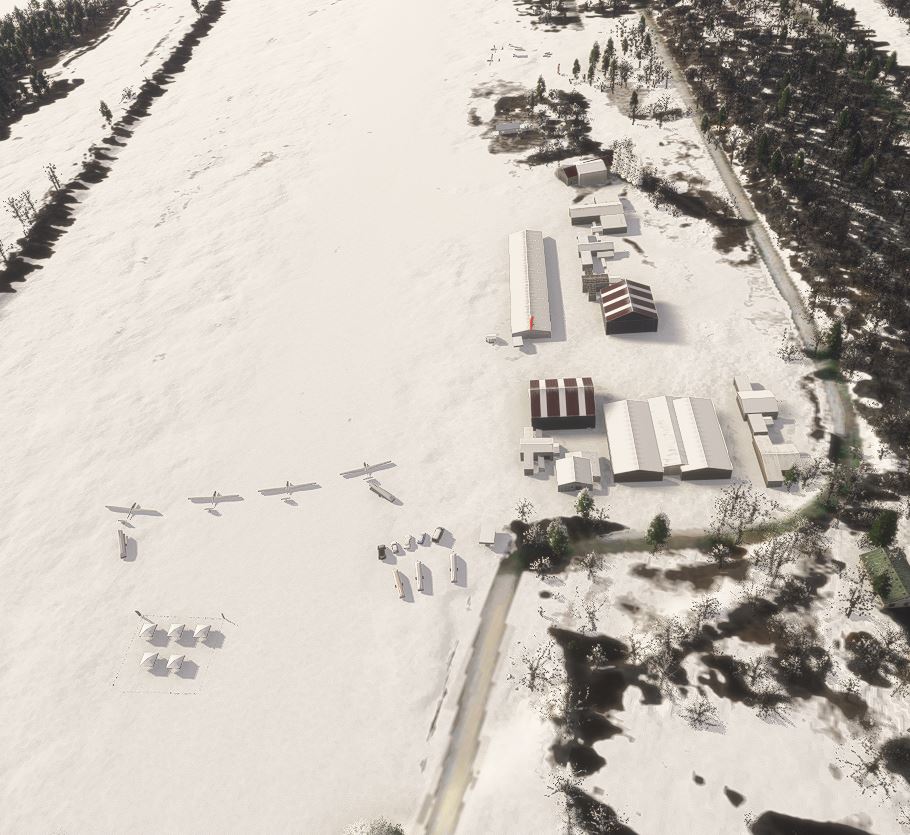
And when activated (default sailplanes, tents and hangar still presents) :
I have polys excluding buildings and a large exclusion rectangle. Results show good in the Sdk tool but not when the scenery is active in Community folder.
Any ideas folks?
Here the result in the SDK:
And when activated (default sailplanes, tents and hangar still presents) :

- Messages
- 483
- Country

Try experimenting with making the dimensions of each polygon bigger.
- Messages
- 82
- Country
This is CSK5, in Saint-Raymond, Quebec, CanadaHello:
Please tell us where this scenery is located (Geographic coordinates), so we can check what MSFS default objects are placed there.
GaryGB
- Messages
- 82
- Country
Sorry, it may not be clear what is by default in the scenery second image. Here it is in orange :Hello:
Please tell us where this scenery is located (Geographic coordinates), so we can check what MSFS default objects are placed there.
GaryGB

Check this thread out:Sorry, it may not be clear what is by default in the scenery second image. Here it is in orange : View attachment 98360
https://devsupport.flightsimulator....-within-the-scenery-editor/13404/7?u=vpilotfs
I had the same issue and it was due to the airport being part of the custom glider airports added by Asobo. Using a rectangle to "exclude buildings" and exclusionrectangles will probably take care of it. These are objects placed manually and not autogenerated by the photogrammetry.
- Messages
- 82
- Country
You are right. This is a glider strip made by Asobo. However I already make a large exclusion rectangle around the airport and polys with exclude buildings, but still. I my have to play try and error with poly size like suggested by Jay cause Idon’t see any other solution.
In my case there were certain objects that didn't disappear in the SDK editor, but once the project was built, they were gone. In the same thread I described different scenarios to Asobo.You are right. This is a glider strip made by Asobo. However I already make a large exclusion rectangle around the airport and polys with exclude buildings, but still. I my have to play try and error with poly size like suggested by Jay cause Idon’t see any other solution.
- Messages
- 82
- Country
After a few month of trials, removing/putting back/moving/enlarging exclusion rectangle and poly to exclude buildings, gliders and tents, no result has been reached. I'm still stuck. I also updated with the last SDK for FS2024. So I humbly share here my files to see if someone has the willingness and time to test on its side.
https://www.dropbox.com/scl/fi/nzox...ey=pku4fbthgw9j543flm9yh4g7g&st=t7jhk0sm&dl=0
Many thanks in advance
First image : the result is reached in the SDK. The exclusion rectangle (yellow line) and the exclusion poly (red line around my hand made buildings) are working. It is then when in the sim that the result go back to the sim default tin buildings and Glider strip Asobo objects (gliders, trailers, cars and tents).
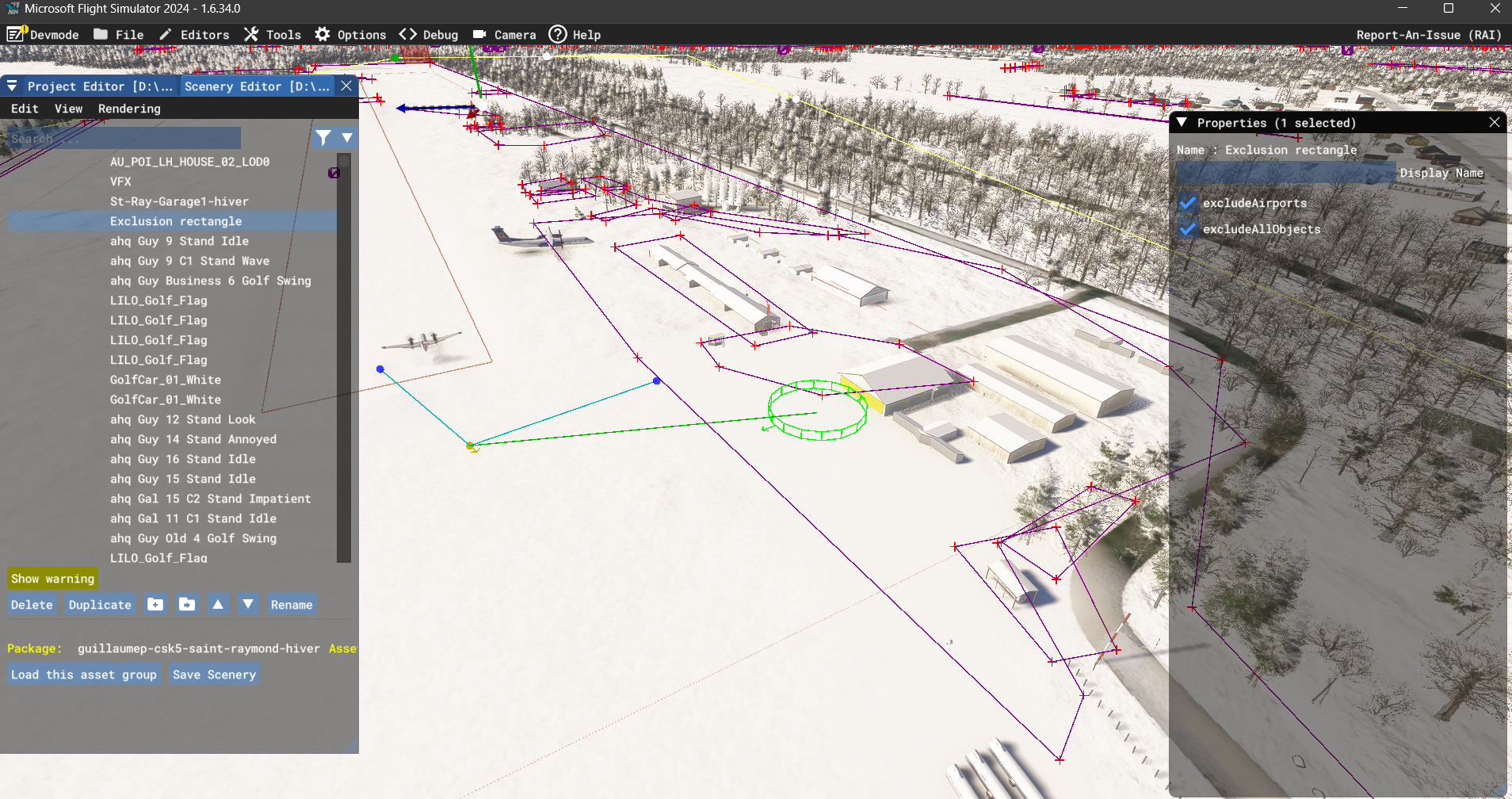
Here is the result when exclusion rectangle and poly excluding buildings don't exclude glider strip objects. I also suspected that the exclusion rectangle may work against the fonction of the exclusion poly and vice versa and try to remove one or the other, but no luck.
What should not be there if you compare with previous image is : black garage, some superposition of hangars, gliders, trailer except 3, cars, tents and 2 aprons, one on which the Dash-8 sits on in the first image.

https://www.dropbox.com/scl/fi/nzox...ey=pku4fbthgw9j543flm9yh4g7g&st=t7jhk0sm&dl=0
Many thanks in advance
First image : the result is reached in the SDK. The exclusion rectangle (yellow line) and the exclusion poly (red line around my hand made buildings) are working. It is then when in the sim that the result go back to the sim default tin buildings and Glider strip Asobo objects (gliders, trailers, cars and tents).
Here is the result when exclusion rectangle and poly excluding buildings don't exclude glider strip objects. I also suspected that the exclusion rectangle may work against the fonction of the exclusion poly and vice versa and try to remove one or the other, but no luck.
What should not be there if you compare with previous image is : black garage, some superposition of hangars, gliders, trailer except 3, cars, tents and 2 aprons, one on which the Dash-8 sits on in the first image.
- Messages
- 483
- Country
I can take a look at the project when I get back to my MSFS 2024 computer. Excluding the parked gliders, sheds and other items may pose an.issue because they may be SimObjects that are classified by Asobo as airplanes, static objects, etc..
Look here in the SDK and see what types of SimObject Containers are located at your airports:
 docs.flightsimulator.com
Look here in the SDK and see what types of SimObject Containers are located at your airports:
SimObject Containers
docs.flightsimulator.com
- Messages
- 6,565
- Country
Also, you should edit the PackageDefinition xml to use the correct PackageOrderHint:
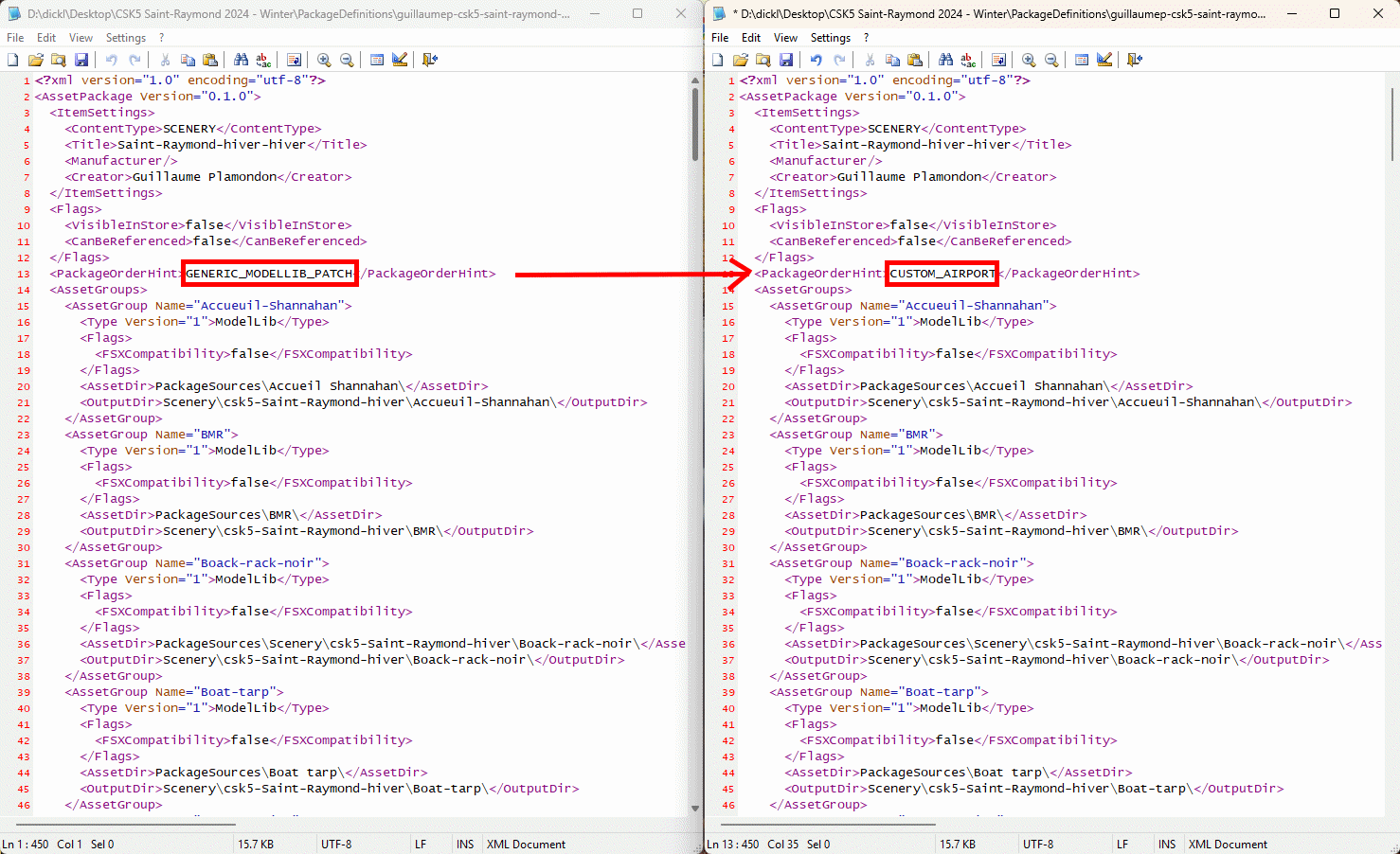
MSFS 2024 is picky about the order hint. You're creating a custom airport that overrides a generic airport.
MSFS 2024 is picky about the order hint. You're creating a custom airport that overrides a generic airport.
I have not yet looked extensively into MSFS 2024's latest implementation of code standards for SimObjects.
But SDK Docs suggest that even for non-aircraft scenery-type objects, there is still a requirement for an accompanying discrete CFG or XML file.
https://docs.flightsimulator.com/ms...lterm=simobjects simobject&rhsearch=SimObject
I do not see any such SimObject discrete CFG or XML files on a cursory scan of the OP's attached Project folder chains.
Thus, IIUC, these are standard scenery objects not subject to SimObject conditional display / 'visibility' criteria.
I plan to next see if there are identifiable "Spheres" for SimObject Container domains in DevMode.
I shall also look at LOD names (if any) to see what shows on screen as "hints" as to package name etc. to ID object types / source locations.:
https://docs.flightsimulator.com/ms...And_Textures/Modeling/LODs/Debugging_LODs.htm
"At this point we'd recommend that you add the package name to the Package Name Filter, as this will then filter the package details from the overlay, making it a lot easier to read."
GaryGB
But SDK Docs suggest that even for non-aircraft scenery-type objects, there is still a requirement for an accompanying discrete CFG or XML file.
https://docs.flightsimulator.com/ms...lterm=simobjects simobject&rhsearch=SimObject
I do not see any such SimObject discrete CFG or XML files on a cursory scan of the OP's attached Project folder chains.
Thus, IIUC, these are standard scenery objects not subject to SimObject conditional display / 'visibility' criteria.
I plan to next see if there are identifiable "Spheres" for SimObject Container domains in DevMode.
I shall also look at LOD names (if any) to see what shows on screen as "hints" as to package name etc. to ID object types / source locations.:
https://docs.flightsimulator.com/ms...And_Textures/Modeling/LODs/Debugging_LODs.htm
"At this point we'd recommend that you add the package name to the Package Name Filter, as this will then filter the package details from the overlay, making it a lot easier to read."
GaryGB
Last edited:
- Messages
- 82
- Country
Thanks All for your comments.
Observations after your comments : Gliders are Simobjects that are gone with the exclusion rectangle, but not the airport objects.
I ajusted the Packagedefinition.xml as per Dick suggestion. Not sure yet if there is an effect.
As per Jay suggestion, here are the Containers in this scenery. Not sure what to do next with them.
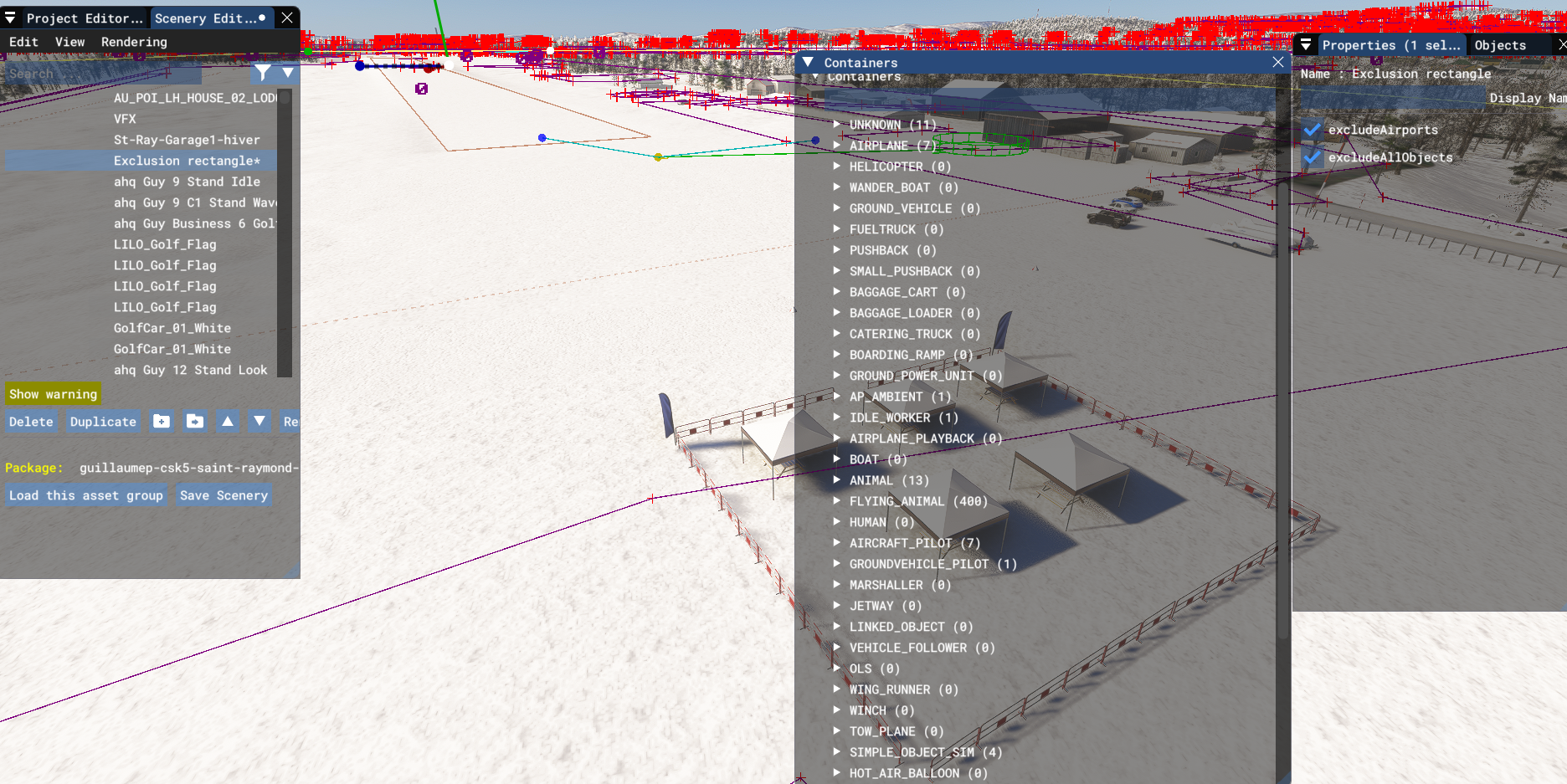
Observations after your comments : Gliders are Simobjects that are gone with the exclusion rectangle, but not the airport objects.
I ajusted the Packagedefinition.xml as per Dick suggestion. Not sure yet if there is an effect.
As per Jay suggestion, here are the Containers in this scenery. Not sure what to do next with them.
Attachments
- Messages
- 82
- Country
Oh!
Tested the scenery after compilation and all default is gone! May it be the correct PackageOrderHint ?
Veryyy happy here! After several months of testings...
FYI this is a scenery made early in FS2020, updated a lot, converted to FS2024, copied / pasted from original version to do a Winter version (which is an issue all the time) at the end of 2024 and that worked for a while, than came I don't know what sim update...
Thanks a lot you guys. Much appreciated!
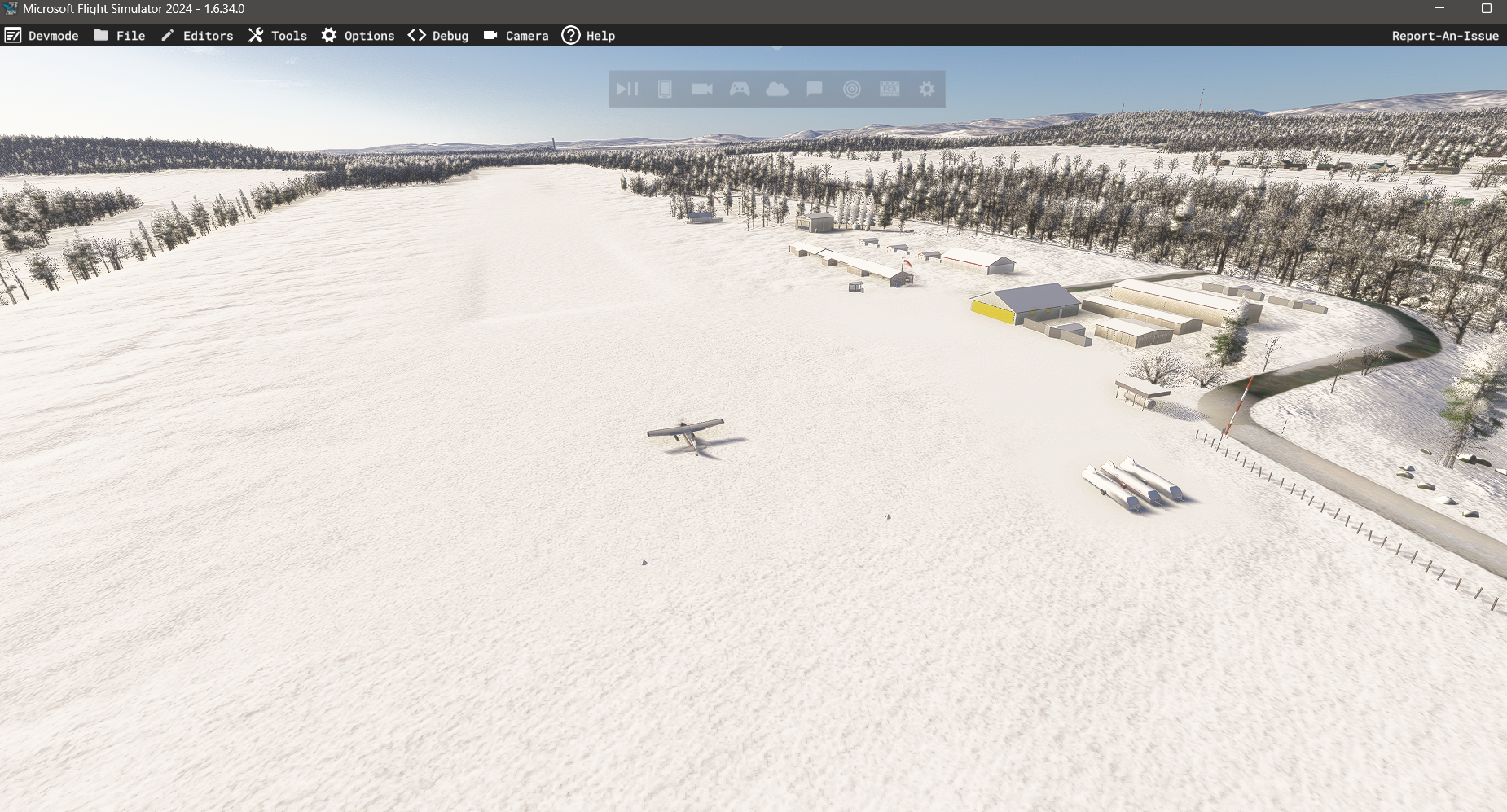
Tested the scenery after compilation and all default is gone! May it be the correct PackageOrderHint ?
Veryyy happy here! After several months of testings...
FYI this is a scenery made early in FS2020, updated a lot, converted to FS2024, copied / pasted from original version to do a Winter version (which is an issue all the time) at the end of 2024 and that worked for a while, than came I don't know what sim update...
Thanks a lot you guys. Much appreciated!