- Messages
- 247
- Country

Hello all,
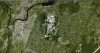
After some six months of work, I finally feel like I'm ready to show the first shots of my project of recreating Chattanooga Metropolitan Airport (KCHA) and its surroundings. KCHA is a small airport serving the city of Chattanooga, TN. With regular service by American, Delta, Allegiant and United to major US airports including New York LaGuardia, Charlotte, Dallas, Detroit, Chicago, Washington and Orlando, there is a wide variety of short and medium haul flights, mostly served by CRJ and ERJ family aircraft, though Allegiant serves KCHA with its A319, and, back in the day, with an MD80. I aim to recreate all structures on airport grounds as well as those in the immediate surroundings, including the industrial estate just north of the airport. I'm also including a sizeable area of satellite imagery-based photoreal terrain of about 19 square miles at 1m resolution, though the airport and its immediate surroundings (about 5 square miles) will be at a 30cm resolution from high quality aerial imagery.
Current progress sees the photoreal coverage mostly done. This includes the blend and water masks, as well as autogen annotation (my P3D settings are not set to max, so there's a lot of autogen currently not appearing). I've also managed to get the 1m sat imagery to blend fairly well with the surrounding landclass textures, which has been hand annotated. Note that currently the blending has been done specifically for use with Orbx's FSGlobal. I'll likely include textures for use with default P3D textures as well at a later date. Underlying the photoreal terrain there is a high-res mesh. The resolution is goo enough to see individual on and off ramps, making it easy to construct things such as highway bridges, which therefor I will d=indeed also include!
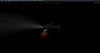
The groundpoly is also mostly done. Most textures are at 2048x2048, and some at 4096x4096, wherever it made sense to that (runway surface, for example). Most surfaces include bump maps as well. This most likely will cause bright stripes and such at night when landing lights are caused, as people have witnessed as FSDT airports as well as FB's KPDX. I know there's people that hate that look - personally I'm not too bothered by it and I think it does make daytime textures look vastly more realistic. I did include a screenhot showing the effect of the landing lights on the runway surface. I do think it does look rather realistic, but I know some people will hate it... I will be including some more wear and tear marks, and I noticed the ground poly is not 100% correctly aligned with the underlying aerial imagery, so this will be fixed as well. Then there will be a bunch of texture tweaks (not entirely happy with some things), and I envision putting in water puddles and such as well.
I also included a screengrab from Blender, showing the terminal building. The modeling of its exterior is in a fairly advanced stage, but I'm also working on the interior of it. The industrial estate north of the airport is about 30% done, with regards to modeling. For all models I
l'll be including ambient occlusion, and I'm considering doing PBR textures for structures on airport grounds. However, given that this is quite literally my first ever foray into scenery design, and I haven't really done much 3D modeling in general, it's all rather new to me The software required to make PBR textures are also not the cheapest, and while there are some free alternatives, I have my eye on Substance Painter for any PBR work. But, I'll likely only get this at a later point.
Amongst other planned features will be a heavily SODE'ed environment, with SODE-controlled jetways, airport lights, puddles and snow, windsocks...
Because of the current investment I made into the aerial imagery, I am considering this to be made available as payware (but not for a high price or anything like that - just enough that I can return on my investment).
As for a release, given that it took me some 6 months to get to this point, please don't look for a release any time soon I'm very much learning as I go. Again, all you see here is the result of practice, training and research worth 6 months. Development is speeding up the more I learn, but there's still a ton to learn. Thanks to the community here, as well as some helpful devs that I have personally approached, things have been relatively smooth so far.
This airport will be released exclusively for P3Dv4, and most likely it will need to be v4.4 or above (whatever version we are at when this thing is released...).
Now for some screenshots! Enjoy.
After some six months of work, I finally feel like I'm ready to show the first shots of my project of recreating Chattanooga Metropolitan Airport (KCHA) and its surroundings. KCHA is a small airport serving the city of Chattanooga, TN. With regular service by American, Delta, Allegiant and United to major US airports including New York LaGuardia, Charlotte, Dallas, Detroit, Chicago, Washington and Orlando, there is a wide variety of short and medium haul flights, mostly served by CRJ and ERJ family aircraft, though Allegiant serves KCHA with its A319, and, back in the day, with an MD80. I aim to recreate all structures on airport grounds as well as those in the immediate surroundings, including the industrial estate just north of the airport. I'm also including a sizeable area of satellite imagery-based photoreal terrain of about 19 square miles at 1m resolution, though the airport and its immediate surroundings (about 5 square miles) will be at a 30cm resolution from high quality aerial imagery.
Current progress sees the photoreal coverage mostly done. This includes the blend and water masks, as well as autogen annotation (my P3D settings are not set to max, so there's a lot of autogen currently not appearing). I've also managed to get the 1m sat imagery to blend fairly well with the surrounding landclass textures, which has been hand annotated. Note that currently the blending has been done specifically for use with Orbx's FSGlobal. I'll likely include textures for use with default P3D textures as well at a later date. Underlying the photoreal terrain there is a high-res mesh. The resolution is goo enough to see individual on and off ramps, making it easy to construct things such as highway bridges, which therefor I will d=indeed also include!
The groundpoly is also mostly done. Most textures are at 2048x2048, and some at 4096x4096, wherever it made sense to that (runway surface, for example). Most surfaces include bump maps as well. This most likely will cause bright stripes and such at night when landing lights are caused, as people have witnessed as FSDT airports as well as FB's KPDX. I know there's people that hate that look - personally I'm not too bothered by it and I think it does make daytime textures look vastly more realistic. I did include a screenhot showing the effect of the landing lights on the runway surface. I do think it does look rather realistic, but I know some people will hate it... I will be including some more wear and tear marks, and I noticed the ground poly is not 100% correctly aligned with the underlying aerial imagery, so this will be fixed as well. Then there will be a bunch of texture tweaks (not entirely happy with some things), and I envision putting in water puddles and such as well.
I also included a screengrab from Blender, showing the terminal building. The modeling of its exterior is in a fairly advanced stage, but I'm also working on the interior of it. The industrial estate north of the airport is about 30% done, with regards to modeling. For all models I
l'll be including ambient occlusion, and I'm considering doing PBR textures for structures on airport grounds. However, given that this is quite literally my first ever foray into scenery design, and I haven't really done much 3D modeling in general, it's all rather new to me
The software required to make PBR textures are also not the cheapest, and while there are some free alternatives, I have my eye on Substance Painter for any PBR work. But, I'll likely only get this at a later point.Amongst other planned features will be a heavily SODE'ed environment, with SODE-controlled jetways, airport lights, puddles and snow, windsocks...
Because of the current investment I made into the aerial imagery, I am considering this to be made available as payware (but not for a high price or anything like that - just enough that I can return on my investment).
As for a release, given that it took me some 6 months to get to this point, please don't look for a release any time soon
I'm very much learning as I go. Again, all you see here is the result of practice, training and research worth 6 months. Development is speeding up the more I learn, but there's still a ton to learn. Thanks to the community here, as well as some helpful devs that I have personally approached, things have been relatively smooth so far.This airport will be released exclusively for P3Dv4, and most likely it will need to be v4.4 or above (whatever version we are at when this thing is released...).
Now for some screenshots! Enjoy.
Attachments
-
 2019-1-20_14-52-54-152.png4.1 MB · Views: 1,140
 -
 2019-1-20_14-57-33-52.png2.8 MB · Views: 1,000
 -
 2019-1-20_14-47-22-443.png3.2 MB · Views: 980
 -
 2019-1-20_14-47-50-810.png3.1 MB · Views: 994
 -
 2019-1-20_14-39-44-325.png3.2 MB · Views: 988
 -
 2019-1-20_14-52-1-409.png3.9 MB · Views: 1,009
 -
 2019-1-20_14-40-53-343.png3.7 MB · Views: 1,131
 -
 2019-1-20_14-42-54-438.png3.6 MB · Views: 1,022
 -
 2019-1-20_15-1-57-274.png1.3 MB · Views: 1,046
 -
 terminal.JPG44.2 KB · Views: 981
Last edited: