

- Messages
- 1
- Country

Hey.
I hope someone can point me into the correct solution to my problem.
I am trying to exclude every tree in the Faroe Islands (a super small country)
I have created separate polygons for each of the 18 islands.
I followed a guide downloaded from flightsim.to (also followed topics in this forum)
I see the trees dissappear while in dev mode, i click on build in order to create the package, but even though the package is activated in my library in MSFS 24, the trees are still there
Even more so, when i try to load the project in dev mode, all of the polygons are gone, and yes I did save the project.
Any help would be appreciated, thank you in return.
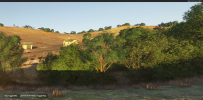
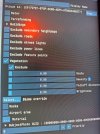
Images attached.
I hope someone can point me into the correct solution to my problem.
I am trying to exclude every tree in the Faroe Islands (a super small country)
I have created separate polygons for each of the 18 islands.
I followed a guide downloaded from flightsim.to (also followed topics in this forum)
I see the trees dissappear while in dev mode, i click on build in order to create the package, but even though the package is activated in my library in MSFS 24, the trees are still there
Even more so, when i try to load the project in dev mode, all of the polygons are gone, and yes I did save the project.
Any help would be appreciated, thank you in return.
Images attached.
Attachments
Last edited:
