• Which the release of FS2020 we see an explosition of activity on the forun and of course we are very happy to see this. But having all questions about FS2020 in one forum becomes a bit messy. So therefore we would like to ask you all to use the following guidelines when posting your questions:

    • Tag FS2020 specific questions with the MSFS2020 tag.
    • Questions about making 3D assets can be posted in the 3D asset design forum. Either post them in the subforum of the modelling tool you use or in the general forum if they are general.
    • Questions about aircraft design can be posted in the Aircraft design forum
    • Questions about airport design can be posted in the FS2020 airport design forum. Once airport development tools have been updated for FS2020 you can post tool speciifc questions in the subforums of those tools as well of course.
    • Questions about terrain design can be posted in the FS2020 terrain design forum.
    • Questions about SimConnect can be posted in the SimConnect forum.

    Any other question that is not specific to an aspect of development or tool can be posted in the General chat forum.

    By following these guidelines we make sure that the forums remain easy to read for everybody and also that the right people can find your post to answer it.

Gmax FSX attach points?

Messages
12
Country
unitedkingdom
Hi all, hope someone can help. I'm finishing scenery for my local airport using a mixture of Gmax (FSX) for 3D objects and Gmax (2002) for ground polys. All this works really well and has been really enjoyable to build however I'm pulling my hair out when it comes to attaching effects using the attach tool within FSX Gmax. I'm trying to create a line of white approach lights. I created a box in Gmax, turned it to an editable mesh, opened the attachpoint tool, clicked the effect box, selected the effect (in the effects folder of FSX), clicked 'create new attach point' a sphere appears which I move to the selected box, left click mouse and sphere 'sticks' to box, right click and save scene. When I click on select objects I've got the original box and attachpt_fx_light_0. I then select all objects and export them to an mdl file which I then successfully compile into a bgl. Everything appears in the scenery except the light. I've read the SDK and searched the forums but don't know what I'm doing wrong. I can successfullly place the effect using XML code and it shows up in the scenery but I would prefer to attach it to an object in Gmax. I've tried renaming the attachpoint to a name different from the effect name and creating a box and clicking 'attach to selected geometry' to turn the box itself into the effect. Nothing seems to work. Ive also tried different default effects so I must be doing something wrong. Hope someone can help.

Terry
 
Hi Terry,

It could be that you have a problem with a local exclude. If you use an exclude in your scenery, it will also exclude your attached effect. Do you have an exclude in your scenery?

Another thing you might want to check is that when you used the attachtool correctly on your object to attach an effect, that this object is no longer visible after exporting to FS. So if you still see the object in FS, something went wrong there.
 
Hi Arno, thanks for the help. Once I attach an effect to an object, the object does not appear. I do use excludes for removing the default airport and associated scenery including default flattens. You may have solved the problem as I just checked the exclude xml and I have excluded 'effect objects'. The only thing I have noticed is that I have also exluded 'Library objects' yet the ones I placed manually using the object placement tool still appear. I'll give it a try and let you know.

Thanks Arno.

Terry
 
Hi Arno, I've removed all the excludes however still no lights. I'll keep experimenting, nothing seems to be straight forward or simple in this hobby.

Terry
 
Terry, a while back I initiated a series of posts on attachpts and FSX http://www.fsdeveloper.com/forum/showthread.php?t=4297 highlighting some problems I was having.

MS "broke" attachpts rather badly in the initial release of FSX. Hopefully, things will be better in SP1. There are two fundamental issues:

1) the attachpt tool doesn't work as specified in the SDK, and
2) you can no longer nest attached objects.

One of the "by-products" of the first issue is that the attachpt name assigned by the tool to the first attached item may differ from the name which it includes in the attachpt code (right-click on the attachpt, select properties and then select "User-Defined"). They must be the same or the attached object will not display. Also, if you used the usual parameters (DAY, NIGHT,DAWN, DUSK), you'll need two attachpts with two parameters each.

Don
 
Last edited by a moderator:
Hi Gadgets, I have my problems sorted out. The effects not appearing were caused by (excludeEffectObjects = "TRUE") in my exclude xml file. With everything else excluded, the effects appear now without default generic buildings etc in the airport scenery. I also found a handy way (for me anyway) to place effects such as taxilights. I create a 3d model of the light or approach lighting system in Gmax. I add 2 effects to each, as you found, one for day/night and one for dawn/dusk. I then compile the .mdl and add it to a library .bgl via an .xml file. I can then place the lights using Flight One Software's 'Instant Scenery'. All the effects work correctly and are positioned perfectly in relation to the 3d model. It takes a while to place dozens of taxilights this way but it works really well and it saves me having to add dozens of attach points within Gmax.

Terry
 
One of the "by-products" of the first issue is that the attachpt name assigned by the tool to the first attached item may differ from the name which it includes in the attachpt code (right-click on the attachpt, select properties and then select "User-Defined"). They must be the same or the attached object will not display. Also, if you used the usual parameters (DAY, NIGHT,DAWN, DUSK), you'll need two attachpts with two parameters each.

Does anybody know if Gmax FSX attach points tool NOW work??
and where does GMAX write the XML file linked to the exported file?
regards
 
Hi,

The attachpoint tool does work, although effect do have some quirks here and there.

What kind of XML you want to have saved?
 
The attachpoint tool does work
Unfortunally not to me; may be I make something wrong
what I did:
Using FSX_GMAX1.2
first of ALL: I created a friendly name for GUI :SMOKE than

1.created a plane:named SMOKE with a black texture128x128
2.cloned this one named SMOKE_01
3.linked SMOKE_01 to SMOKE
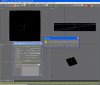
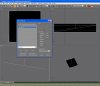
4.tried to apply an effect to SMOKE_01 but it gives me a message error....so what I have to do (see wip03)?
 

Attachments

  • smokewip003.jpg
    smokewip003.jpg
    162 KB · Views: 660
  • smokewip001.jpg
    smokewip001.jpg
    157.7 KB · Views: 646
  • smokewip002.jpg
    smokewip002.jpg
    153.8 KB · Views: 568
Hi,

I haven't seen that message before. But why are you linking them? To place a smoke effect you just place a small box at the location where you want the effect and run the attachtool script on that.
 
OK
1.created BOX:named BOX_SMOKE with a black texture128x128
2.applied an effect to BOX_SMOKE and......
3,exported:it WORKS finally
thank you
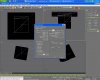
now pls can you write steps to design a light : it should be at least a rectangular yellow light (see light01)

and second question: where can I find the XML "linked /written" for my smoke_box.mdl ....or I have to do an other step to create it?
 

Attachments

  • smokewip005.jpg
    smokewip005.jpg
    205.8 KB · Views: 645
  • smokewip004.jpg
    smokewip004.jpg
    196.9 KB · Views: 578
  • light01.jpg
    light01.jpg
    33.8 KB · Views: 597
  • smoke_box.MDL
    smoke_box.MDL
    1.5 KB · Views: 462
@tgibson : I'm not able to copy and past all which is written in user/defined (how can I do?)
anyway here you have
 

Attachments

  • smokewip006.jpg
    smokewip006.jpg
    227.2 KB · Views: 625
  • smokewip007.jpg
    smokewip007.jpg
    243.6 KB · Views: 584
GMax unfortunately does not allow copy/paste in the User Defined dialog. You will have to use the Attachpoint Tool to create the attachpoint(s)...

...or else, clone the one you already have, then manually edit the User Defined entry to fix the name to match the cloned object's new name.
 
GMax unfortunately does not allow copy/paste in the User Defined dialog.

That's been one of my biggest software pet peeves for about 7 years now, is that not the most asinine feature/restriction you've ever heard of? Let me guess, you can copy & paste just fine given the same scenario in 3DS Max?
 
That's been one of my biggest software pet peeves for about 7 years now, is that not the most asinine feature/restriction you've ever heard of? Let me guess, you can copy & paste just fine given the same scenario in 3DS Max?
Yep! In any version of Max copy/paste in the User Defined area works just fine. :coffee:
 
anyway I used 3ds max 9 and pandasoft plugin as test:
in user defined I have:
FSXML = <?xml version="1.0" encoding="ISO-8859-1" ?> <FSMakeMdlData version="9.0"> <Attachpoint name="attachpt_smokestack_1"> <AttachedObject> <Effect effectName="fx_smokestack" effectParams=""/> </AttachedObject> </Attachpoint> </FSMakeMdlData>

and in object properties (see attached file)

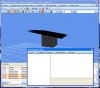
but when exported (see attached file) I do not have any effect so what I have to do.....where is the fault?

may be pandasoft plugin (see wsmokewip011) not working well can you help?

you may tell me How setup 3ds max 9 may be is there the fault.....
 

Attachments

  • error_log_pandasoft.txt
    error_log_pandasoft.txt
    524 bytes · Views: 480
  • smokewip009.jpg
    smokewip009.jpg
    291.3 KB · Views: 532
  • smokewip008.jpg
    smokewip008.jpg
    161.4 KB · Views: 544
  • smokewip010.jpg
    smokewip010.jpg
    179.5 KB · Views: 584
  • smokewip011.jpg
    smokewip011.jpg
    141.9 KB · Views: 502
Last edited:
Back
Top