Hi everyone, So I have followed exactly the procedure that has to be followed and not sure what I am missing. I will write down the steps that I have followed.
1. I made the planes accordingly in blender over the satellite image that we had.
2. I uv mapped the textures on to the planes in blender itself. for example: taxiways, taxiway lines, etc. All the texture sizes are in the power of 2 and are .jpg files
3. I exported it from blender in .dae format and imported it using the ground polygon wizard in Model converterX. I used the material editor to add the respective textures to the planes.
4. I set the paths for scasm, bglcompiler, Shp2vec and other needed ones in options par of MCX.
5. I set the paths for Scenery and Texture folder of our scenery, where it needs to place the bgl and the converted textures file in .dds format.
6. I then added the coordinates, altitude and heading from the airport design editor x to ground polygon wizard. Then, I set the priority order for the textures. For example: base first and then the taxiwaylines, etc.
7. Then I clicked on convert which places all the texture files in .dds format into Texture folder of the scenery and the .bgl file into the scenery folder....While I did all this, there are absolutely no errors or warnings showed by MCX.
8. I opened up my sim and added the folder with scenery and texture into the scenery library at the top of it.
9. The ground polygons does not show up in the sim..

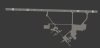
I have uploaded what I see in blender.
Can someone please help me and my team? Where exactly are we going wrong? Are we missing something really obvious?
Thanks a lot!
Regards,
Ablai, Ved, Eric