…this topic has definitely been discussed here before, however I am not sure if the current SDK has matured enough to tackle some of the issues associated.
ArtAir@,
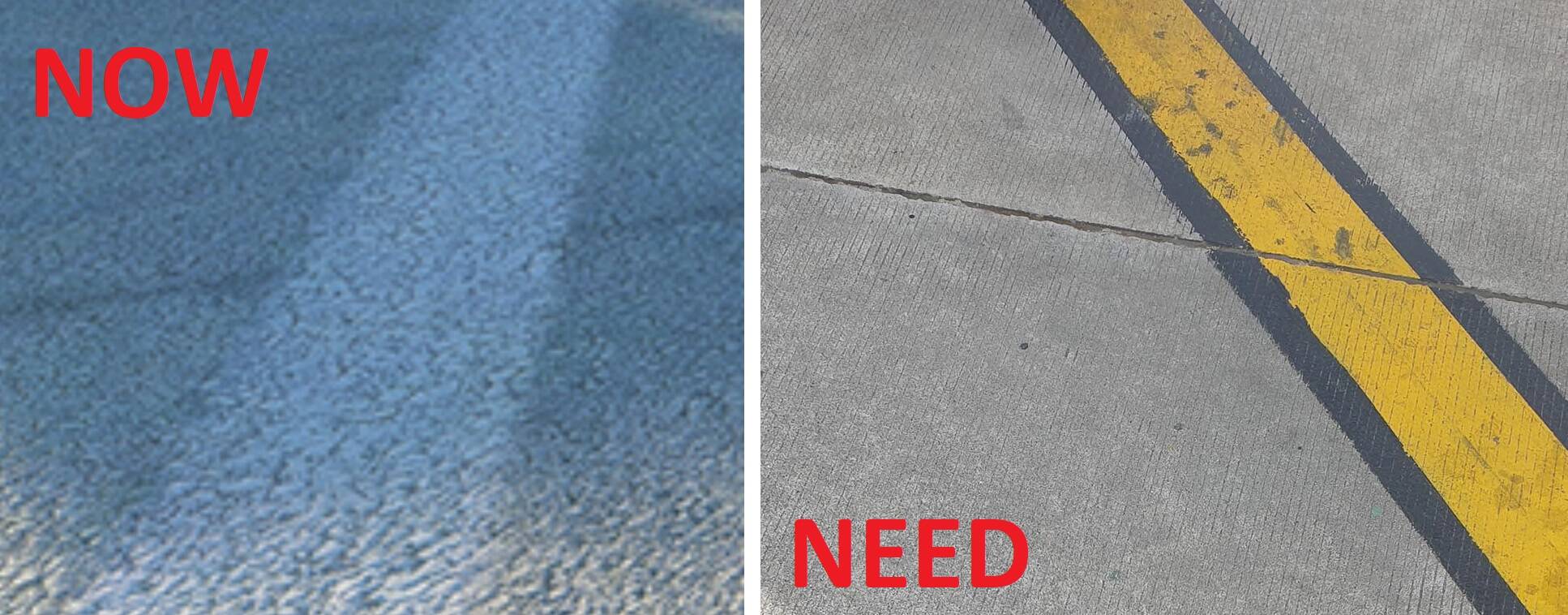
Having looked at this quite a while back, you are quite correct, unfortunately the ground texturing for some surface types, does not really cut it. Concrete Paved Aprons as your image above demonstrates, is one such surface.
The two main ways of getting Airport hard surfaces into MSFS, is to use either the in Sim ( MSFS2020 ) Developer tools to do it, or use Custom Created Ground Polygons. These would be created by a third party design tool, Blender for example.
If the in Sim Developer tools are to be used to create the Airport Aprons, Taxiways etc, then as you quite rightly point out, once these surfaces are processed and viewed in the Sim, by default a ‘ Detail ‘ texture layer is added. As far as I can remember, this can’t be toggled off. ( I am not sure if SDK 13.0 has changed this ).
Some Scenery Designers have chosen to use the MSFS Projected Mesh technique to draw the Aprons, Taxiways and Runways etc.
This a similar technique to using Ground Polygons in FSX & P3D. Whilst the Projected Mesh technique is great because the textured polygons follow the terrain, there is a loss of Texture resolution when viewed in the Sim.
In addition to this, it appears that the default ‘ Detail ‘ layer is also added above the Projected Mesh layer, so you get a ‘ double whammy ‘ of the dilution of your original ground textured material.
I have seen on this forum, other designers have mentioned using a third party design tool to create a Textured Plane. This Textured Plane could use a Hi Res
Texture, such as yours shown in the first image, tiled to make it look like an Airport Apron surface.
This Textured Plane ( Model ) would be compiled and placed like any other model is placed using the proprietary tools of the SDK. The Priority drawing order parameter may need to be selected with an appropriate value to reduce the chance of any Z- Fighting ( flickering ) as the Textured Plane will need to be positioned pretty much merged with the ground, just above it actually.
Whilst this approach might be possible and allow a highly detailed Ground Texture to be used and furthermore, when viewed in the Sim remain highly detailed without any Texture resolution loss or the inclusion of the additional ‘ Detail ‘ layer, I think it would only really be possible to implement for very small Airfields or Airports.
Implementation of this technique at larger Airports would require too much Terraforming to get areas flat enough to prevent the terrain breaking through the surface of the Textured Plane.
Hope all of this makes some sense, of course what we really need is for MS/ Asobo to address both the Projected Mesh issue and the Detail layer issue.
Once sorted, this would be a formidable step in the right direction as far as Airport Scenery is concerned.
Kind Regards,
Pete Beeby.