• Which the release of FS2020 we see an explosition of activity on the forun and of course we are very happy to see this. But having all questions about FS2020 in one forum becomes a bit messy. So therefore we would like to ask you all to use the following guidelines when posting your questions:

    • Tag FS2020 specific questions with the MSFS2020 tag.
    • Questions about making 3D assets can be posted in the 3D asset design forum. Either post them in the subforum of the modelling tool you use or in the general forum if they are general.
    • Questions about aircraft design can be posted in the Aircraft design forum
    • Questions about airport design can be posted in the FS2020 airport design forum. Once airport development tools have been updated for FS2020 you can post tool speciifc questions in the subforums of those tools as well of course.
    • Questions about terrain design can be posted in the FS2020 terrain design forum.
    • Questions about SimConnect can be posted in the SimConnect forum.

    Any other question that is not specific to an aspect of development or tool can be posted in the General chat forum.

    By following these guidelines we make sure that the forums remain easy to read for everybody and also that the right people can find your post to answer it.

FS2004 How do I get sharp image background Google Map or others?

Messages
553
Country
unitedstates
Hi Folks,

Howdy, all of you? I'm good. Stay safe.

Can you please help or solve the issue problem or am I missing something? I have used taken picture of Google Earth Map many times. I saved the image from ADE9 to put background airport layout to draw much easier for me to use it. So, I am asking why Google Map image is not sharp picture clear it is so fuzzy or blurry after picture? Why is that so blurry after picture but I look Apps from Google Earth Map is perfectly clear but not this image. How do I get a clear image of this? Can you please tell me or that unable to do this?


See photo image looks like:
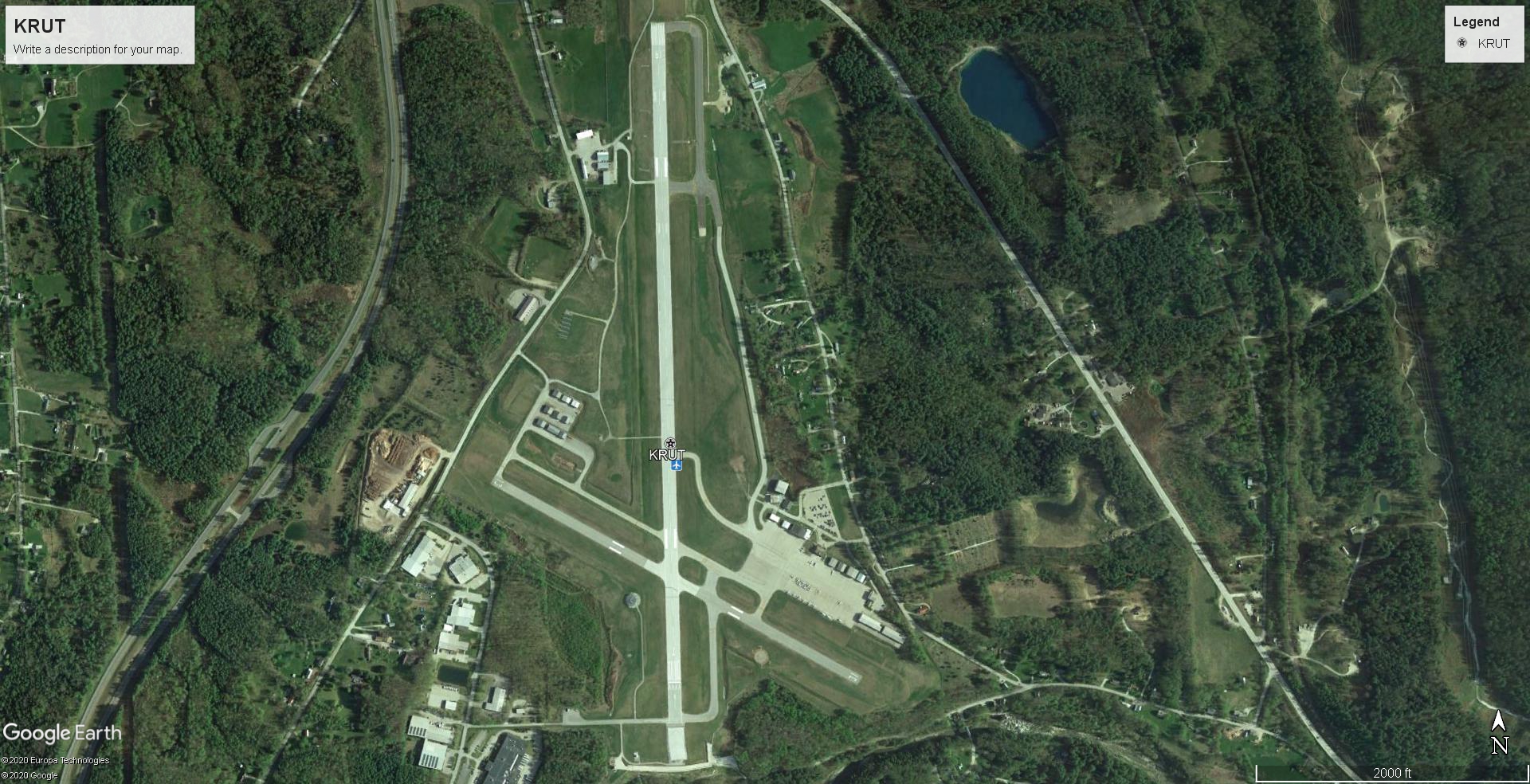
KRUT.jpg


Thanks,

Stuart
 
I'm guessing that your photo capture is not at a high enough resolution and when you expand it to fill the ADE screen it becomes blurry. This doesn't happen in the App because it probably serves you higher resolution images as you zoom in. You might be able to zoom in, save the image, repeat this for the entire airport, and then sew together the images into a single image?
 
You're better off using FS Earth Tiles combined with the latest Google Maps server. Search FSDeveloper for "FSET" and you will find instructions on how to proceed. The advantage of this approach is you also get a BGL file of the imagery in addition to the BMP version. The BMP image can then be opened in Photoshop and saved as JPG for use in ADE. FSET also outputs a TXT file with the coordinates of the image's corners, so it will be exactly rectified when loaded into ADE.

One word of caution. The highest resolution Google Maps image may not load in ADE due to ADE being a 32 bit app. Some resizing may also be necessary in Photoshop.

Also, if you want, you can use higher resolution images obtained from Google Earth for either the terminal area or any other area where you need finer detail.
 
I found now Settings>Options> menu look for folder Image and set from BMP to JPG. I think JPG is sharper better than bmp. Sigh! I tested and close up the photo isn't too bad. Much better.

Thanks,

Stuart
 
Back
Top