• Which the release of FS2020 we see an explosition of activity on the forun and of course we are very happy to see this. But having all questions about FS2020 in one forum becomes a bit messy. So therefore we would like to ask you all to use the following guidelines when posting your questions:

    • Tag FS2020 specific questions with the MSFS2020 tag.
    • Questions about making 3D assets can be posted in the 3D asset design forum. Either post them in the subforum of the modelling tool you use or in the general forum if they are general.
    • Questions about aircraft design can be posted in the Aircraft design forum
    • Questions about airport design can be posted in the FS2020 airport design forum. Once airport development tools have been updated for FS2020 you can post tool speciifc questions in the subforums of those tools as well of course.
    • Questions about terrain design can be posted in the FS2020 terrain design forum.
    • Questions about SimConnect can be posted in the SimConnect forum.

    Any other question that is not specific to an aspect of development or tool can be posted in the General chat forum.

    By following these guidelines we make sure that the forums remain easy to read for everybody and also that the right people can find your post to answer it.

MCX Error Message

Messages
10
Country
unitedstates
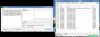
I am trying to batch convert a new FWA scenery through MCX and I keep getting this error message.
What am I doing wrong and how do I successfully convert this scenery from FSX to FS9?
Are there any other steps that I need to be aware of?
 

Attachments

  • 1.jpg
    1.jpg
    224.1 KB · Views: 343
An "unsupported RIFF section" warning is only an alert, not a hang, the library will still compile. However, you will lose the animations to which you have not assigned version specific animation tags. My understanding is a little coarse because I am accustomed to FS9 to FSX conversions but the situation should be very similar. If it is an animation you want to keep, you'll need to familiarize yourself with the common animation tags for the two versions. Open the Animation Editor and find an animation that says "unspecified." Isolate it so only it plays when you move the slider. Now find an FS9 animation tag that matches the sequence and replace unspecified with it. It may be possible that the FSX animation in not supported in FS9 and it may or may not be possible to find an FS9 tag to substitute for the unsupported FSX animation tag, in which case you'll have to abandon it.
 
The good news is I'm not worried about animations so much. It's just making sure that the locations of the objects do not change so that the scenery looks correct.
 
You might want to try a more recent release as well, from the screenshot it seems you are using the old version 1.3. In the development release many bugs have been fixed. So that might solve this warning.
 
Sweet! Thank you! I also grabbed a fresh copy of the library creator as well.

Now, is there a "basic" run-down/tutorial on how to convert FSX scenery to FS9?
Nothing fancy has to stay... Animations and other effects, if you will are not a high priority.
The scenery, however... Where the buildings are and what they look like are my main priority.
 
1. Import MDL file.
2. Export Object/FS2004 MDL Scenery Object.
3. OK.

1. Import BGL file.
2. Export Scenery/FS2004 BGL File
3. OK.

Make sure to convert any DDS textures to DXT BMP. You can do that through the MCX Material Editor or DXTBmp.
 
Thank you, Mr. Gibson. I think I have all of the objects and textures converted over. Do I need to do anything with the AFCAD/ADE files? FS9 and FSX files are not universal, I see.
 
I'm not sure what is going on here... I have converted over the objects and the textures showed in MCX on the objects. I read somewhere that the ground cover imagery isn't going to convert over at all.
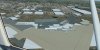
I will have to rework the AFCAD big time to make things look correct but I cannot get some textures to show up. I made sure to convert them over to a .bmp file and I also made sure they were the correct texture size. Any ideas on how to carry on?
 

Attachments

  • KFWA.jpg
    KFWA.jpg
    646 KB · Views: 318
What format did you convert them to, and which tool did you use to do that? If using MCX you must use DXTBMP, and if using DXTBmp you should use DXT1 or DXT3.
 
What format did you convert them to, and which tool did you use to do that? If using MCX you must use DXTBMP, and if using DXTBmp you should use DXT1 or DXT3.
I was using the in-program texture converter. I should have known to use DXTBmp. That only leaves fixing the AFCAD and ground imaging. What should I use to get agi's converted over to FS9 use?
 
Note that if you use the MCX converter and choose BMP format, that is 24 bit format and not compatible with FS. You must use the DXTBMP choice.

I don't know what agi files are, sorry, so I can't help with that.
 
I'm sorry... .agn files. Fat-fingered it... I converted the textures and nothing is showing up still.
32-bit an issue for scenery?
 
In that case you also would have to convert the photo scenery of course. Without photo scenery no autogen will show.
 
Back
Top