• Which the release of FS2020 we see an explosition of activity on the forun and of course we are very happy to see this. But having all questions about FS2020 in one forum becomes a bit messy. So therefore we would like to ask you all to use the following guidelines when posting your questions:

    • Tag FS2020 specific questions with the MSFS2020 tag.
    • Questions about making 3D assets can be posted in the 3D asset design forum. Either post them in the subforum of the modelling tool you use or in the general forum if they are general.
    • Questions about aircraft design can be posted in the Aircraft design forum
    • Questions about airport design can be posted in the FS2020 airport design forum. Once airport development tools have been updated for FS2020 you can post tool speciifc questions in the subforums of those tools as well of course.
    • Questions about terrain design can be posted in the FS2020 terrain design forum.
    • Questions about SimConnect can be posted in the SimConnect forum.

    Any other question that is not specific to an aspect of development or tool can be posted in the General chat forum.

    By following these guidelines we make sure that the forums remain easy to read for everybody and also that the right people can find your post to answer it.

ModelConverterX 1.8 stable hotfix1

arno

Administrator
Staff member
FSDevConf team
Resource contributor
Messages
34,340
Country
netherlands
Yesterday a quite annoying bug in the new ModelConverterX 1.8 stable release was reported that caused the selection mode to not work correctly after the model has been rotated. This bug had been introduced when the new interactive editing was added a while ago, but apparantly was not noticed in the development release. I have fix it now in the development release.

Since this bug has quite some impact on the selection mode and it was found very shortly after the stable release, I have decided to also make a hotfix for the stable release. So a new version of the stable release has also just been put online.

Continue reading...
 
Hello; so far I work (win11 / x64) with MCX170 without problems. As suggested I installed MCX180 but it doesn't work
I installed .Net 8 as required. When launching MCX180 (as administrator) just opens the black "dos" terminal with : "> Starting ModelConverterX..." and it closes. The MCX application window doesn't open.
Thanks for help; Pierre
 
Hi,

Are you sure that you have the x64 version of the .NET 8.0 runtime files installed? Is there any error message or maybe something in the Windows Event Log related to the crash?
 
Thanks for answer and useful help;
As you said, I succeeded in finding log with eventvwr. Problem was caused by not finding .net;
I had installed dotnet-hosting-8.0.22-win.exe; I desinstalled and replaced with dotnet-runtime-8.0.22-win-x64.exe.
Then it works!

However, I have an other problem with editing texture path.
I need to add a new path for the personal libraries I build. I use Options > Textures > Texture search path > Edit, add my new path and click ok.
When I exit "Options" and return to "Options" my change has not been saved (I allways succeeded to add paths with precedent versions)
Thanks for help
texture_path_edit.jpg
 
Did you press the OK button to close the options form? That will store the settings. Just closing the form is like a cancel.
 
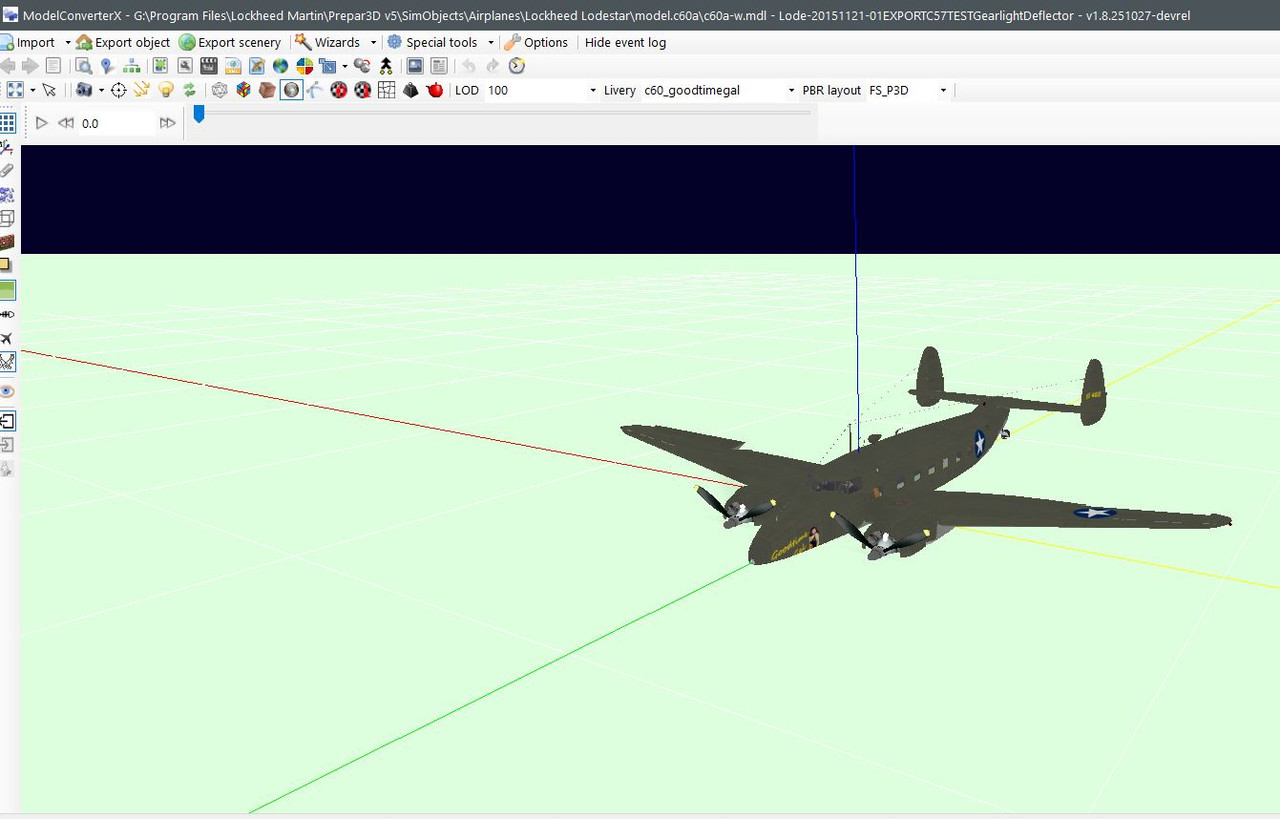
I have this HOTFIX installed. When I load a P3D V5 mdl in V1.8, it will always show the aircraft below ground (partially submerged).
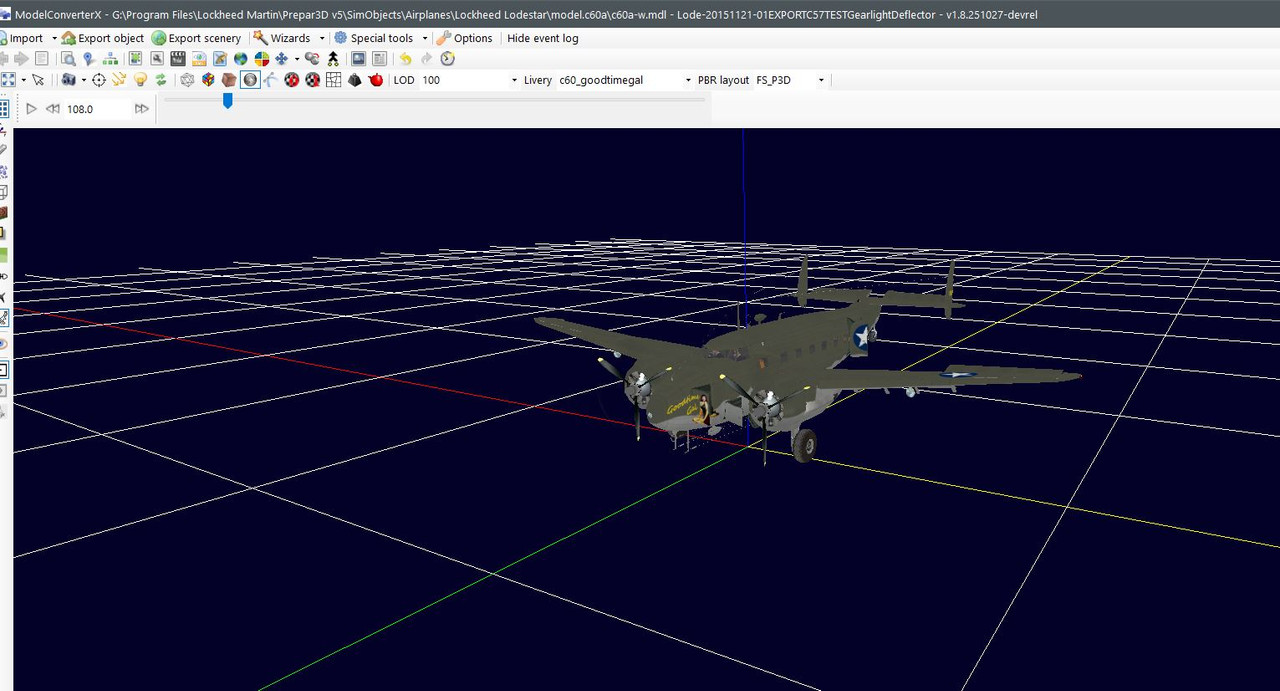
See attached. If I use the move object option, snap to ground, ignore Z is ticked, the plane appears to be at proper ground lever. Then, if I export it having moved the object to ground level
back to P3D5, the plane will then appear to hover ABOVE ground. What is up with that? Did not have that with 1.7


This is what I see when I load the MDL file...they all look like this....below ground.
Capture.jpg

Looks like it is on the ground but if I export this as shown to P3DV5 it will be above ground. If the green grass effect is turned off, it will still be below ground but not as obvious.
Capture1.jpg
 
Last edited:
“Ground” as you use it in MCX means the reference point of the object. For scenery objects that should be at ground level, and MCX displays that properly. But for flyable aircraft the reference point is usually near the CG in the middle of the plane. Thus MCX displays the plane as buried into the ground. It has always done that, as far as I know. I’m not sure that changes if you load the aircraft.cfg file instead - I.e. if MCX takes the contact points into consideration. You probably just haven’t noticed this before?
 
Did you press the OK button to close the options form? That will store the settings. Just closing the form is like a cancel.
Great thanks! I pressed "ok" to exit "Search Path Editor", but the lower part of "Options" window with its "ok" button was out of screen and not visible!
Problem solved; thanks
 
Great thanks! I pressed "ok" to exit "Search Path Editor", but the lower part of "Options" window with its "ok" button was out of screen and not visible!
Problem solved; thanks
Good to hear that, let me check if I can disable the cross at the top of the form to force people to use OK/cancel to close it.
 
“Ground” as you use it in MCX means the reference point of the object. For scenery objects that should be at ground level, and MCX displays that properly. But for flyable aircraft the reference point is usually near the CG in the middle of the plane. Thus MCX displays the plane as buried into the ground. It has always done that, as far as I know. I’m not sure that changes if you load the aircraft.cfg file instead - I.e. if MCX takes the contact points into consideration. You probably just haven’t noticed this before?
As Tom says, this behaviour has not changed in version 1.8. When you enable the ground plane it will always go through flyable aircraft models. If you want to use them as scenery object you need to manually raise them.
 
As Tom says, this behaviour has not changed in version 1.8. When you enable the ground plane it will always go through flyable aircraft models. If you want to use them as scenery object you need to manually raise them.
When I raise it above ground and export it, it will hover above the runway, Are you saying that is normal?
 
No. We are saying it’s appearance in MCX as buried is normal. Do not display the ground polygon when working on flyable aircraft. It is only used for scenery.
 
When I raise it above ground and export it, it will hover above the runway, Are you saying that is normal?
Are you using the aircraft as scenery or as a flyable model? For a flyable model it is normal to have the origin at the CG, that is how it works. So as Tom says just turn off the ground plane. If you place it as scenery object you need to raise it indeed so that the wheels touch the ground plane.
 
Back
Top