• Which the release of FS2020 we see an explosition of activity on the forun and of course we are very happy to see this. But having all questions about FS2020 in one forum becomes a bit messy. So therefore we would like to ask you all to use the following guidelines when posting your questions:

    • Tag FS2020 specific questions with the MSFS2020 tag.
    • Questions about making 3D assets can be posted in the 3D asset design forum. Either post them in the subforum of the modelling tool you use or in the general forum if they are general.
    • Questions about aircraft design can be posted in the Aircraft design forum
    • Questions about airport design can be posted in the FS2020 airport design forum. Once airport development tools have been updated for FS2020 you can post tool speciifc questions in the subforums of those tools as well of course.
    • Questions about terrain design can be posted in the FS2020 terrain design forum.
    • Questions about SimConnect can be posted in the SimConnect forum.

    Any other question that is not specific to an aspect of development or tool can be posted in the General chat forum.

    By following these guidelines we make sure that the forums remain easy to read for everybody and also that the right people can find your post to answer it.

P3D v4 Oakland International Airport (v1.1 released)

Hello, sorry I haven't gotten around to uploading it publicly, but in the meantime you can download it here: https://www.dropbox.com/s/2bffqijujesmj8q/Install Cloudberry Oakland Airport v1.1.zip?dl=0
Hi, I just downloaded and installed the file but have these problems below. This is using P3D v4.5 with Orbx Northern Cal installed. Is there a fix?

The KOAK scenery is #1 Priority in P3D's scenery library.

1660847658419.png
 
See my earlier posts in this thread (page 2 I think) - there is an exclusion file that addresses this.
 
Got it. Fixed. Thank you.

I'm having a similar issue of a duplicate object in a payware scenery KHAF (Half Moon Bay airport) and a freeware scenery called "We Love VFR" in the 'new' Microsoft Flight Simulator.

Is it easy to create an exclusion file? Can you point me to a link on how to create one?

I know a little programming (unfortunately the wrong kind: databases).
 
In paved areas on this scenery, there is a dust effect from the tires and would like to know how to fix that. I don't have this issue at other airports.

Capture2.JPG
 
Last edited:
I'm not sure if it applies here too, but hopefully it'll shed some light into the problem. I had that exact problem with the ORBX's Half Moon Bay airport scenery (KHAF). The fix was to install their Pacific Northwest scenery (PNW).
 
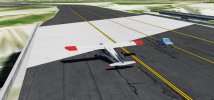
Part of the taxi way has a bridge that is an overpass and aircraft will fall thru in the middle and then bounce back up. Ground vehicles will cross the bridge without falling thru.
 

Attachments

  • bridge2.JPG
    bridge2.JPG
    167.1 KB · Views: 184
  • bridge.JPG
    bridge.JPG
    89.7 KB · Views: 193
Issue resolved. I added some hard points. See attached. Apparently there were others that did not have this issue.
 

Attachments

  • Untitled.jpg
    Untitled.jpg
    307 KB · Views: 189
  • fixed.JPG
    fixed.JPG
    107 KB · Views: 191
Just dropping by to say many thanks to @embeee for making this project available to us, I'm likely to be sticking w P3D for a year or so and this was a real blessing to see as I'd been looking for a KOAK release for years and not seen anything. I hope you are still building scenery or modelling in some way coz this project was great and is working well for me in v5. Cheers 🤗
 
Back
Top