
-
Which the release of FS2020 we see an explosition of activity on the forun and of course we are very happy to see this. But having all questions about FS2020 in one forum becomes a bit messy. So therefore we would like to ask you all to use the following guidelines when posting your questions:
- Tag FS2020 specific questions with the MSFS2020 tag.
- Questions about making 3D assets can be posted in the 3D asset design forum. Either post them in the subforum of the modelling tool you use or in the general forum if they are general.
- Questions about aircraft design can be posted in the Aircraft design forum
- Questions about airport design can be posted in the FS2020 airport design forum. Once airport development tools have been updated for FS2020 you can post tool speciifc questions in the subforums of those tools as well of course.
- Questions about terrain design can be posted in the FS2020 terrain design forum.
- Questions about SimConnect can be posted in the SimConnect forum.
Any other question that is not specific to an aspect of development or tool can be posted in the General chat forum.
By following these guidelines we make sure that the forums remain easy to read for everybody and also that the right people can find your post to answer it.
You are using an out of date browser. It may not display this or other websites correctly.
You should upgrade or use an alternative browser.
You should upgrade or use an alternative browser.
MSFS20 Projected Mesh - short explanation
- Thread starter karlo922
- Start date

Christian Bahr
Resource contributor
- Messages
- 1,137
- Country

Hi!
A projected mesh is what was previously called groundpolys in FSX / P3D. It is usually used to lay ground markings at an airport. In your 3-D software, there are textured polygons that lie flat on the ground. In MSFS, these textured polygons are then converted into a 2-D image file. A special feature of projected mesh is that it adapts to the terrain without any problems, which is particularly important for sloped runways.

In the 3-D software there are polygons with a texture ...
In MSFS, the polygons are converted into one (or are there several?) Image file.
As far as my level of knowledge
A projected mesh is what was previously called groundpolys in FSX / P3D. It is usually used to lay ground markings at an airport. In your 3-D software, there are textured polygons that lie flat on the ground. In MSFS, these textured polygons are then converted into a 2-D image file. A special feature of projected mesh is that it adapts to the terrain without any problems, which is particularly important for sloped runways.
In the 3-D software there are polygons with a texture ...
In MSFS, the polygons are converted into one (or are there several?) Image file.
As far as my level of knowledge

- Messages
- 6,506
- Country

Projected mesh flattens a library object onto the ground. It overrides the default aerial imagery. It can be used much like the GroundPolys of FSX and P3D.

I was not familiar with SDK when I used FSX but the first description gave me an idea. Thank you very much. Currently I only needed to apply a sign on a sloped street. For that I used a custom material on an apron. So I could also have done it with a projected mesh then.

- Messages
- 34,981
- Country

It's just the name that has changed
True but it is a bit more than the name. The object type is changed to contain a library object which is projected as described above. Technically they are part of the aurport record which was no the case before and it's not at all clear to me why they did this

- Messages
- 61
thanks for the explanation, but I really wonder big time how you did paint those lines. I also see that developers like orbx, mkstudios etc extensively use projected meshes and trim sheet textures, but it eludes me how they paint their runways, aprons, lines, markings, etc from those single texture files like atlases or trim sheets, especially when curvature is involved. it's also remarkable that they never use material library textures.Hi!
A projected mesh is what was previously called groundpolys in FSX / P3D. It is usually used to lay ground markings at an airport. In your 3-D software, there are textured polygons that lie flat on the ground. In MSFS, these textured polygons are then converted into a 2-D image file. A special feature of projected mesh is that it adapts to the terrain without any problems, which is particularly important for sloped runways.
View attachment 72568
In the 3-D software there are polygons with a texture ...
View attachment 72569
In MSFS, the polygons are converted into one (or are there several?) Image file.
As far as my level of knowledge
Christian Bahr
Resource contributor
- Messages
- 1,137
- Country
Hi.
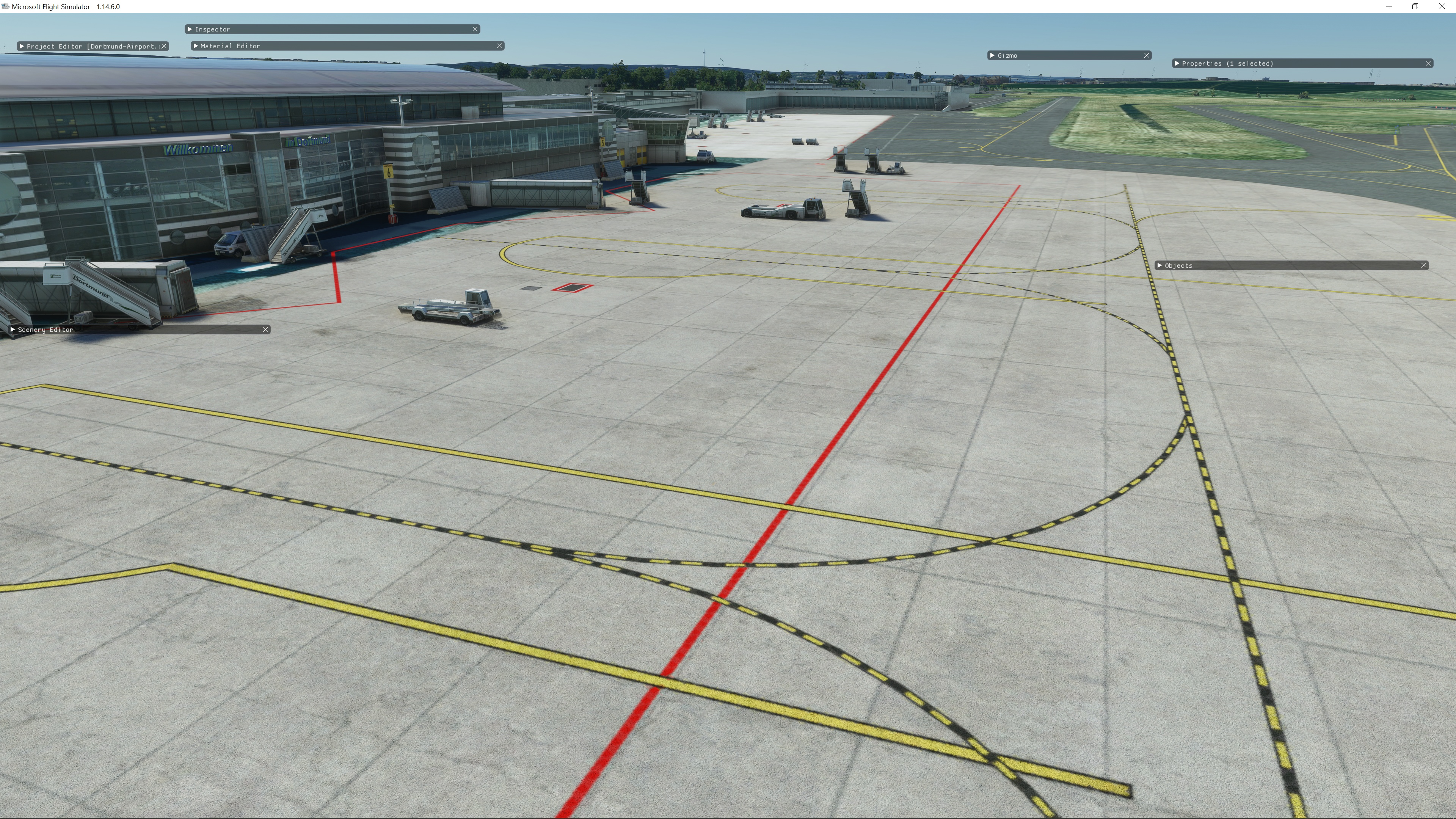
In my case, it's a combination of three techniques: aerial image projected mes layout, single projected mesh, and painted lines from MSFS24.
If you want the entire layout in a single GLTF file, you need an aerial image as a background map, which you load into your 3D software.
You can then draw the lines with the line tool, and the other ground markers can be created with polygons. That's how I did it at the very top, in the first image in this Thread.
Or, another method...
You measure the dimensions, for example, in Google Earth/Bing Maps, and create individual markers in your 3D software:


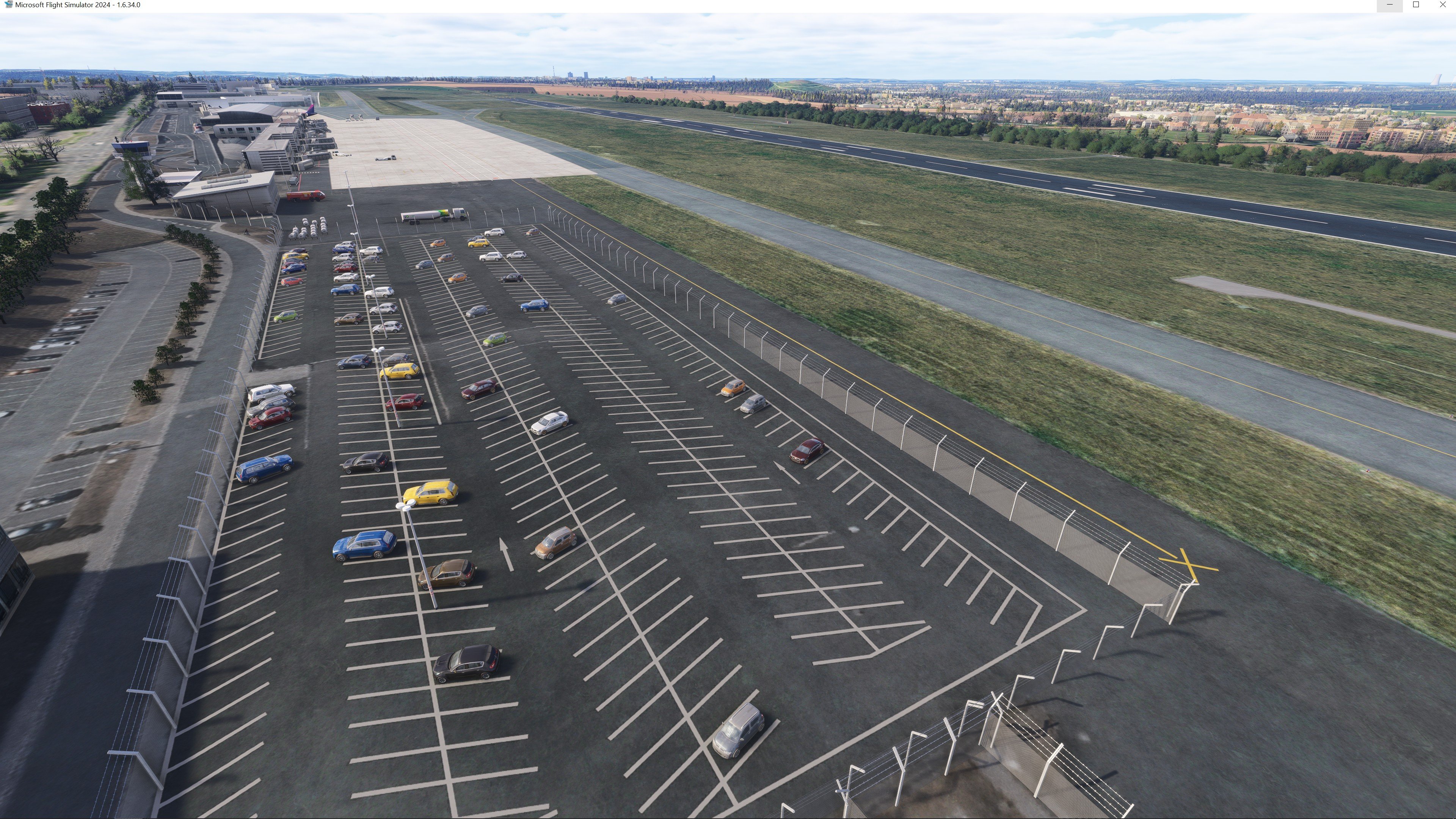
Parking Lot Stripes
Another Example ...
This is a single GLTF file with only one signal in 3dsm; the texture is also visible:

As I said, I use a technique that combines three methods:
- Single Projected Mesh with Polygons
- Aerial Image based Projected Mesh with Lines
- Painted Lines in MSFS24
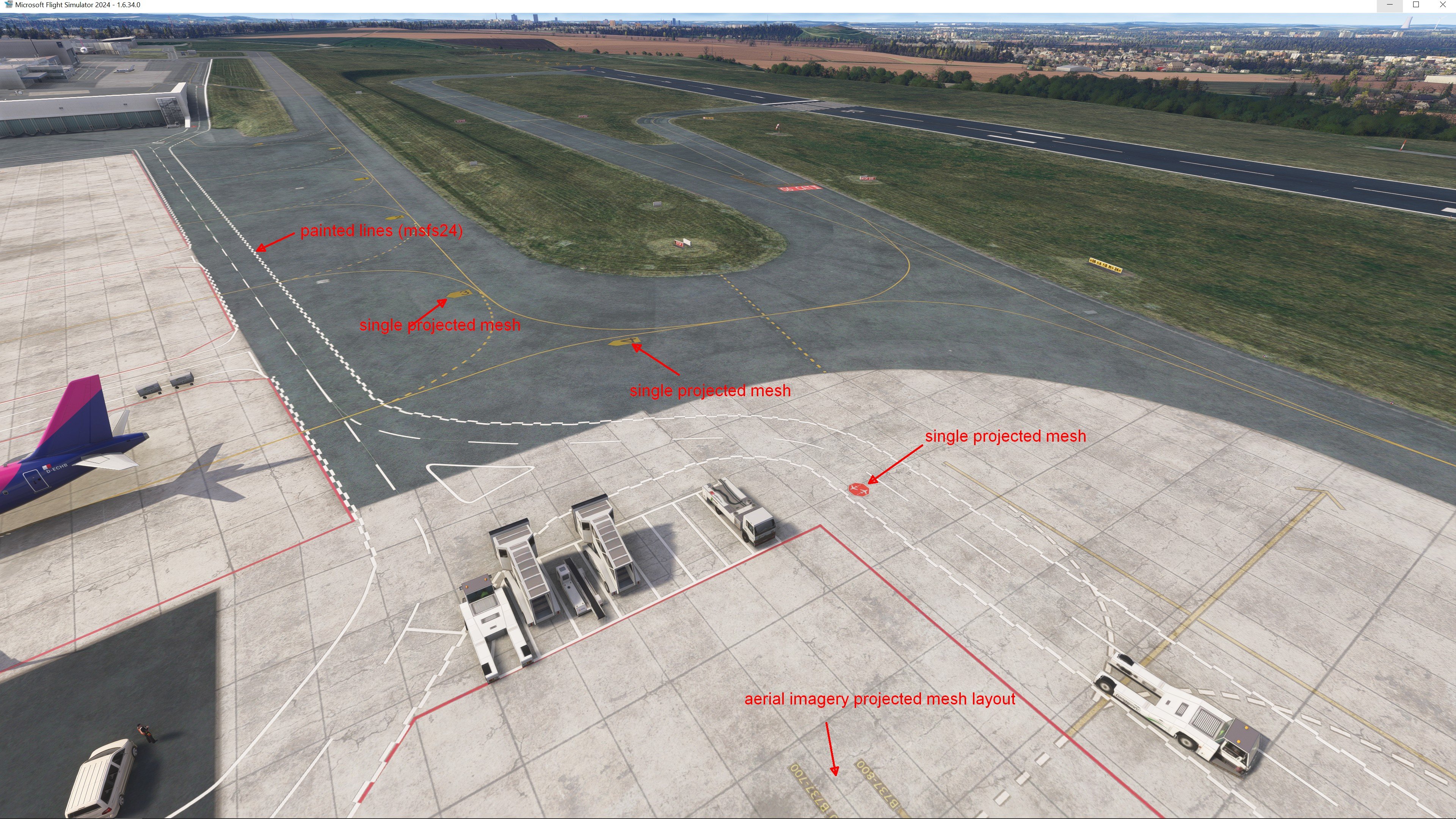
In my case, it's a combination of three techniques: aerial image projected mes layout, single projected mesh, and painted lines from MSFS24.
If you want the entire layout in a single GLTF file, you need an aerial image as a background map, which you load into your 3D software.
You can then draw the lines with the line tool, and the other ground markers can be created with polygons. That's how I did it at the very top, in the first image in this Thread.
Or, another method...
You measure the dimensions, for example, in Google Earth/Bing Maps, and create individual markers in your 3D software:
Parking Lot Stripes
Another Example ...
This is a single GLTF file with only one signal in 3dsm; the texture is also visible:
As I said, I use a technique that combines three methods:
- Single Projected Mesh with Polygons
- Aerial Image based Projected Mesh with Lines
- Painted Lines in MSFS24
- Messages
- 61
Thanks. My next query is actually how the curved taxiway lines can be rendered from a single "straight" texture file as I show a part of it below, when it's just a "modellib texture" file, hence definitely must be associated to a projected mesh, and not a "material lib" texture file meant to replace the default fs20/24 painted ground lines.
The same also applies to some of the custom runway, apron and taxiway asphalt and concrete textures used in the same manner as my abovementioned example, as well as the dirt and wear decals again as part of projected mesh textures still gnawing at my mind.
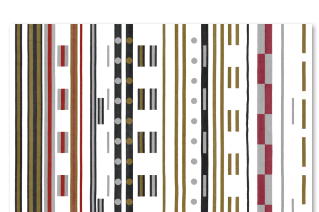
The same also applies to some of the custom runway, apron and taxiway asphalt and concrete textures used in the same manner as my abovementioned example, as well as the dirt and wear decals again as part of projected mesh textures still gnawing at my mind.
Christian Bahr
Resource contributor
- Messages
- 1,137
- Country
Unfortunately, I can't answer that, as I don't use my own material library. My objects are textured with custom textures.
The "MSFS24-Painted Lines" use Material from the MSFS24 Scenery Editor. I'm not familiar with the underlying technology.
The "MSFS24-Painted Lines" use Material from the MSFS24 Scenery Editor. I'm not familiar with the underlying technology.

Severin
Resource contributor
- Messages
- 251
- Country

Hi Christian, I have tried projected meshes for MSFS but the textures are always off. Could it be a simple material setting?Unfortunately, I can't answer that, as I don't use my own material library. My objects are textured with custom textures.
The "MSFS24-Painted Lines" use Material from the MSFS24 Scenery Editor. I'm not familiar with the underlying technology.
Christian Bahr
Resource contributor
- Messages
- 1,137
- Country
Hi Severin.
As far as I remember, it was important that the object's reference point was at 0,0,0.
This was true regardless of whether it was a small or large projected mesh.
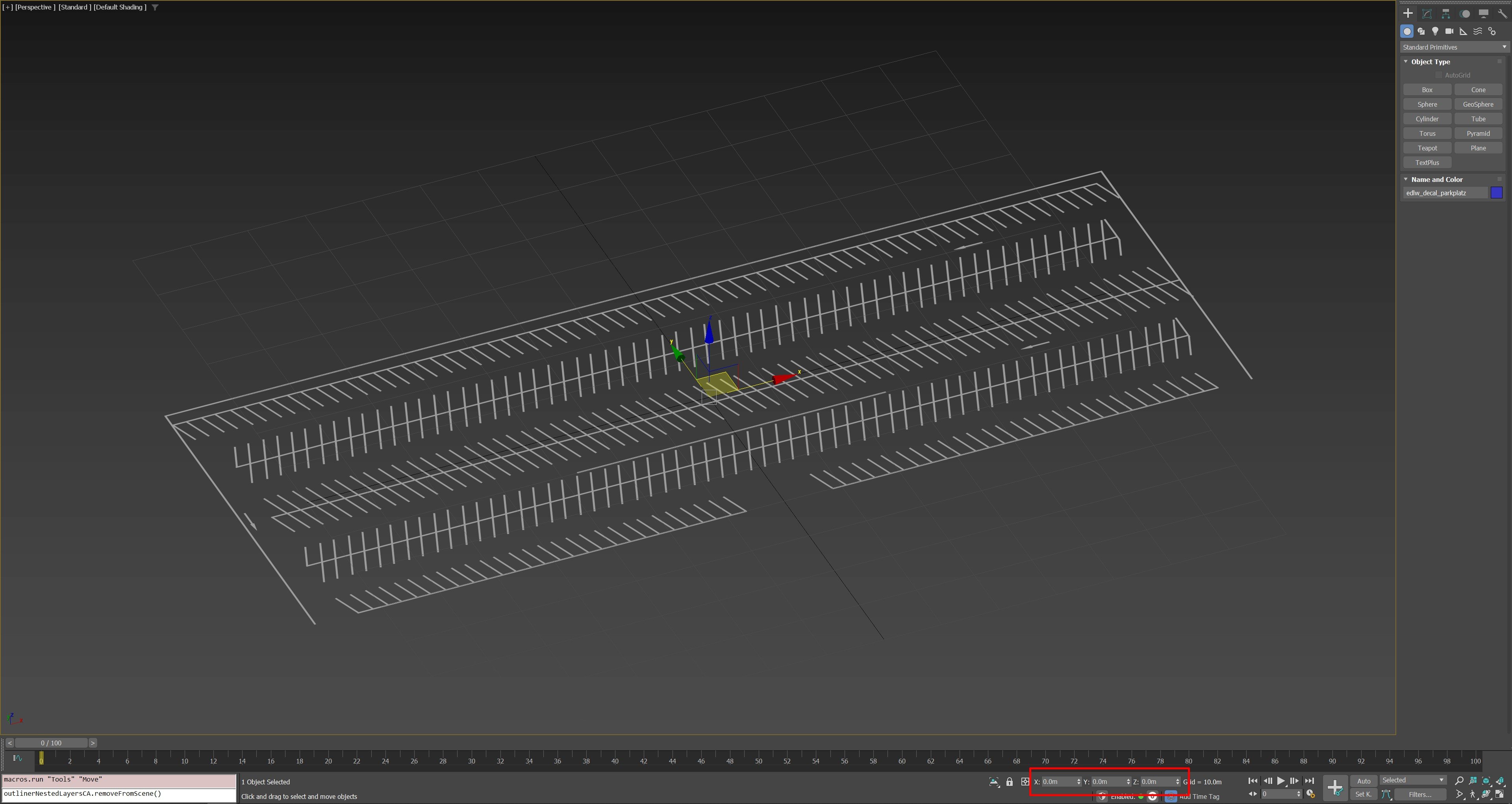
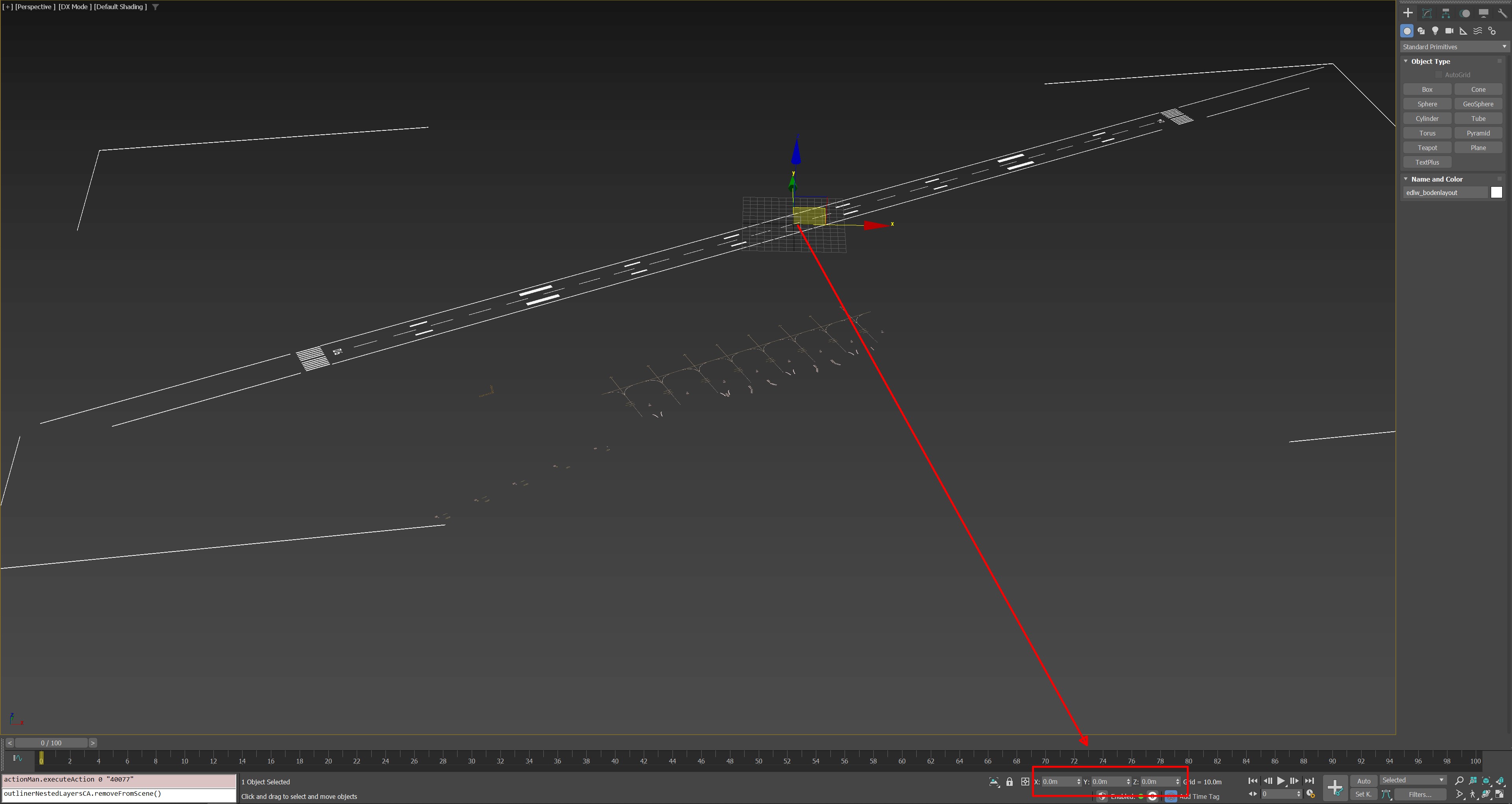
If you have multiple objects within a "large" projected mesh, then all objects must have their reference point at 0,0,0. Alternatively, you can link them to the main object.
I'm not entirely sure about the exact details, but I think that's the correct way
As far as I remember, it was important that the object's reference point was at 0,0,0.
This was true regardless of whether it was a small or large projected mesh.
If you have multiple objects within a "large" projected mesh, then all objects must have their reference point at 0,0,0. Alternatively, you can link them to the main object.
I'm not entirely sure about the exact details, but I think that's the correct way
Severin
Resource contributor
- Messages
- 251
- Country
Awesome, thank youHi Severin.
As far as I remember, it was important that the object's reference point was at 0,0,0.
This was true regardless of whether it was a small or large projected mesh.
View attachment 99484
View attachment 99485
If you have multiple objects within a "large" projected mesh, then all objects must have their reference point at 0,0,0. Alternatively, you can link them to the main object.
I'm not entirely sure about the exact details, but I think that's the correct way