• Which the release of FS2020 we see an explosition of activity on the forun and of course we are very happy to see this. But having all questions about FS2020 in one forum becomes a bit messy. So therefore we would like to ask you all to use the following guidelines when posting your questions:

    • Tag FS2020 specific questions with the MSFS2020 tag.
    • Questions about making 3D assets can be posted in the 3D asset design forum. Either post them in the subforum of the modelling tool you use or in the general forum if they are general.
    • Questions about aircraft design can be posted in the Aircraft design forum
    • Questions about airport design can be posted in the FS2020 airport design forum. Once airport development tools have been updated for FS2020 you can post tool speciifc questions in the subforums of those tools as well of course.
    • Questions about terrain design can be posted in the FS2020 terrain design forum.
    • Questions about SimConnect can be posted in the SimConnect forum.

    Any other question that is not specific to an aspect of development or tool can be posted in the General chat forum.

    By following these guidelines we make sure that the forums remain easy to read for everybody and also that the right people can find your post to answer it.

Recent development release stability

arno

Administrator
Staff member
FSDevConf team
Resource contributor
Messages
34,317
Country
netherlands
Hi all,

While trying to finish the new stable release of MCX, I have recently fixed quite some open issues and bugs. It however seems that one of these "improvements" has also resulted in some stability issues in the development release. I implemented equal and not equal operators for a number of classes to be able to compare the objects easier. But that has had more side effects than I expected beforehand and my existing test cases did not catch these issues either.

So if you encounter any weird behaviour or crash with the development release, please let me know and I will try to fix the issues ASAP.

Sorry for the inconvenience.
 
I encountered a very minor issue. One recently released AI aircraft model caused MCX to CTD when the model is rotated with the Show Spotlights option turned on. Here's a thread about the model:

 
OK, I'll have a look. I just registered for an account, so I'll check once I have access.
 
Hello Arno ,,
First of all, thank you for the effort you are doing.
But I want to show 2 bugs that drag through all of your latest versions. It affects working with effects.

First, effects when adding are not shown if the MCX is not started with the P3D4 präference.
For example, when starting with the default setting P3D4.4.

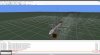
Secondly, it happens again and again that the image of the model flips vertically upwards and disappears downwards during processing with the effects editor - that is, under the "reason".

It also happens that e.g. For aircraft models to which you want to assign an effect, the individual model sections - parts - also "explode" and are displayed in different sizes vertically and distributed over the entire screen.

But it doesn't affect the compilation, it's always ok. Only the display during editing is affected.


This error most often occurs when adding several effects in succession (more than 5) or duplicating effects (as the basis for the different lighting conditions such as DAY-NIGHT and DUSK-DAWN)
Buffering - compiling while work is in progress - does not change anything.
To be able to continue working on the model, you have to reload it after you have saved it.

Maybe I'm doing something wrong and only one setting needs to be changed, but I don't know which one.

Can you please be so kind to take a look at this?
 
Hi,

Let me see if I understand what you see.

For the first issue, MCX needs to know which FS version is used, as else it doesn't know where to look for the FX files. So if you have only P3D v4 installed, but in the preferences you have FSX selected, it is normal that MCX won't be able to find the effects and therefore also can't show them.

I don't fully understand what you mean with the second issue. Maybe you can post a screenshot of how the bug looks?
 
Hello Arno, With the latest dev release I cannot setup options properly. I cant choose shp2rec or bglcomp, they wont show. The folders in the sdk show but the separate files outside those folders
dont show so i cannot select. I tried using admin mode but no cigar. dYes this would be new install and not update.
 
Sorry, I don't understand what you mean they won't show. You mean you can't select the correct location in the options?

If MCX finds the SDK in the registry the paths are set automatically.
 
Its ok now, I just selected folder and didnt worry about individual files showing. thanks for replying
 
Last edited:
Sorry, maybe I have expressed myself too complicated.

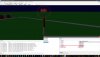
With the default setting P3D4.4, the particle effects are NOT displayed. The button "Show particle effects" has NO function here.
It doesn't matter whether you want to add a new effect or call up an existing model. The effect is always the same - no particle effects are visible.

This also has an effect if, for example, you have created a halo effect and want to test it on the model. You cannot see it, only with the default setting P3d4. This is already the case with version 1.4.0.0 88e995ff DEV 07/13/2019, which I have still saved.

I have now checked it for current reasons.
So far I have not noticed it because I only have P3D4 models and also used the default setting "P3D4". It works there.


The second is flipping the graphics over. It has been around for a long time.
In previous versions, this representation was always stable, no matter what you did.

But you can easily provoke the mistake.
Load a PMDG model, e.g. the 737NGX or 737NGXu. Then try to place one or more effects. Then, at the latest, the model "explodes", the parts are torn apart, changed in size and positioned completely disorganized.
Then you have to cancel the model and reload it at the latest.

I hope you won't be angry with me if I tell you one more mistake.
In the newer versions there is a problem that you can set the correct position of the effects, but you CANNOT rotate them properly. The individual settings are somehow connected to each other, you don't get a desired result. If you set 90 in one defined field, -180 suddenly appears in another field. But you don't want that because the rotation goes in a completely different direction.

I have e.g. tries to create a halo-beam for a 3D light. To do this, you need to align the effect like the 3D light. But that doesn't work because the settings go crazy.

Maybe you have an explanation for it.
I am also not persistent or troublesome when I ask for something that is not possible.
But I got the MCX from my FSX time and all it worked perfectly. I think I still have an "old" version somewhere. It was probably a version BEFORE you adapted the MCX to P3D.

Despite all this, I would like to thankfully take off my hat. So far you have achieved brilliant performance and implemented many new and good tools. However, it appears that this new complexity has taken its toll and has affected some basic functions.


Screenshot 1.jpg
Screenshot 2.jpg
 
Last edited:
Let me check how the default setting of the preferred FS version is made. Ideally MCX should check which simulator is installed and base the value on that.

But it is indeed by design that if you don't select the correct FS version in the preferences, MCX can not show your effects. How should the tool know from which folder it should read the FX file?

I don't have any PMDG models myself, but I will see if I can reproduce your issue with attaching effects using another model. Are you just attaching them or are you also dragging them in the hierarchy editor to be attached to animated nodes?

As for the rotation of the effects, I have improved that a lot about 2 weeks ago. Are you using the latest development release? Fact remains that if you enter a pitch value of 90 degrees, the roll becomes undefined. So that might be the reason you see the 180 degrees in that case.
 
Dear Arno,
Thank you for the effort you put in here.

I think pictures say more than 1000 words.

Screenshot01.jpg

And here is the result on the representation of the particle effects.

Screenshot_1.jpg Screenshot_2.jpg

For the problem with the "model explosion". It happens with ALL models if you carry out more processing steps, such as adding effects.
The quickest way to reproduce this error is to duplicate one or more effects one or more times.
If you do this with a PMDG model, it often works the first time. With some models it takes a little longer. But it ALWAYS happens.

Screenshot_3.jpg Screenshot_4.jpg


The error in the rotation of effects.
The 3D lights can be turned perfectly, but the effects cannot. But that worked before the 3D lights were implemented.

I hope you can do something with this information.
 
Last edited:
For rotating the effects. It is clear that due to the degree division of a circle, the entire opposite direction can only be defined as 180 ° or -180 °.
A 90 ° turn can also mean a -270 ° turn. So far, so good.
However, a rotation of 90 ° in the x-axis must not lead to a rotation of the y-axis by -180 °. That is totally confusing.

It also works with the 3d_Lights without any problems. As a layperson, I think that only one object is exchanged for another. Both are effects.

But, I'm not an expert here. I can't know everything.


Maybe I can help you here.

In this version - attached screenshot - everything still works perfectly. Although you have already implemented the 3D lights here. all rotations can be carried out flawlessly, even alternately. the points can also be subsequently corrected. In both the 3D lights and the effects.

So you can and have already done it. But, at some point a mistake must have crept in. I think I remember that the errors of the rotation and the errors of the "exploding" model occurred at the same time. But I could also be wrong.

In this version, the effect of the flying parts in the graphical representation NEVER occurred. the MCX never crashed.

Screenshot05.jpg

My guess was correct regarding the graphic error.
I checked it with this version with a PMDG. Despite 15 (!) duplicates, I did not manage to crash the graphic display.

So, you already had a fully functional version. back to the roots ;-)
 
Last edited:
Hi,

I took a default object model, but I can't reproduce the explode issue here yet. I have been duplicating effects until I had added around 20 extra effects, but nothing weird happens here.

Since the attached object editor just adds the effect to the root node, I don't really understand why adding an effect can change the geometry of the plane.
 
Hi,

I did some testing with entering rotation values, but I can't reproduce a situation here where my input is changed. Can you let me know which rotation around X, Y and Z axis you specified in the attached object editor when the values are changed?

It is exactly this behaviour that I fixed a few weeks ago, because there was an issue in the tool with this before.
 
Hi,

I see what the issue is with the preferred version as P3D v4.4 when loading effects. I have fixed that issue now. It will be in the next development release.
 
Hi,

I did some testing with entering rotation values, but I can't reproduce a situation here where my input is changed. Can you let me know which rotation around X, Y and Z axis you specified in the attached object editor when the values are changed?

It is exactly this behaviour that I fixed a few weeks ago, because there was an issue in the tool with this before.

Hello Arno,

The problem does NOT occur when creating the effect, but only when the saved BGL file is reloaded after compiling and you try to edit an effect.

I tried to analyze the problem as closely as possible.

Action: Rotation around the red axis, 90
Result: rotation around the blue axis, -180

Action: rotation around the green axis, 90
Result: rotation around the green axis 90 AND rotation around the blue axis -90

Action: Rotation around the blue axis 90
Result: rotation around the red axis 90

You will understand that you are not exactly enthusiastic about this mess. But I think you will find the mistake.It is not hidden and reproducible.
 
OK, I'll try again with editing an existing attached effect.
 
Hello, Arno,

I don't want to overload you. But I am an absolute fan of you and the MCX and I want it to run well.
I also use it very often.

I have now dealt with the graphics problem in detail and have come to the conclusion that the errors, completely unintentionally, have crept in continuously with your other developments for the MCX.

I have now "scientifically" tried to approach the problem. Here, in the following, the development of the graphic errors over time:

Basis is the import of the model PMDG NGXu_BW.

1) Version: 1.4.0.0 be126281 DEV 09.11.2019
the loading of the model works fine, the display is ok. The model can be turned smoothly in all directions without any problems. Everything is OK.

2) Version: 1.4.0.0 e7c239d8 DEV 29.11.2019
The model loads correctly, display ok.
However, when turning, for the first time a jerking occurs, the model turns only hesitantly and NOT fluently.
Something must have been changed here, which hinders the graphic layout.

3) Version: 1.4.0.0 eced653f DEV 01.01.2020
Here the loading of the model still works perfectly.

4) Version: 1.4.0.0 e2643e33 DEV 09.01.2020
This is the first time that serious errors occur when loading the model. Already at the first display the "explosion effect", shortly after a "normal" positioning with lots of smoke effects, how appropriate ;-)
At the same time a completely black square is shown in the lower part of the display, exactly in the middle (blue axis). Then a program standstill with the warning: Failed to load texture: fx_2sjp.


This file has never existed before, it does not exist in the whole simulator. It is the texture file of an effect. The black square is probably the "missing" texture.

An effect that needs this file is NOT used in this model, it and the associated image file do not exist. So it can only be a file that you use for your program - the MCX.

5) Version: 1.4.0.0 2d93b15a DEV 09.07.2020
The model is fully loaded.
First of all - for me - ALL textures are found without any problems. that means also those which are NOT in the texture folder of the corresponding model but also those which are used by another - the base model. This was not the case so far (a super improvement).

You have to know that PMDG uses general and specific textures. The general ones from the base model and the specific ones from the respective model folder (with winglets, without, etc.)

After loading the model is displayed completely, correctly and the MCX crashes with the above mentioned warning about the missing fx_texture.
The screen freezes.

So far my previous findings. Unfortunately i could not go further, because of course i don't have all developer versions and so an even more exact delimitation is not possible.

But the "explosion effect" is, in my opinion, only available in versions from 2019 on, so it is not necessarily "new".

I could only extract the screenshots from a screen video, because the sequence of events is much too fast.


I hope I didn't overwhelm you with information now.
But, please forgive me, the MCX is actually a much too good "must have tool" and I wish that everything works as you planned it.

I know, you put a lot of time and effort into it and for that i want to thank you very much.

Greetings from Vienna


Screenshot_01.jpg Screenshot_02.jpg Screenshot_03.jpg Screenshot_04.jpg
 
Last edited:
Hi,

Do you also have the same issues with default models? I don't have these payware aircraft to test with. Comparing source code with 2 years ago will not work, a lot of things have changed in a such a long period. So I think it is best to have a good method to reproduce it with the current version and then I can fix it.

A warning like "Failed to load texture: fx_2sjp." seems to indicate that a FX file loaded that uses this texture. Seeing a bit black square is often caused from an effect (light or so) that has missing textures. If you disable the display of particle effects they probably go away.
 
Hi,

Do you also have the same issues with default models? I don't have these payware aircraft to test with. Comparing source code with 2 years ago will not work, a lot of things have changed in a such a long period. So I think it is best to have a good method to reproduce it with the current version and then I can fix it.

A warning like "Failed to load texture: fx_2sjp." seems to indicate that a FX file loaded that uses this texture. Seeing a bit black square is often caused from an effect (light or so) that has missing textures. If you disable the display of particle effects they probably go away.


Hello,

Answer to the first question:

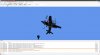
Yes, here too. In the appendix, the standard tornado. There the mistake is most easily provoked.
As soon as you turn the model after it is fully loaded, it "explodes" and the MCX freezes.
The second example is the standard C130 Herkules. There it appears only after you have doubled effects several times. But yes, also here.


Answer to the second question:

There is definitely NO effect that would require this file. Additionally it should be noted that loading the PMDG model in ALL previous versions BEFORE 1.4.0.0 e2643e33 DEV 09.01.2020 will load properly - WITHOUT any changes in between.
I have checked this several times today.
But there are several texture images in the Standard Effects folder of P3D4 that have a similar sounding name:
fx_2.bmp, fx_2_FT.bmp and fx_2_dxfix.bmp. Nothing else.
In any case, it is 100% sure that this texture is NOT needed by ANY model. Otherwise it would be available somewhere on the computer. But it does not exist.

But I found an interesting article on the web:

Maybe they can do something with it.


I think I have enough experience to definitely determine that. I've been working with PCs for 30 years and own flusimulators since they only had line drawings and the colors white, green, yellow and blue - so I've had them for a long time. I also use the MCX for many years. So I'm quite familiar with the file structure and layout of the simulators. I just can't program, but you don't have to be able to do everything.

I am an avid user, I do everything myself. From models, effects, sceneries up to airplanes including texturing. So I think that I can show a little experience.

Screenshot (28).jpg Screenshot (30).jpg Screenshot (31).jpg Screenshot (29).jpg
 
Last edited:
Back
Top