
-
Which the release of FS2020 we see an explosition of activity on the forun and of course we are very happy to see this. But having all questions about FS2020 in one forum becomes a bit messy. So therefore we would like to ask you all to use the following guidelines when posting your questions:
- Tag FS2020 specific questions with the MSFS2020 tag.
- Questions about making 3D assets can be posted in the 3D asset design forum. Either post them in the subforum of the modelling tool you use or in the general forum if they are general.
- Questions about aircraft design can be posted in the Aircraft design forum
- Questions about airport design can be posted in the FS2020 airport design forum. Once airport development tools have been updated for FS2020 you can post tool speciifc questions in the subforums of those tools as well of course.
- Questions about terrain design can be posted in the FS2020 terrain design forum.
- Questions about SimConnect can be posted in the SimConnect forum.
Any other question that is not specific to an aspect of development or tool can be posted in the General chat forum.
By following these guidelines we make sure that the forums remain easy to read for everybody and also that the right people can find your post to answer it.
You are using an out of date browser. It may not display this or other websites correctly.
You should upgrade or use an alternative browser.
You should upgrade or use an alternative browser.
MSFS20 retrieve an airport on Ade
- Thread starter muffo
- Start date

- Messages
- 34,981
- Country

Zip up the ADE 2020 project and make it available so we can look at it.

- Messages
- 355
- Country


133.68 MB file on MEGA
- Messages
- 34,981
- Country
I will take a look as soon as I can
- Messages
- 34,981
- Country
You sent me the file without the actual root folder. This is the folder that encompasses the file structure
What is the name of the root folder that contains the files and folders you sent me?
What is the name of the root folder that contains the files and folders you sent me?
- Messages
- 34,981
- Country
OK - I have managed to get the airport open. I am working on the model lib now

I was able to open PASY and here it is as a fresh start for you Andrea. I was able to build from the bgl option in ADE. Hope this helps. You should be able to use the open project option to get this up and running in ADE20.
Gelomare
Gelomare
Attachments
- Messages
- 34,981
- Country
I was able to open PASY and here it is as a fresh start for you Andrea. I was able to build from the bgl option in ADE. Hope this helps. You should be able to use the open project option to get this up and running in ADE20.
Gelomare
Thanks for doing that

It can also be done by creating a new project from the source xml file.
- Messages
- 34,981
- Country
Please confirm what version of ADE 2020 you are using? I found something funny with the way ADE 2020 works - it may be a bugwell, it is a my problem, because i create project and when I open again, I have the same message...I am becoming mad! Because I don't understand where is the problem.
Thanks for doing that
It can also be done by creating a new project from the source xml file.
Did you use the project i just sent and did you use the open project option? Just trying to see where the issue might be, Andrea.well, it is a my problem, because i create project and when I open again, I have the same message...I am becoming mad! Because I don't understand where is the problem.
- Messages
- 34,981
- Country
I was able to open Gelomare's project
- Messages
- 355
- Country
If I open your project, I don't have problem, but it doesn't appear the schema check. With the other project, I have the problems, and it appears the schema checkDid you use the project i just sent and did you use the open project option? Just trying to see where the issue might be, Andrea.
- Messages
- 355
- Country
Versions:Please confirm what version of ADE 2020 you are using? I found something funny with the way ADE 2020 works - it may be a bug
Application 20.20.7913.12287
Engine 20.00.7903.22010
Acknowledgements:
ADE Development Team
The CodeProject Community
The Stack Overflow Community
University of Maryland - Piccolo Graphics Engine
Paul Henty - FSUIPC Client DLL for .NET
Don Grovestine - Custom Ground Polys
Arno Gerretsen - Models Handling
Matt Johnson - XML Sources
I delete all, I download the installer, I made a clean installation and I added the 3 hotfix.
- Messages
- 34,981
- Country
You are up to date with ADE 2020. You will probably see the schema check if the project is set for two way editing but you won't if it is no set for two way editing. This is because with two way editing ADE reads the source XML to load the project and without two way editing it loads the ADE project file (.ad20). It is possible there might be minor differences between the two
- Messages
- 34,981
- Country
Negative Jon I have others projects two way edit and ADE opens them.
Fair enough. I was referring to the fact that the Schema Check dialog only appears with two way editing
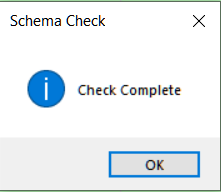
It does not appear if the project is not set for two way editing. Not whether the project would open or not.
Unless, that is, you are getting a schema error when loading a project
Fair enough. I was referring to the fact that the Schema Check dialog only appears with two way editing
It does not appear if the project is not set for two way editing. Not whether the project would open or not.
Unless, that is, you are getting a schema error when loading a project
- Messages
- 34,981
- Country
By now I willn't use the two edit mode
Not sure what that means.