• Which the release of FS2020 we see an explosition of activity on the forun and of course we are very happy to see this. But having all questions about FS2020 in one forum becomes a bit messy. So therefore we would like to ask you all to use the following guidelines when posting your questions:

    • Tag FS2020 specific questions with the MSFS2020 tag.
    • Questions about making 3D assets can be posted in the 3D asset design forum. Either post them in the subforum of the modelling tool you use or in the general forum if they are general.
    • Questions about aircraft design can be posted in the Aircraft design forum
    • Questions about airport design can be posted in the FS2020 airport design forum. Once airport development tools have been updated for FS2020 you can post tool speciifc questions in the subforums of those tools as well of course.
    • Questions about terrain design can be posted in the FS2020 terrain design forum.
    • Questions about SimConnect can be posted in the SimConnect forum.

    Any other question that is not specific to an aspect of development or tool can be posted in the General chat forum.

    By following these guidelines we make sure that the forums remain easy to read for everybody and also that the right people can find your post to answer it.

Spiral Ramp Parking Deck

Messages
1,233
I'm trying to create a spiral ramp for a parking deck and Sketchup is simply not carrying out the work that I followed on a video on youtube.


Here's the ramp I'm working on:

Spiral Ramp_1.jpg


What I'm trying to do is lower the left side, which I have highlighted, by about 9 feet so that ramp is going down to the next lower level. When I try to move it down, using the Move Tool, it is not lowering the entire ramp but instead lowers a small portion of it:

Spiral Ramp_2.jpg


I followed the video to the T and it's not working as it's shown in the video. Does it matter how the ramp is shaped? I've attached my sketchup file below.

Ken.
 

Attachments

Last edited:
Hi Ken:

Assuming you may be working on the parking deck spiral ramp at KBHM, you may wish to review this info for ideas:

https://www.google.com/search?q=Ske...HkAbCBwYwLjEuMTHIBzCACAE&sclient=gws-wiz-serp


Of particular note is this video:


...and associated plugin used:

https://sketchucation.com/pluginstore?listtype=1&author=0&category=0&search=Helix+Along+Curve&submit=?


NOTE: At 35 seconds elapsed time in the above video, 'Reverse Face' so the ramp extrusion is not inside out as a 3D model.


IIUC, this is an older method and video by the same author:


...and associated plugin used:

https://sketchucation.com/pluginstore?listtype=1&author=0&category=0&search=Upright+Extrude&submit=?


This is another older method for building a spiral helix ramp:

https://forums.sketchup.com/t/2d-spiral-ramp-section-plugin/246443/3

https://sketchucation.com/plugin/878-jwm_shapes


GaryGB
 
Last edited:
Hi Gary,

Thanks for posting the videos and the links to the plugins. I have already watched these videos but they are very irritating to watch. The 2nd video is a little better than the first one. These videos, in my opinion, do not teach anyone how to perform the tasks being presented. There are 2 things wrong about these videos that are very irritating. One is that they're being presented way too fast, at lighting speeds, that no one is able to grasp unless one pauses it hundreds and hundreds of times. Two, the background music is very irritating and disruptive and breaks the concentration of learning. These people simply do not have any teaching abilities. I do not like videos being presented at lighting speeds and being disrupted by background music. This is not how a good teacher teaches. A good teacher will use his or her own voice to explain things, in detail, and present them at a normal speed that one can comprehend. When I come across videos like these, I immediately close them. I tried to search for videos that explain these things in a normal fashion but I couldn't find not one. Anyway, I will try out the plugins you've linked. What frustrates me about plugins is that they never include a manual explaining how to use them. What I don't understand is why is it that when I try to move a segment that it only moves a portion of it and warping it out of shape rather the entire circular ramp as is shown in the video I linked above? I've highlighted the segment but it doesn't work as presented in the above video. By the way, the airport is KBHM around the year 1986. In 1962, the new A terminal was built. And in 1973, another new terminal was built with the B and C concourses with a circular terminal at the end of concourse C. It was used until 2013 when the final terminal was built. So far, I have my spiral ramp worked out okay. To make them work, I just take the height between levels and divided by the number of segments. That was the only way I know of but it was time consuming.

Ken.
 
Last edited:
Hi Ken:

I did look for alternatives to the video I posted above due to the same concerns as you expressed, but was short on time.

Indeed, the (2) tutorial videos I linked above did have rather obnoxious sound tracks, and seemed to be purposely encoded to prevent standard YouTube control use for size / format, and speed, to allow learning.

In fact, IIUC, they appeared to attempt auto-subscribing the viewer to build "fake" follower numbers from each repeated view.

I am fairly certain that the author might be considered to have violated the principles of YouTube for posted 'tutorials'.


Despite southern-themed soundtrack in this latter even earlier video by the same author / content generator (aka "Nice Tower"), via YouTube's standard controls, you might be able to see the basics of the work-flow as it seems to use the same Ruby plugin script(s):


A correction: use IRL units of measure for your Terminal C KBHM spiral parking deck ramp ...not "cm" as used by 'Nice Tower'. :laughing:

And of course, you should know the authors spelling needs correction as well. :rotfl:

OK, at least it does not start with a computer-generated voice saying "Whaaat 'sup guys". :duck:

GaryGB
 
Last edited:
Hi Gary,

Yes, it does seem to use the same ruby script and I can at least see the basic work flow here. But it still needs to be shown at a much slower pace and with instructions explaining the steps without the background music. This video is somewhat better than the other two but he uses background music that breaks one's concentration rather than explaining each step in the work flow, without the background music. These so called tutorial videos are considered short clips, and short clip videos do not take the time to explain each step in a work flow. But at least in this video, I can see the work flow a little better. Thanks.

Ken.
 
Last edited:
When a video is linked as an embedded object with a YouTube logo, click that logo to play it on YouTube. ;)

Then click the 'gear' icon on the bottom YouTube status / control bar to set display resolution to max- and speed- as desired.

After determining if the YouTube video has meaningful narration, you can disable its sound with the speaker icon if desired.

GaryGB
 
Last edited:
Hi Gary,

I've downloaded and installed the plugins and have nothing but crash, after crash after crash after crash when using the Upright Extrude plugin. Every time I click the "Upright Extrude" icon as shown in the video, Sketchup crashes, and it does it every time. The plugin does not work at all. As far as I know, I followed the video to the T. The biggest problem here is that the developers take no time to include a manual explaining these things with text and pictures and rely on others that have absolutely no teaching abilities and go about it in a round about way using these so called "short clips" with lightning speed videos and background music that disrupts concentration. When you get a chance, maybe you can try the plugins, both the Helix and the Upright Extrude, and let me know if you have the same problem. I hope that I'm doing something wrong and it's not with the plugin. I can't see that there should be any reason for it not to work as it does in the video.

Ken.
 
Last edited:
FYI: The Extension Warehouse version is only for more recent versions of Sketchup:

https://extensions.sketchup.com/ext...05-8696-35ef63e48363/eneroth-upright-extruder

Check / Test this (~2019 ?) download:

https://gist.github.com/Eneroth3/92e3dda11bc4dd366259c7e0e30af755

On mobile phone browsers, click the 3-dot pull-down menu icon for a ZIP link.

On a PC browser, click the [Download ZIP] button

The ZIP contains Eneroth Upright Extruder.md (this apparently is a Extensions Warehouse link to Eneroth Upright Extruder).


Other options:

https://forums.sketchup.com/t/cant-get-upright-extruder-to-work/167920/3


NOTE: A Sketchup 2017-compatible version of Julia Christina Eneroth's Upright Extruder is icon #7 on the toolbar of:

Power Toolbar (2.5) - fix for 2019​


https://sketchucation.com/pluginstore?pln=JHS_PowerBar_2015

https://community.sketchucation.com/topic/149185/power-toolbar-2-5-fix-for-2019#p557742


GaryGB
 
Last edited:
AFAIK, the JHS Power Bar version of Eneroth3 Upright Extruder linked above should work in Sketchup 2017.

https://www.fsdeveloper.com/forum/threads/spiral-ramp-parking-deck.460629/post-938462


If you are unable to get that version of Upright Extruder to work in Sketchup 2017, let me know.


If so, link a 3D model made following the videos I linked you to above, and I may be able to test it in Sketchup 2017 Make with Upright Extruder.

https://www.fsdeveloper.com/forum/threads/spiral-ramp-parking-deck.460629/post-938423

GaryGB
 
Last edited:
FYI: The Extension Warehouse version is only for more recent versions of Sketchup:

https://extensions.sketchup.com/ext...05-8696-35ef63e48363/eneroth-upright-extruder

That's what I was thinking but wasn't for sure.


Check / Test this (~2019 ?) download:

https://gist.github.com/Eneroth3/92e3dda11bc4dd366259c7e0e30af755

Click the 3-dot pull-down menu icon for the ZIP link (this may be an old Extensions Warehouse link).

I think this is the very same plugin as the recent version. When I clicked on the Gitbub link, there is link above that takes me to the same URL to download the recent version. Regarding the 3-dot pull-down menu, I don't know what 3-dot pull down menu you're referring to. I don't see any 3 dots to click on. Another thing I've noticed is that this is not an rbz file. This is a .md file and there are no instructions where to place it. I've tried placing it in C:\Users\Admin\AppData\Roaming\Sketchup\Sketchup 2017\Sketchup\Plugins Folder. It would not install. There was no Upright Extrude icon to be found in Sketchup. This one cannot be activated using the Extension Manager. It is not a rbz file. Yes, it's a zipped file but inside is a .md file, which I never heard of. Then I've tried installing the JHS Power Bar version of Eneroth3 Upright Extruder and I'm having the exact same problem. It crashes every time when I clicked on the icon. None of them worked.

Ken.
 
Last edited:
That's what I was thinking but wasn't for sure.

I think this is the very same plugin as the recent version. When I clicked on the GitHub link, there is link above that takes me to the same URL to download the recent version. Regarding the 3-dot pull-down menu, I don't know what 3-dot pull down menu you're referring to. I don't see any 3 dots to click on. Another thing I've noticed is that this is not an rbz file. This is a .md file and there are no instructions where to place it. I've tried placing it in C:\Users\Admin\AppData\Roaming\Sketchup\Sketchup 2017\Sketchup\Plugins Folder. It would not install. There was no Upright Extrude icon to be found in Sketchup. This one cannot be activated using the Extension Manager. It is not a rbz file. Yes, it's a zipped file but inside is a .md file, which I never heard of.

Indeed; see my edits above:

https://www.fsdeveloper.com/forum/threads/spiral-ramp-parking-deck.460629/post-938462


Then I've tried installing the JHS Power Bar version of Eneroth3 Upright Extruder and I'm having the exact same problem. It crashes every time when I clicked on the icon. None of them worked.

Ken.

It is confusing to have many versions of a RBZ for JHS Powerbar, and the pertinent 4-page Sketchucation forum thread does not clarify too well.


It is best to study Sketchucation Plugin Store's list for the author who gathered and adapted JHS Powerbar (many plugins by various authors):

https://sketchucation.com/pluginstore?listtype=2&author=1038&category=0


I am not certain the version I installed, as I had not previously seen a complete list of JHS Powerbar versions at Sketchucation Plugin Store.


IIUC, those of us who use Sketchup 2017 Make or Pro, 'should' use either:


* CadFather (Max Coppoletta) JHS POWERBAR 2015 (Fixed for 2017) v2.4

https://sketchucation.com/pluginstore?pln=JHS_PowerBar_2015

...or:

* CadFather (Max Coppoletta) JHS POWERBAR v2019

https://sketchucation.com/pluginstore?pln=JHS_PowerBar_2015


...to get Eneroth Upright Extruder with proper function in Sketchup 2017 Make or Pro ("TIG" reportedly helped with 2017 JHS Powerbar fix).


I can determine files / folders to be removed from the Sketchup 2017 plugins folder to re-install JHS Powerbar if it continues to malfunction


If you link a current build of the KBHM Terminal C adjacent to and including that Parking Deck, I will try Upright Extruder on my 2017 install.


IIRC, KBHM has a central spiral parking ramp that serves the 6-levels of parking areas that all connect to the terminal sections.

https://www.flybirmingham.com/terminal-maps/?location=c1


KBHM_Terminal+Parking_Deck_Exterior_W-2.jpg


KBHM_Terminal+Parking_Deck_Exterior_W-1.jpg


KBHM_Terminal+Parking_Deck_Exterior_E-1.jpg


KBHM+Parking_Deck_Exterior_SE-1.jpg


GaryGB
 
Last edited:
Hi Gary,

I have my Sketchup file of the parking deck project I'm trying to work with attached below. I'm using this as a test to determine why the helix will not extrude into a ramp that rises up. I'm following the procedure used in this video that you linked above:


When I click the Upright Extrude icon in the JHS PowerBar, nothing happens and a message comes up at the top saying "Not Responding." There is no reason in the world for this not to work, if I'm doing this correctly. Try it out and let me know what happens, or if I'm doing it correctly. The file is attached below.
 

Attachments

Last edited:
Hi Ken:

I also had the un-fixed version of JHS POWERBAR installed for Sketchup 2017, thus the issues for use of Upright Extruder (Eneroth) .

I simply installed the newer version of the JHS Powerbar on top of the existing one already in the Sketchup 2017 Plugins folder.


I used this one with Eneroth3 Upright Extruder (fixed by TIG) in Sketchup 2017 Plugins folder:

CadFather (Max Coppoletta) JHS POWERBAR 2015 (Fixed for 2017) v2.4

https://sketchucation.com/pluginstore?pln=JHS_PowerBar_2015


NOTE: ReadMe info for the Helix-Along-Curve alludes to an ability to assign the number of sides for the 'tube' circumference:

https://community.sketchucation.com/topic/140749/plugin-helix-along-curve/2

"You can specify the number of sides of the tube (which can be a minimum of 3 sides, this value must be a positive integer)."

IMHO, each spiral ramp level should have at least an equivalent of 64 -to- 128 sides (if it were otherwise made as a 'circle' -per deck level). :pushpin:


Eneroth3 Upright Extruder Procedure: As easy as 1-2-3: ;)

1.) Explode all of the spiral and the ramp Face objects in your current project file

2.) Select only the spiral and the ramp Face objects (do not select the Edges of the intended ramp object shape guide template's Face)

3.) On JHS Powerbar icon toolbar:

Click: icon # 7 from the toolbar's Left end (ToolTip pop-up help text label = Upright Extruder (Eneroth) :wizard:


If you have further issues with this plugin, let me know.


BTW: Are all the levels of the KBHM parking deck the same height from their floor to their ceiling (sur-) Faces ? :scratchch

If we know that, we can verify the floor thickness of the KBHM parking ramp- and decks- to be used for the 3D modeling process.

In the last screenshot above from Google StreetView the bottom 'ground-level' looks slightly taller compared to other ascending levels.

That portion of the building exposed to the outside is clear in StreetView, but texture images mapped onto the building as a 3D model in other exterior views of the building, the level configuration is less clear.

GaryGB
 
Last edited:
Hi Ken:

I simply installed the newer version of the JHS Powerbar on top of the existing one already in the Sketchup 2017 Plugins folder.


I used this one with Eneroth3 Upright Extruder (fixed by TIG) in Sketchup 2017 Plugins folder:

CadFather (Max Coppoletta) JHS POWERBAR 2015 (Fixed for 2017) v2.4

https://sketchucation.com/pluginstore?pln=JHS_PowerBar_2015

Hi Gary,

I've tried that one but it does the save thing. I've tried all of the versions and none of them worked.

https://sketchucation.com/pluginstore?pln=JHS_PowerBar_2015
"You can specify the number of sides of the tube (which can be a minimum of 3 sides, this value must be a positive integer)."

I think this tube extrudes around the helix so I leave that turned off.

IMHO, each spiral ramp level should have at least an equivalent of 64 -to- 128 sides (if it were otherwise made as a 'circle' -per deck level). :pushpin:

I put in 42 sides.


Eneroth3 Upright Extruder Procedure: As easy as 1-2-3: ;)

1.) Explode all of the spiral and the ramp Face objects in your current project file

2.) Select only the spiral and the ramp Face objects (do not select the Edges of the intended ramp object shape guide template's Face)

3.) On JHS Powerbar icon toolbar:

Click: icon # 7 from the toolbar's Left end (ToolTip pop-up help text label = Upright Extruder (Eneroth) :wizard:

That's exactly how I did it. As soon as I click on that icon, Sketchup stops running and I have to close it. So, even version 2.4 doesn't work.


BTW: Are all the levels of the KBHM parking deck the same height from their floor to their ceiling (sur-) Faces ? :scratchch

Yes, they appear to me that they're all the same level. I've noticed at the entrance that the clearance is 6ft 10 inches in street view. But the ceiling is probably about 1 or 2 feet higher. I'm using about 9 feet for each level. By the way, the project I'm creating is from 1973 to 1986. At that time, the parking deck only had 4 levels, not 7. It's the levels that have the small openings. The levels with very long openings were added as the years passed. I'll post some pictures so that you'll have an idea. Currently, the height of the parking deck is about 68 to 70 feet. Back then, it was around 30 to 32 feet and had only 4 levels.


If we know that, we can verify the floor thickness of the KBHM parking ramp- and decks- to be used for the 3D modeling process.

In the last screenshot above from Google StreetView the bottom 'ground-level' looks slightly taller compared to other ascending levels.

The image at the left is the ramp that circles the terminal. You can drive to the second level of the terminal. Back in the day, You either entered the terminal at the first level and go up the escalators to get to the second level or from the parking deck, you crossed over by a bridge. I'll post the pictures shortly.

Ken.
 
Last edited:
Hi Gary,

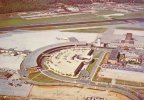
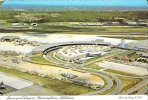
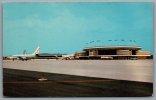
Here are some pictures of the Birmingham Municipal Airport back in the late 70s through the 80s:
 

Attachments

  • image 2.jpg
    image 2.jpg
    191.7 KB · Views: 10
  • image 3.jpg
    image 3.jpg
    94.1 KB · Views: 11
  • s-l1600.jpg
    s-l1600.jpg
    358.5 KB · Views: 12
Hi Gary,

I've tried that one but it does the save thing. I've tried all of the versions and none of them worked.

https://sketchucation.com/pluginstore?pln=JHS_PowerBar_2015

That's exactly how I did it. As soon as I click on that icon, Sketchup stops running and I have to close it. So, even version 2.4 doesn't work.


Please note that I had updated info and linked to the actual plugin version (fixed by 'TIG') for 2017 ...which works for me:

Hi Ken:

I also had the un-fixed version of JHS POWERBAR installed for Sketchup 2017, thus the issues for use of Upright Extruder (Eneroth) .

I simply installed the newer version of the JHS Powerbar on top of the existing one already in the Sketchup 2017 Plugins folder.


I used this one with Eneroth3 Upright Extruder (fixed by TIG) in Sketchup 2017 Plugins folder:

CadFather (Max Coppoletta) JHS POWERBAR 2015 (Fixed for 2017) v2.4

https://sketchucation.com/pluginstore?pln=JHS_PowerBar_2015

If that is not working or is unstable, there are rare coding conflicts which can occur between misc. plugins installed to Sketchup.


With Sketchup not running, ZIP up these files / folders in Sketchup 2017 plugins folder, then delete these 'original' loose files / folders:

\ _jhs01_powerbar.rb (file)

\ JHS (folder)


Then manually install ONLY the cited plugin version above to the Sketchup 2017 Plugins folder at:

C:\Users\[user_name]\AppData\Roaming\SketchUp\SketchUp 2017\SketchUp\Plugins


I think this tube extrudes around the helix so I leave that turned off.

I'll need to test all the multiple options for the plugin to better understand- and explain- what they result in after execution is completed.

I put in 42 sides.

I recommend "even" numbers for sides, so you can draw a line along a mid-point of any object made, so use: 2,4,8,16,32,64,128 etc.


Yes, they appear to me that they're all the same level. I've noticed at the entrance that the clearance is 6ft 10 inches in street view. But the ceiling is probably about 1 or 2 feet higher. I'm using about 9 feet for each level. By the way, the project I'm creating is from 1973 to 1986. At that time, the parking deck only had 3 levels, not 6. It's the levels that have the small openings. The levels with very long openings were added as the years passed. I'll post some pictures so that you'll have an idea. Currently, the height of the parking deck is about 68 to 70 feet. Back then, it was around 30 to 32 feet and had only 3 levels.


The image at the left is the ramp that circles the terminal. You can drive to the second level of the terminal. Back in the day, You either entered the terminal at the first level and go up the escalators to get to the second level or from the parking deck, you crossed over by a bridge. I'll post the pictures later today.

Ken.

The image at the left is the ramp that circles the terminal. You can drive to the second level of the terminal. Back in the day, You either entered the terminal at the first level and go up the escalators to get to the second level or from the parking deck, you crossed over by a bridge. I'll post the pictures shortly.

Ken.

Which "image at the left" are you referring to: ...your latter image attachments immediately above that posted 'later' than your text ? :scratchch

GaryGB
 
Last edited:
With Sketchup not running, ZIP up these files / folders in Sketchup 2017 plugins folder, then delete these 'original' loose files / folders:

\ _jhs01_powerbar.rb (file)

\ JHS (folder)


Then manually install ONLY the cited plugin version above to the Sketchup 2017 Plugins folder at:

C:\Users\[user_name]\AppData\Roaming\SketchUp\SketchUp 2017\SketchUp\Plugins

Let me make sure I understand correctly. When you say "zip up this files," do I zip up both the file and the folder into one zip file or do I zip them separately, one zip being the file and one zip being the folder? What is the purpose for doing this? I've noticed that after the zipped file is installed into the plugin folder, both the /_jhs01_powerbar.rb file and \JHS folder are installed again. I've also installed the PowerBar 2.4 and I'm still having the same problem.


I'll need to test all the multiple options for the plugin to better understand- and explain- what they result in after execution is completed.

I recommend "even" numbers for sides, so you can draw a line along a mid-point of any object made, so use: 2,4,8,16,32,64,128 etc.

In the Helix Along Curve, where it says "Sections per lap" is where you would put in the number of sides of the helix. If you set "Create Tube" to YES, it will create a tube around the helix. You want to set this to NO.

Which "image at the left" are you referring to: ...your latter image attachments immediately above that posted 'later' than your text ? :scratchch

I was referring to the image of the parking deck you've posted above when I was talking about the ramp. At the lower left of the image is a ramp that circles the terminal, not the parking deck.


1770539507465.png
 
NOTE: ReadMe info for the Helix-Along-Curve alludes to an ability to assign the number of sides for the 'tube' circumference:

https://community.sketchucation.com/topic/140749/plugin-helix-along-curve/2

"You can specify the number of sides of the tube (which can be a minimum of 3 sides, this value must be a positive integer)."

IMHO, each spiral ramp level should have at least an equivalent of 64 -to- 128 sides (if it were otherwise made as a 'circle' -per deck level). :pushpin:

I successfully set Helix-Along-Curve plugin parameter "Sections per lap" to 64 or more for a less aliased / more smooth circular Ramp spiral. ;)

If you have further issues with this plugin, let me know.


GaryGB
 
Back
Top