• Which the release of FS2020 we see an explosition of activity on the forun and of course we are very happy to see this. But having all questions about FS2020 in one forum becomes a bit messy. So therefore we would like to ask you all to use the following guidelines when posting your questions:

    • Tag FS2020 specific questions with the MSFS2020 tag.
    • Questions about making 3D assets can be posted in the 3D asset design forum. Either post them in the subforum of the modelling tool you use or in the general forum if they are general.
    • Questions about aircraft design can be posted in the Aircraft design forum
    • Questions about airport design can be posted in the FS2020 airport design forum. Once airport development tools have been updated for FS2020 you can post tool speciifc questions in the subforums of those tools as well of course.
    • Questions about terrain design can be posted in the FS2020 terrain design forum.
    • Questions about SimConnect can be posted in the SimConnect forum.

    Any other question that is not specific to an aspect of development or tool can be posted in the General chat forum.

    By following these guidelines we make sure that the forums remain easy to read for everybody and also that the right people can find your post to answer it.

MSFS24 texture setting on blender FS2024 export

Messages
17
Country
japan
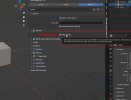
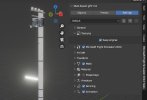
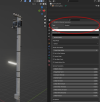
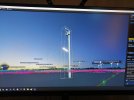
I'm having trouble applying textures to objects in FS2024. I can use emission and bloom effects. I am also creating the texture XML manually according to the manual. I think there might be something wrong with my Blender my settings. Please help.
 

Attachments
  • IMG_20260112_090630.jpg
    IMG_20260112_090630.jpg
    2.4 MB · Views: 60
Last edited:
Hello:

I believe the Blender experts here may request that you attach- or link to- a *.BLEND file so they may better help you.

GaryGB
 
Thank you as always.
I think it’s a mistake on my part regarding the procedure. If you know of any websites or videos that clearly explain how textures are handled or objects are exported in the EXPORTER, I would appreciate it if you could share them.
I’m also okay with submitting the source file. FS24SDK is really giving me a hard time.
 
I believe a first step would be to attach- or link to- a *.BLEND file, so Blender experts here may better help you.


Please state the numeric version of Blender you use, and also the numeric version of Asobo's MSFS Exporter you use in Blender.


Is the "EXPORT" process you refer to specifically the use of Asobo's MSFS Exporter for use in Blender, or is it something else ? :scratchch

GaryGB
 
its the same as 2020,
you need to get blender to export the textures and the xml, doing that manually may not assign them inside the gltf correctly
if they arent listed in the gltf they wont export from blender or load in game

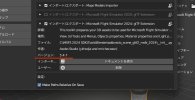
maybe make sure this setting isnt checked (by default i think it is)

I wont swear this matters for scenery but for aircraft it will prevent the model from exporting the textures
 

Attachments

  • 2026-01-12 01_16_44-Blender.jpg
    2026-01-12 01_16_44-Blender.jpg
    80.3 KB · Views: 46
The option to keep the original is checked. I have attached the .blend file and the textures.
I use Blender 3.6.20 + 2024 gltf Extention 5.4.7
 

Attachments

Last edited:
Check if "MSFS2024 Material Parameters" is set to "Standard" for textured material and assign Base Color Texture (RGBA).
 

Attachments

  • check.png
    check.png
    388.9 KB · Views: 41
The option to keep the original is checked. I have attached the .blend file and the textures.
I use Blender 3.6.20 + 2024 gltf Extention 5.4.7

I am not familiar with a version of the Asobo- or any other MSFS Exporter- that has a numeric version of "5.4.7":

https://www.google.com/search?q=site:+www.fsdeveloper.com+Blender+"Microsoft+Flight+Simulator+2024+Tools"+gltf+Extension+"5.4.7"&sca_esv=bfc79b9b44160e7b&ei=2tlkaZOcKa6g0PEPpY256Qo&ved=0ahUKEwiT8cPp8YWSAxUuEDQIHaVGLq0Q4dUDCBE&oq=site:+www.fsdeveloper.com+Blender+"Microsoft+Flight+Simulator+2024+Tools"+gltf+Extension+"5.4.7"&gs_lp=Egxnd3Mtd2l6LXNlcnAiYHNpdGU6IHd3dy5mc2RldmVsb3Blci5jb20gQmxlbmRlciAiTWljcm9zb2Z0IEZsaWdodCBTaW11bGF0b3IgMjAyNCBUb29scyIgZ2x0ZiBFeHRlbnNpb24gIjUuNC43IkjangNQlQxYi_oCcAF4AJABAJgBkAGgAacUqgEFMTMuMTK4AQzIAQD4AQGYAgigAvMHwgIIEAAYsAMY7wXCAgUQABjvBZgDAIgGAZAGBZIHAzEuN6AH8S2yBwMwLje4B-MHwgcFMy03LjHIB2yACAA&sclient=gws-wiz-serp


Maybe others here can proceed further to help you, but I consider it important that you state the Blender MSFS Exporter version you use:

Asobo:

https://github.com/AsoboStudio/Microsoft-Flight-Simulator-2020-glTF-Blender-IO

...or a different one authored by someone other than Asobo.


Were you instead referring to the numeric version of the MSFS 2024 SDK you have installed ? :scratchch

GaryGB
 
Thank you very much. I will check it immediately. The SDK is 1.5.7, and the Exporter is listed as 5.4.7 (SDK include)
I will check and set up the material settings.
 

Attachments

  • setting2.jpg
    setting2.jpg
    39.6 KB · Views: 38
Last edited:
Thank you very much. I will check it immediately. The SDK is 1.5.7, and the Exporter is listed as 5.4.7
I will check and set up the material settings.

This is what I find regarding the code version you cited above:

https://www.google.com/search?q=_in...yBwMwLjG4B4IBwgcDMy0xyAcLgAgA&sclient=gws-wiz


To help would-be helpers help you, it is best to cite a numeric version for the Asobo MSFS Exporter shown on GitHub as a "Release":

https://github.com/AsoboStudio/Microsoft-Flight-Simulator-2020-glTF-Blender-IO/releases/tag/v3.3.1


...and as shown in this thread:

https://www.fsdeveloper.com/forum/threads/msfs-asobo-official-blender-exporter.454146/

GaryGB
 
Last edited:
Mr.Heermeyer Mr.EzRyder
Thank you very much. I was able to understand with the settings you taught me. I was also able to display the texture. I have understood the basics of materials. I am grateful.
 

Attachments

  • IMG_20260112_211335.jpg
    IMG_20260112_211335.jpg
    2.7 MB · Views: 47
Last edited:
mr.GaryGB Thank you very much.
It was the version of the EXPORTER included in the FS2024 SDK.
Understood.
I appreciate it.
 
[EDITED]

I had not checked on Asobo's SDK MSFS 2024 Extensions Blender Exporter since RTM; I am glad to see it is now documented here:

https://docs.flightsimulator.com/msfs2024/html/3_Models_And_Textures/Plugins/Blender_Plugin/The_Blender_Exporter.htm?rhhlterm=exporter export exported exporting exports


...and even MSFS 2020 SDK has documentation on the "Blender Plugin" here:

https://docs.flightsimulator.com/ht..._Plugin.htm?rhhlterm=blender&rhsearch=Blender


A heads-up for MSFS 2020 SDK has documentation on the "Blender Plugin":

The SDK does not IMHO adequately explain installation of the 'required' "Official Khronos Group Blender glTF 2.0 importer and exporter".


This GitHub page better explains this requirement:

https://github.com/AsoboStudio/Microsoft-Flight-Simulator-2020-glTF-Blender-IO

https://github.com/AsoboStudio/Micr...r-IO/blob/main/Documentation/Documentation.md


The Khronos glTF 2.0 importer and exporter is already included with, and enabled by default in Blender 2.8 and higher.

However, IIUC, that Blender plugin may also periodically require a manual update by the end user:

https://github.com/KhronosGroup/glTF-Blender-IO


Asobo "multi-exporter" greatly expanded its features / options; I wonder if MCX' MSFS glTF Export implemented all these yet ? :scratchch


I now see there may be a potential difference of internal numeric version for Asobo's Blender Plugin in the SDK versus GitHub.


A GitHub 'Release' numeric version is readily identifiable from GitHub's Release version download / info pages.


How does MSFS' 2024 Blender user community now designate a numeric version for the Asobo Blender Plugin in the SDK ? :rolleyes:

I would assume a preferred way is to refer to the MSFS SDK numeric version Blender Plugin ?


PS: Is it not time now to create a FSDEV sub-forum for the various Blender MSFS Plugins to keep threads topic-specific ?


The top of the Blender forum has a sticky with a (currently) 13-page-long thread:

"msfs-asobo-official-blender-exporter". :banghead:


'Should' we keep adding to an already bloated discussion thread, all info about multiple versions of: :oops:

..."msfs-asobo-official-blender-exporter" ?

[END_EDIT]

GaryGB
 
Last edited:
The latest 2020 exporter from ASOBO is 3.3.1 (SDK 0.24.5) and can be used for Blender 3.3 (not tested by me) 3.6, 4.2 and 4.5

For 2024 the ASOBO exporter is 5.4.7 (SDK 1.5.7) and can only be used for Blender 3.3 (not tested by me) 3.6 and 4.2. Not 4.5 yet. (bummer)

There is no Github version of 2024 available - (please show a link if there is one)

EDIT: and you must use the multi exporter section as File Export is missing important ASOBO extension data.

EDIT2: both version work well - except for bugs reported on devhub. There is no need to use my forked version of 2020.
 
To add my 2 cents to this... use the exporter that Ron lists above, and stick to Blender 3.6 unless there is a need for anything 4.5 offers. MSFS uses glTF as it's object models. Blender 3.6 is adequate for 99% of anything you'd need for MSFS and it's glTF usage. Using those exporters and v3.6 of Blender will save a lot of headaches for most users, and keep you away from trouble-shooting incompatibilities.
 
Thank you very much. I understand the problem. I will maintain the environment and continue production. I'm grateful for all your guidance.
 
Back
Top