
Hi,
I'm about to complete a tutorial called "How To Create Photo Real Scenery For FSX" by Tiberius K. I got to say that this is an excellent tutorial. After compiling all of my bgls, the photo real image and the cvx files, into FSX, I've noticed there seems to be a problem with how the runway is above the ground near the center and below ground at the ends. See my images below to see what I'm talking about:
This is a view from the cockpit:

This is the outside view and it looks like a rock or something is protruding up out from the runway. I think the image apparently follows the real world elevation data and is not flat with the runway in ADE:

In the image below, you can see that the runway along the center is above the runway image:
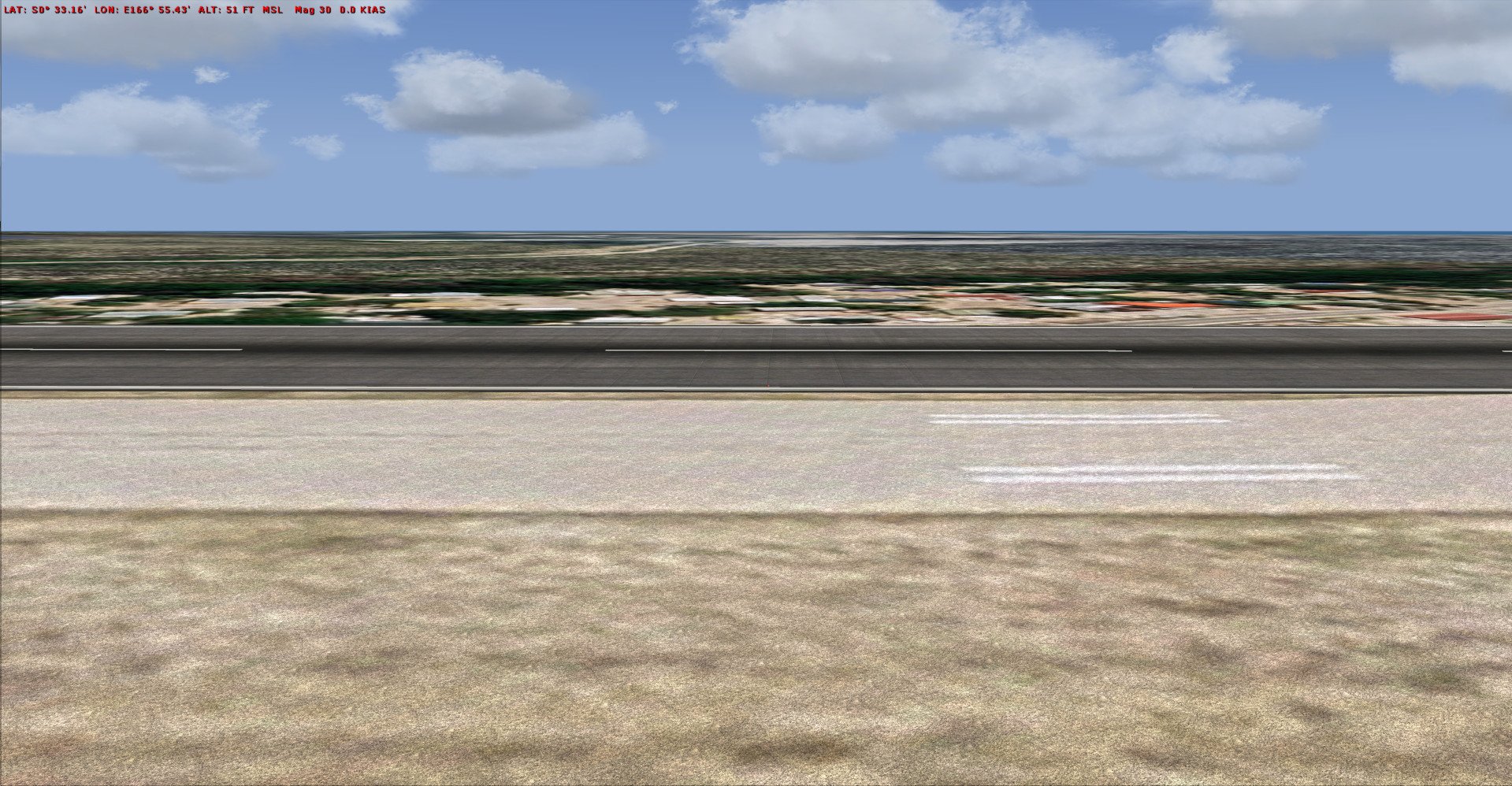
In this image below, the ends of the runway is below the runway that's in the image. You can also see that the road going around the airport runway is not flat at all, and is very rocky.

I've checked all my polygon vertices in SbuilderX and they're all at the same altitude = 0. Nothing was ever mentioned regarding the elevation data of the photo real bgl in the tutorial. It seems to me that since all my vertices are 0 feet, the entire image should be flat and not be at different altitude at different positions. Does the photo real bgl image have elevation information and should it be flattened and have the same altitude to match the runway altitude in ADE? In other words, do I need to flatten this photo real image before I compile it? Nothing was mentioned that I needed to flatten this photo real image so I'm confused here. Did I do something wrong here?
Ken.
I'm about to complete a tutorial called "How To Create Photo Real Scenery For FSX" by Tiberius K. I got to say that this is an excellent tutorial. After compiling all of my bgls, the photo real image and the cvx files, into FSX, I've noticed there seems to be a problem with how the runway is above the ground near the center and below ground at the ends. See my images below to see what I'm talking about:
This is a view from the cockpit:
This is the outside view and it looks like a rock or something is protruding up out from the runway. I think the image apparently follows the real world elevation data and is not flat with the runway in ADE:
In the image below, you can see that the runway along the center is above the runway image:
In this image below, the ends of the runway is below the runway that's in the image. You can also see that the road going around the airport runway is not flat at all, and is very rocky.
I've checked all my polygon vertices in SbuilderX and they're all at the same altitude = 0. Nothing was ever mentioned regarding the elevation data of the photo real bgl in the tutorial. It seems to me that since all my vertices are 0 feet, the entire image should be flat and not be at different altitude at different positions. Does the photo real bgl image have elevation information and should it be flattened and have the same altitude to match the runway altitude in ADE? In other words, do I need to flatten this photo real image before I compile it? Nothing was mentioned that I needed to flatten this photo real image so I'm confused here. Did I do something wrong here?
Ken.
Last edited:


