• Which the release of FS2020 we see an explosition of activity on the forun and of course we are very happy to see this. But having all questions about FS2020 in one forum becomes a bit messy. So therefore we would like to ask you all to use the following guidelines when posting your questions:

    • Tag FS2020 specific questions with the MSFS2020 tag.
    • Questions about making 3D assets can be posted in the 3D asset design forum. Either post them in the subforum of the modelling tool you use or in the general forum if they are general.
    • Questions about aircraft design can be posted in the Aircraft design forum
    • Questions about airport design can be posted in the FS2020 airport design forum. Once airport development tools have been updated for FS2020 you can post tool speciifc questions in the subforums of those tools as well of course.
    • Questions about terrain design can be posted in the FS2020 terrain design forum.
    • Questions about SimConnect can be posted in the SimConnect forum.

    Any other question that is not specific to an aspect of development or tool can be posted in the General chat forum.

    By following these guidelines we make sure that the forums remain easy to read for everybody and also that the right people can find your post to answer it.

Attached Light in MSFS

Messages
23
Country
us-california
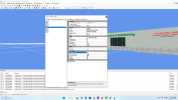
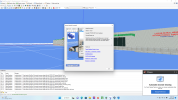
I am trying to adjust the intensity of attached point lights for use in MSFS. These are way too bright. I tried adjusting in the spotlight area, but no change. I am really not understanding the parameters to use spotlight, hence I tried point light. Maybe I have to use spotlight but feel it may look weird as it is truly not a spotlight.
 

Attachments

  • Screenshot (14).png
    Screenshot (14).png
    585.2 KB · Views: 222
  • Screenshot (15).png
    Screenshot (15).png
    2.7 MB · Views: 226
  • Screenshot (16).png
    Screenshot (16).png
    662.4 KB · Views: 211
The strength parameter is most important if you want to change the intensity. Have you tried to lower that value a lot already?
 
Got another question to spotlights. I am trying to position the spotlight to go directly to the ground. I just played around with what looked right in MCX (capture 1). I saved the file as a "GLTF" and then loaded the file into MSFS and got this result. (capture3). It seems the cones are aimed back at the building at 45 degree. I load the GTLF file in MCX and all my values for rotation changed (not by me) as indicated in capture2. I am not sure why they keep changing from what I initially had in capture 1. I am using the latest version of MCX and MSFS. I don't get to design much these days with work and school. I do appreciate this program and all the assistance you have given me.

capture1.jpg
capture3.jpg
capture2.jpg
 
Hi,

It's a while ago that I tested the lights in MFSFS. It looks like the package tool is changing the direction then, but let me test this to be sure.
 
Hi,

I had a look at the lights in MSFS. I have a test object that contains 4 lights on a stadium:

image.png


After running it through the package tool and loading the modellib.bgl file the lights look wrong indeed:

image.png


But when I look at the object in the sim they seem to be working fine:

image.png


But do I understand you correctly that you are seeing the lights wrong in the sim as well?
 
Hi,

I did another test. I made a test object with different lights shining in different directions:

image.png


Loading this object in MSFS does show the expected light effects:

image.png


Once again when loading the modellib.bgl file the lights are shown in the wrong direction. So I think that is the only issue that is present, but the lights show in the correct directions in the sim.
 
Thanks Arno. I will look at it again. Just for my understanding on how rotation works: x=green axis, y=red axis and z= blue (up and down). Am I correct on that?

So, if I wanted a spot going directly to the ground (down) I would use the rotation of: 0,0,-90
 
X is red, Y is green and Z is blue. So i used -90;0;0 to point down.
 
I have also found a bug in the BGL reader that reads the modellib.bgl. This bug caused wrong light directions when reading from the modellib.bgl file. It will be fixed in the next development release.
 
Back
Top