• Which the release of FS2020 we see an explosition of activity on the forun and of course we are very happy to see this. But having all questions about FS2020 in one forum becomes a bit messy. So therefore we would like to ask you all to use the following guidelines when posting your questions:

    • Tag FS2020 specific questions with the MSFS2020 tag.
    • Questions about making 3D assets can be posted in the 3D asset design forum. Either post them in the subforum of the modelling tool you use or in the general forum if they are general.
    • Questions about aircraft design can be posted in the Aircraft design forum
    • Questions about airport design can be posted in the FS2020 airport design forum. Once airport development tools have been updated for FS2020 you can post tool speciifc questions in the subforums of those tools as well of course.
    • Questions about terrain design can be posted in the FS2020 terrain design forum.
    • Questions about SimConnect can be posted in the SimConnect forum.

    Any other question that is not specific to an aspect of development or tool can be posted in the General chat forum.

    By following these guidelines we make sure that the forums remain easy to read for everybody and also that the right people can find your post to answer it.

FSX:SE Custom airport (P54) selectable in the menu, but loads aircraft at the wrong location/airport

Messages
40
Country
us-texas
Hello, I am a beginner using ADE for FSX: Steam Edition. I am building a small airport from scratch: Royal Field (P54) in Sanger, TX.

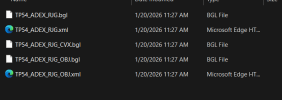
I have successfully compiled the airport and added it to my Scenery Library. However, I’m running into a frustrating issue when trying to start a flight:

  • The Problem: I can search for "P54" or "Royal Field" in the FSX "Select Airport" menu without a problem. However, when I select it and click 'Fly Now,' the simulator loads my aircraft at a completely different stock airport (or a different location miles away) instead of my custom field.
  • What I've Confirmed: If I manually slew my aircraft to the coordinates for Sanger, TX, my custom airport scenery is present and appears exactly as I designed it. The scenery itself seems to be in the correct place, but the "Go To" function in the menu is not.
  • My Setup: I created this airport "from scratch" in ADE rather than modifying a stock one.
Could this be a bug in my compile, or did I likely misplace the Airport Reference Point (ARP) or Runway Start Points? I’m not sure how to verify if these coordinates are different from my actual runway placement in ADE.

Any help on how to sync the menu location with my actual scenery would be greatly appreciated.

Update: two airports near mind don't belong there.


Screenshot 2026-01-20 113132.png
2026-1-20_11-57-30-862.jpg
 

Attachments

  • Screenshot 2026-01-20 114337.png
    Screenshot 2026-01-20 114337.png
    18.7 KB · Views: 41
Last edited:
What happens when you click on the P74 choice in that Select Airport dialog box, and then use the Choose Runway/Starting Position drop down box to select a starting location before clicking OK?
 
What happens when you click on the P74 choice in that Select Airport dialog box, and then use the Choose Runway/Starting Position drop down box to select a starting location before clicking OK?
It takes me to Bucker Field
1768937436443.png
 
I’ve seen that bug before. Sometimes when airports are very close to each other FS makes a mistake about the name. I think it uses the name of the airport with the nearest reference point, or something like that.
 
Looks like it's naming it after a real-world airport, so when I put it in the sim in my backyard, it's assuming it was Bucker Field, so what if I move it? Can I even do that without breaking my work?
 

Attachments

In that image your plane is closer to Bucker Field, so that’s where FS says you are. That display line is not the airport you have chosen in the Select Aircraft menu, it’s the airport closest to your current location.

This should have no effect on the actual use of your airport. It can safely be ignored.
 
It worked. moved it and things look great, just have to make final tweaks. Thanks for your help, especially tgibson who saw the unseeable. Now, if I can just learn how to make approaches.
 
In that image your plane is closer to Bucker Field, so that’s where FS says you are. That display line is not the airport you have chosen in the Select Aircraft menu, it’s the airport closest to your current location.

This should have no effect on the actual use of your airport. It can safely be ignored.
It is my airport, but it was so close to Bucker Field, and with two BLG files, it shows that, because it is FSX. If only we had AI to help debug these problems.
 
Back
Top