

- Messages
- 40
- Country

Hello, I am a beginner using ADE for FSX: Steam Edition. I am building a small airport from scratch: Royal Field (P54) in Sanger, TX.
I have successfully compiled the airport and added it to my Scenery Library. However, I’m running into a frustrating issue when trying to start a flight:
Any help on how to sync the menu location with my actual scenery would be greatly appreciated.
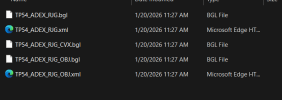
Update: two airports near mind don't belong there.


I have successfully compiled the airport and added it to my Scenery Library. However, I’m running into a frustrating issue when trying to start a flight:
- The Problem: I can search for "P54" or "Royal Field" in the FSX "Select Airport" menu without a problem. However, when I select it and click 'Fly Now,' the simulator loads my aircraft at a completely different stock airport (or a different location miles away) instead of my custom field.
- What I've Confirmed: If I manually slew my aircraft to the coordinates for Sanger, TX, my custom airport scenery is present and appears exactly as I designed it. The scenery itself seems to be in the correct place, but the "Go To" function in the menu is not.
- My Setup: I created this airport "from scratch" in ADE rather than modifying a stock one.
Any help on how to sync the menu location with my actual scenery would be greatly appreciated.
Update: two airports near mind don't belong there.
Attachments
Last edited:


