- Messages
- 24
- Country

Had a crack at texturing my model in Substance Painter and ran into some problems that didn't occur when I made a primitive texture in PS. I'm attaching a pic to explain better 
Basicly the texture I made in PS was acting ok inside FS at all times of the day. It was a pretty basic texture though and I didn't like the quality so I took the time to redo it in Substance Painter. While it's way more realistic and looks great around midday, it doesn't look good in early morning or late afternoon. The model pretty much turns black. My workflow was as follows:
- New project in SP, template: PBR metallic roughness (allegorithmic), size 2048, model in the fbx format
- Bake all the maps except ID
- Paint the texture using default materials mostly
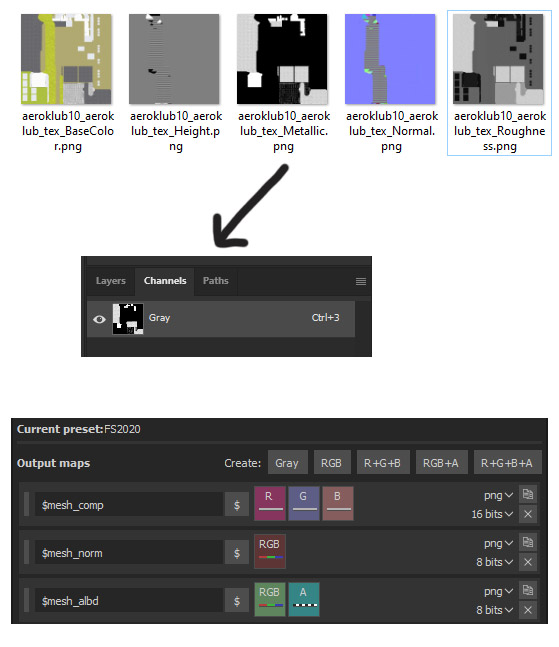
- Export using the profile that Vitus kindly provided (Thanks!)
In Blender:
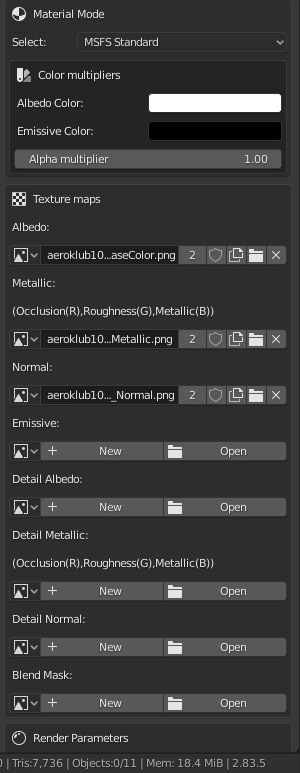
Here is a picture explanation. On the left PS texture, on the right SP
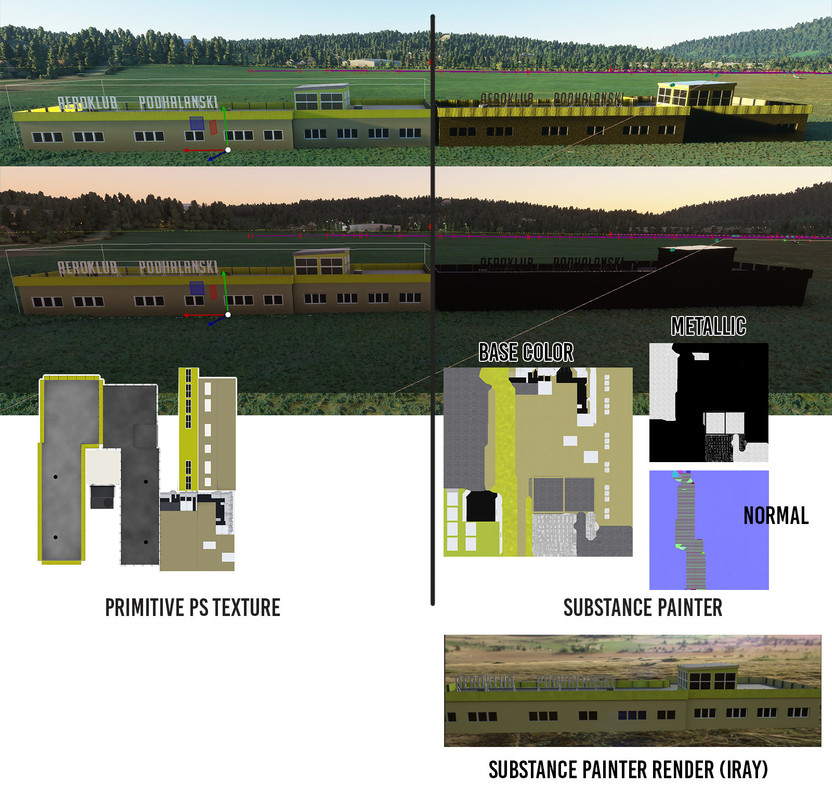
Any tips how to make that look better?
Basicly the texture I made in PS was acting ok inside FS at all times of the day. It was a pretty basic texture though and I didn't like the quality so I took the time to redo it in Substance Painter. While it's way more realistic and looks great around midday, it doesn't look good in early morning or late afternoon. The model pretty much turns black. My workflow was as follows:
- New project in SP, template: PBR metallic roughness (allegorithmic), size 2048, model in the fbx format
- Bake all the maps except ID
- Paint the texture using default materials mostly
- Export using the profile that Vitus kindly provided (Thanks!)
In Blender:
Here is a picture explanation. On the left PS texture, on the right SP
Any tips how to make that look better?