• Which the release of FS2020 we see an explosition of activity on the forun and of course we are very happy to see this. But having all questions about FS2020 in one forum becomes a bit messy. So therefore we would like to ask you all to use the following guidelines when posting your questions:

    • Tag FS2020 specific questions with the MSFS2020 tag.
    • Questions about making 3D assets can be posted in the 3D asset design forum. Either post them in the subforum of the modelling tool you use or in the general forum if they are general.
    • Questions about aircraft design can be posted in the Aircraft design forum
    • Questions about airport design can be posted in the FS2020 airport design forum. Once airport development tools have been updated for FS2020 you can post tool speciifc questions in the subforums of those tools as well of course.
    • Questions about terrain design can be posted in the FS2020 terrain design forum.
    • Questions about SimConnect can be posted in the SimConnect forum.

    Any other question that is not specific to an aspect of development or tool can be posted in the General chat forum.

    By following these guidelines we make sure that the forums remain easy to read for everybody and also that the right people can find your post to answer it.

Effects cause fps drop?

jtanabodee

Resource contributor
Messages
3,924
Country
thailand
Hi,
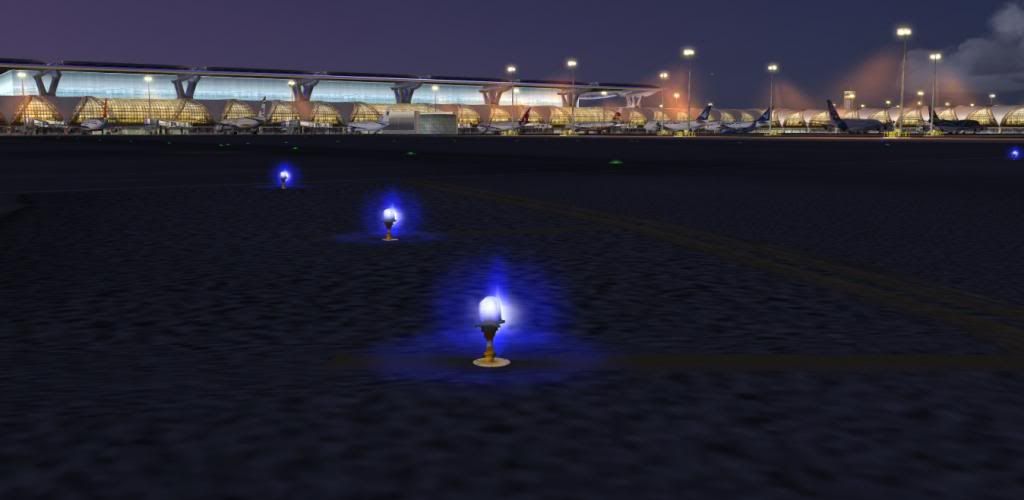
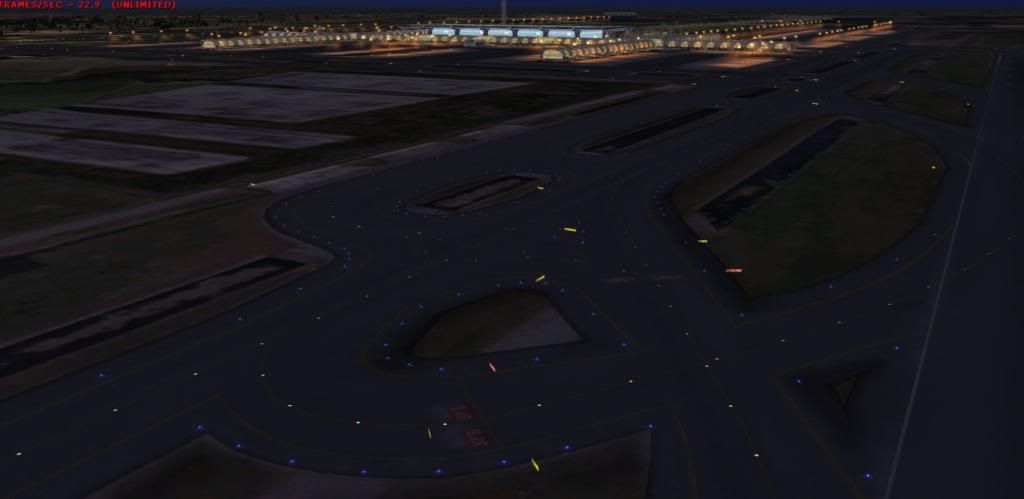
I was making taxi lights for the airport over ground poly. There are 1365 lights. I made these with the method of MaxScript in Wiki.
After I was done with the max script, I imported into FSX and it caused fps drop dramatically. I usually got 35-30 fps. After effect placement (single XML) it turned to be 15-17 almost 50% drop. Do you experience this as well? Any thing can be done?
Regards,
 
Last edited:
Hi,

My experience is also that effects can be quite heavy on the performance. Would be interesting to hear how other developers used them for lights.
 
Why such a drop compared to stock lights? Do stock lights not use the same effects?

Tic - your lights were looking good with just light splash textures. Why switch to effects?
 
The stock (runway) lights are hard coded into the scenery engine. I think they use a different technique than effects, but I am not completely sure.
 
Hi,

In one of my sceneries I used an adapted cloud.fx to cover up a clouded mountain top photoreal ground and it affected the fps much more than when just customizing the weather to have a cloud cover.
Don't ask me why but the impact on FPS with light effects is much smaller.
 
Why such a drop compared to stock lights? Do stock lights not use the same effects?

Tic - your lights were looking good with just light splash textures. Why switch to effects?

Thanks for you comment. I just give it a try but O think I have to take those effects awy.
 
Hi,
It also depends on your effects complexity: simple effect or controler ?
How many emiters in the effect ? Distance to show and so on
 
Hi,
It also depends on your effects complexity: simple effect or controler ?
How many emiters in the effect ? Distance to show and so on
I got that ALain, thanks. I'll change emiter to only one and see if that helps.
 
A recent add-on that I viewed had a very nice looking light system.... the lights were light splashes and glares next to the emitters, as in textured planes above and on the ground polygons, with the Dusk, Dawn,Night=1 Day=0 or whatever effects parameters put on the planes, and only showed at night/dusk/dawn. Easier than effects and should have 0 fps impact.

Next time I make a scenery with runway lights I'll try this, although I'll have to look into attaching the planes with those effect parameters.
 
I think I found the solution.
I did eliminate the emitter to just only one. The frame rate is better but it also decreased the brightness and the good-looking effect.

So I changed my texture a bit and this is final result.
I use texture only not the effect and the appearance is not different from the single emitter of effect.

VTBStaxilight_zpsc22ba68e.jpg


Visibility range is not bad at all. I think it is almost the same as attached effect.
VTBStaxilight03_zps78c32379.jpg
 
not bad, however it looks like they disappear from view after a few thousand feet.

I think the real thing is almost the same visibility range. You cannot see these taxi lights for miles like the way you see in the default airport in FSX.
 
You could save the file under again, select all the lights and make them much bigger, and make this a LOD. Meaning that the lights bigger from afar.
 
I think the real thing is almost the same visibility range. You cannot see these taxi lights for miles like the way you see in the default airport in FSX.

I suggest to differ. they can be visible 5 miles out in real life, in the city. medium-High intensity is anyhow.
I was able to see VDF taxi lights from UFLIX intersection at 1200ft on approach rwy23 this past MLK day at 730pm, 1 hour after sunset.
The cockpit lighting can change this visibility range so, as at night i dont use cp lighting but a red-glo headlamp. I remember a couple years back in a evektor lsa with a g1000 lcd setup i did a black-out approach. no lights on the ground or outside a/c lighting (except rotating beacon and nav lights and strobes were on to satisfy the faa), we turned the luminocity of the 1000 to its lowest level and set to pfd only to darken the deck. it was interesting and we spotted the venice taxi lights from about 8 miles north at 1500. their beacon was out so the taxi lights were the only thing we could us to distinguish the field.
back to VDF we didnt spot it til 1 mile out due to haze and we had intensity back to norm.
you want a challenge, do a night landing with no airport lighting and without a landing light (and no moon). thats a challenge. lose focus at any point and you better go missed.
next time i go ill take a few pics to show.
and to anyone that plans a rw night flight, i recommend LIRL or MIRL.
edit: forgot to mention it was right after a cold front so the air was very clear. weather does make the biggest difference in range.
 
Last edited:
You could save the file under again, select all the lights and make them much bigger, and make this a LOD. Meaning that the lights bigger from afar.

That's good point. I'll try that.

I did try the effect but the frame rate hit was so hard. I eliminated emitter to one but still some fps hit. I'll try to enlarged the effect a bit. Might be better if I can combine both together, effect and texture. But to my priority, fps is the first one. The metal frame and the jetway already drag frame rate. I just don't want the taxi light join t to drag it down more.
 
I made some experiments for you. Sorry that my effects are not on the same place as gmax model. Still working on that. MCX curvature correction is not working. I don't know why.

The first one: no effect at all, fps 25
emitterNo_zpse066ed9f.jpg


The second one: 1 emitter effect, fps 21.4
emitterYes1_zps2223445e.jpg


The third one: 2 emitters effect, fps 19.1
emitterYes2_zps6d726d1f.jpg


The fourth one: 3 emitters effect, fps 17.4
emitterYes3_zps4976b6e3.jpg


I think one or two emitters is a good compromise. The more emitter the more bright it is. For big airport with a lot of objects, I think no effect at all is not bad either. The choice is yours now.
 
Last edited:
looks like your taxi lights are duplicating just feet from the primary.
Eliminate the 2nd row and you might have a workable model.

Er,, spoke before I knew what I was saying.
The 1 emitter effect gives adequate visual for FS use.
I think 1 emitter is good, its equal to a low intensity lighting it looks.
1-2 would be low intensity lighting
2-3 would probably be medium intensity
4-6 would be high intensity. (6 would be IMC use)
thats a good guess based on what i see irl and your pics.

IRL I think it would be equal to a 4 or 5 emitter. Possibly even a 6. But thats pushing it.
you can see in your image the distance is full field length visibility. That is probably almost 2 miles. That runway is between 8000 and 10,000 ft I will bet.
 
Thanks for your comment, but I really don't understand all the abbreviations.:confused:
IRL= In Real Life
What Er,, and IMC stand for? I'm not in an English speaking country. So please tell me FMI= For my information.:D

Anyway, I am working on the off-set of effects. Almost get what I want now.
I still thinking of double my cross plane taxi-light model to increase the plane of light. May be it will brighter and has less impact on fps. No off set need to be corrected.
You could save the file under again, select all the lights and make them much bigger, and make this a LOD. Meaning that the lights bigger from afar.
This doesn't work, since the whole taxi lights are in one file. Not individual instance placement by XML. So LOD is not working to increase visual distance. But it might help to see from far far......far...... away which is not what is seen IRL= in real life.
 
Last edited:
Er means Um, or ahem, or any sound you make when you are not sure about something. :)

IMC is Instrument Meteorological Conditions (bad weather).

Hope this helps,
 
Great test! Thanks!

I like the look of the 1 emitter results. 2 emitters look a little better, but I question if they are worth the 6 fps hit. The others look too bright in my opinion, but Kevin would know better since he actually flies.
 
Last edited:
Back
Top