• Which the release of FS2020 we see an explosition of activity on the forun and of course we are very happy to see this. But having all questions about FS2020 in one forum becomes a bit messy. So therefore we would like to ask you all to use the following guidelines when posting your questions:

    • Tag FS2020 specific questions with the MSFS2020 tag.
    • Questions about making 3D assets can be posted in the 3D asset design forum. Either post them in the subforum of the modelling tool you use or in the general forum if they are general.
    • Questions about aircraft design can be posted in the Aircraft design forum
    • Questions about airport design can be posted in the FS2020 airport design forum. Once airport development tools have been updated for FS2020 you can post tool speciifc questions in the subforums of those tools as well of course.
    • Questions about terrain design can be posted in the FS2020 terrain design forum.
    • Questions about SimConnect can be posted in the SimConnect forum.

    Any other question that is not specific to an aspect of development or tool can be posted in the General chat forum.

    By following these guidelines we make sure that the forums remain easy to read for everybody and also that the right people can find your post to answer it.

Problem vegetation

Messages
119
Country
italy
Hello Arno, I read that many things have changed and I was a little
back ...
I'm having some trouble to recreate the vegetation as with older versions of scenproc.
It seems to me that the type does not match what is configured in the SPC file,
For example, I put = Natural Wood and I select the guid Conifer,
annotator but in the same area is represented with Forest Broadlest
I have put the forests ...
Obviously I forget something there is something wrong in the SPC file used?

The function IMPORTOSM now no longer available, how to set IMPORTODR to reload a file to make the OSM vegetation?

Sorry for the questions but the tutorials and examples are still written for the old version ... and I'm a little thrush to read the manual again ..
Thank you.

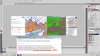
I enclose an example of the error and one of the SPC file used ... bug.jpg
# @0@=410-417
# @1@=147-151
# @2@=12.1875000
# @3@=15.9375000
# @4@=36.5625000
# @5@=38.3203125
# building lon min lon max lat min lat max
# vegetation
IMPORTOGR|D:\liguria\scenproc_x64\mon\natural.shp|@2@;@3@;@4@;@5@|*|NOREPROJ
IMPORTOGR|D:\liguria\scenproc_x64\mon\landuse.shp|@2@;@3@;@4@;@5@|*|NOREPROJ

SPLITGRID|AGN
CREATEAGNPOLYVEG|FTYPE=POLYGON;type=forest|{1140cda0-78bc-449a-b2be-2147854d8562}
CREATEAGNPOLYVEG|FTYPE=POLYGON;type=orchard|{7639234e-11fc-44ef-bbb9-d62e319399ab}
CREATEAGNPOLYVEG|FTYPE=POLYGON;type=conservation|{bc6396b0-6e51-4a4f-ab4f-5386c84609a6}
CREATEAGNPOLYVEG|FTYPE=POLYGON;type=nature_reserve|{82f0282d-f82d-484c-a640-aac21a69be03}
CREATEAGNPOLYVEG|FTYPE=POLYGON;type=scrub|{2fde0277-1697-4dab-b481-c3985c80596f}
CREATEAGNPOLYVEG|FTYPE=POLYGON;type=wood|{0a7dd9ef-9e7f-4140-9ae8-5d1d5047176b}
CREATEAGNPOLYVEG|FTYPE=POLYGON;type=heath|{d26cb3c7-9be7-44ec-b7ad-155832ec4f99}
#create agn files
EXPORTAGN|FSX|D:\liguria\scenproc_x64\vegetazione
 
Hi,

Your configuration file and they way you use IMPORTOGR looks fine.

But you are not using OSM files, you are using SHP it seems. So then it would seem you used IMPORTSHP not IMPORTOSM before.

Just from the screenshot I can't really see what goes on which the selection of the types of vegetation. The configuration looks fine.
 
Hello I have seen that you can import OSM data but do not know how to configure
could you do me a generic example to upload a single file OSM and the natural vegetation and landuse?


I'll send you the 2 configurations use the one with the old version and the one with the new data may depend on the different shape and OSM?
I hope you understand that with this shot ....
Thank you.
Antonio.

 
Last edited:
Hi,

I think I understand it now. Most shapefiles that you can download don't have as detailed attributes at the OSM format. So that's probably why you don't get the right vegetation type.

So just use your old script. All you have to do is replace the IMPORTOSM file with this line:

Code:
IMPORTOGR|sicilia.osm|*|landuse;natural|NOREPROJ

That should be all.
 
Thank you for your patience Arno
in truth I had already tried so but I get this error:

IMPORTOGR Error Too many features have accumulated in the lines layer. Use OGR_INTERLEAVED_READING = YES mode
on the forum I have not found anything like that ...

As far as I have Windows 7, Net Framework 4.5.

The file is processed but 0 objects are created.

Antonio.

This is the file used click on the image to get it larger ....

 
Hi,

I have seen that error reported once before, but I could not reproduce it here.

Can you tell me which OSM file you downloaded or can you send me your file? Then I will check if I can fix this issue.
 
Thanks, I'll see if I can reproduce the error.
 
Ooops :(..... I've put a flea in his ear and I downloaded a smallish part of OSM file from site openstreetm ....... and it seems to work without error ...
is probably the OSM file to some stingy problem as you have guessed.

I'm sorry because they were already divided by regions and is convenient use file not too big ....
But it is not strange to those files I've never had problems with the old version of Scenproc .... they have always worked well.

Excuse me ....

Antonio.
 
Hi,

No, I think I can fix it. The OGR library gives an error, but it also suggests a setting to use to prevent it. I just need to know when the error is thrown, so that I can handle it correctly.

It indeed does not happen with all OSM files, but scenProc should still continue reading the file without an error. I think I can fix it.
 
Hi,

I had a look. Unfortunately the solution is not as easy as I hoped. It seems to read big OSM files I have to alter the internal code a bit more. I'll have a look, but it will take a bit longer in that case I think.
 
Hi,

Just to let you know I'm still looking at this error. I have almost fixed it now, only problem is that the new solution doesn't work together yet with the filtering on required attributes. So I need to fix that before I can put the fix in the development release.
 
Hello Arno,
Thank you for your job, in the meantime I'm using shape data that work well
although with certain limits ...

Antonio.:)
 
Hi,

I have fixed the issue now. So if you grab the new development release tomorrow you should be able to read the OSM file again.
 
Hello Arno,
I downloaded the new version this morning and I immediately did the test with the same file (sicilia.osm), the error but there was no red has stagnated in reading
loading without going on for 30 minutes (as shot) then I closed the program.
The old version was compiled in the same area as 870 seconds.
I downloaded version too soon?

I have read the problem here:
http://www.fsdeveloper.com/forum/threads/reading-complex-openstreetmap-files.429359/
would seem to have the same problem ....

Antonio.

 
Hi,

No, you have the latest version. Let me check again, I did test with your file and could read the data. Let me use exactly the same settings.
 
Hi,

I still have the data.

When I use this line below it finished within a minute:

IMPORTOGR|sicilia.osm|*|landuse;natural;leisure|NOREPROJ|DONTPROCESHOLES

But in that case the holes within polygons are not processed. When I remove the last option it indeed seems to stall on a feature. I will try to check what goes wrong there. Most likely there is some feature that is quick complex and the boolean operators don't like it.
 
Ok thanks, I'll try to do the same as you did:
IMPORTOGR | sicilia.osm | * | landuse, natural, leisure | NOREPROJ | DONTPROCESHOLES
to see what changes with that option ...

Good Sunday.Antonio.
 
Back
Top