• Which the release of FS2020 we see an explosition of activity on the forun and of course we are very happy to see this. But having all questions about FS2020 in one forum becomes a bit messy. So therefore we would like to ask you all to use the following guidelines when posting your questions:

    • Tag FS2020 specific questions with the MSFS2020 tag.
    • Questions about making 3D assets can be posted in the 3D asset design forum. Either post them in the subforum of the modelling tool you use or in the general forum if they are general.
    • Questions about aircraft design can be posted in the Aircraft design forum
    • Questions about airport design can be posted in the FS2020 airport design forum. Once airport development tools have been updated for FS2020 you can post tool speciifc questions in the subforums of those tools as well of course.
    • Questions about terrain design can be posted in the FS2020 terrain design forum.
    • Questions about SimConnect can be posted in the SimConnect forum.

    Any other question that is not specific to an aspect of development or tool can be posted in the General chat forum.

    By following these guidelines we make sure that the forums remain easy to read for everybody and also that the right people can find your post to answer it.

Removing trees in ADE

Messages
228
Country
unitedstates
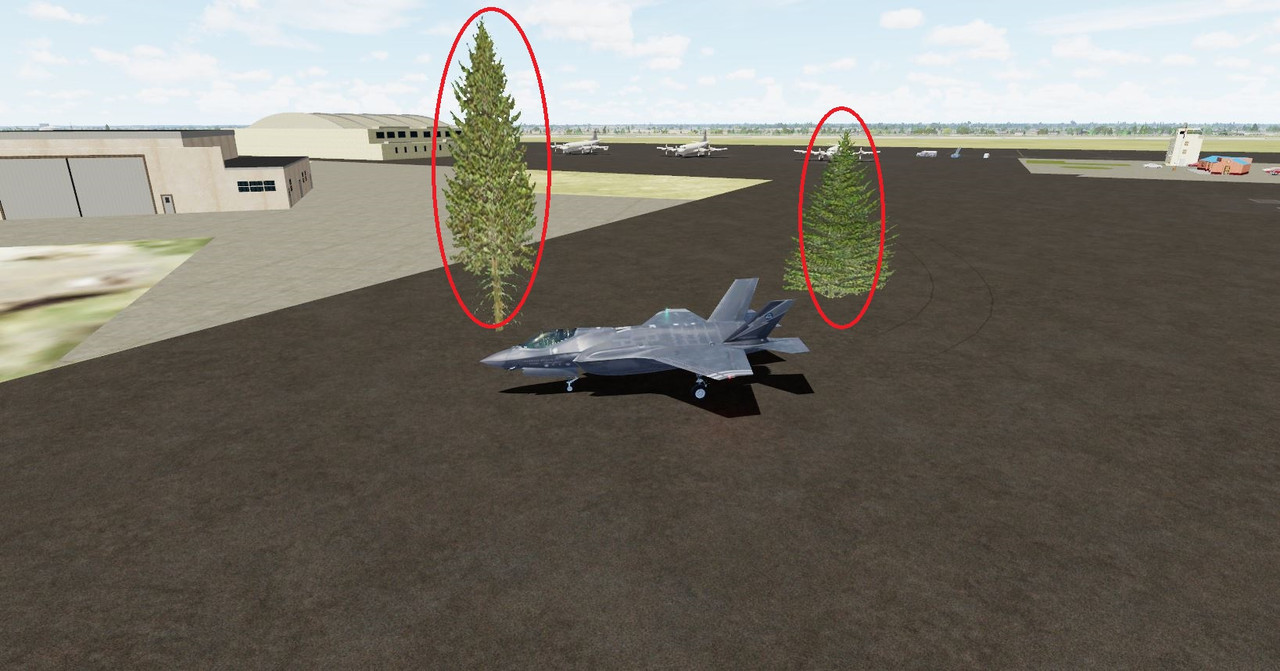
I've managed to exclude a lot of stock objects, buildings etc from the stock bgl for KNQA airport. What is left is some misplaced trees that I am trying to remove. I tried the exclude option and that didn't
seem to remove them. When in P3D at this airport, I tried to locate the trees in ADE but they don't show as objects. I can spot my aircraft where the trees are in the opened .BLG in ADE but there are no
visible trees to see in the ADE. How can they be removed/excluded?
Capture.jpg
 
Last edited:
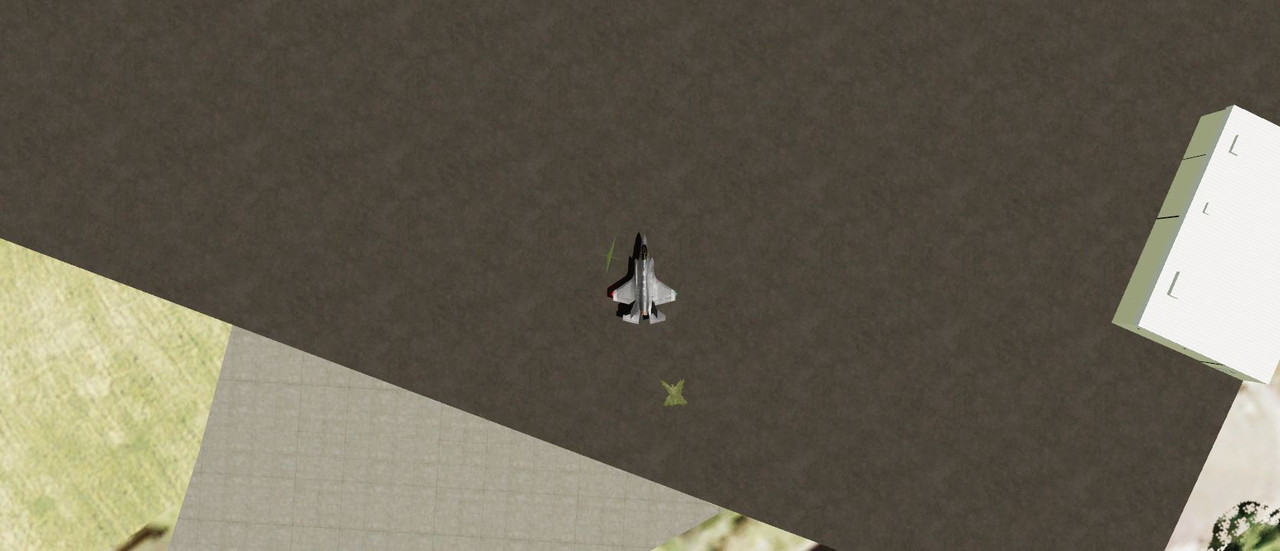
Here is over head view (F12) of trees next to and behind the plane.

Capture1.jpg


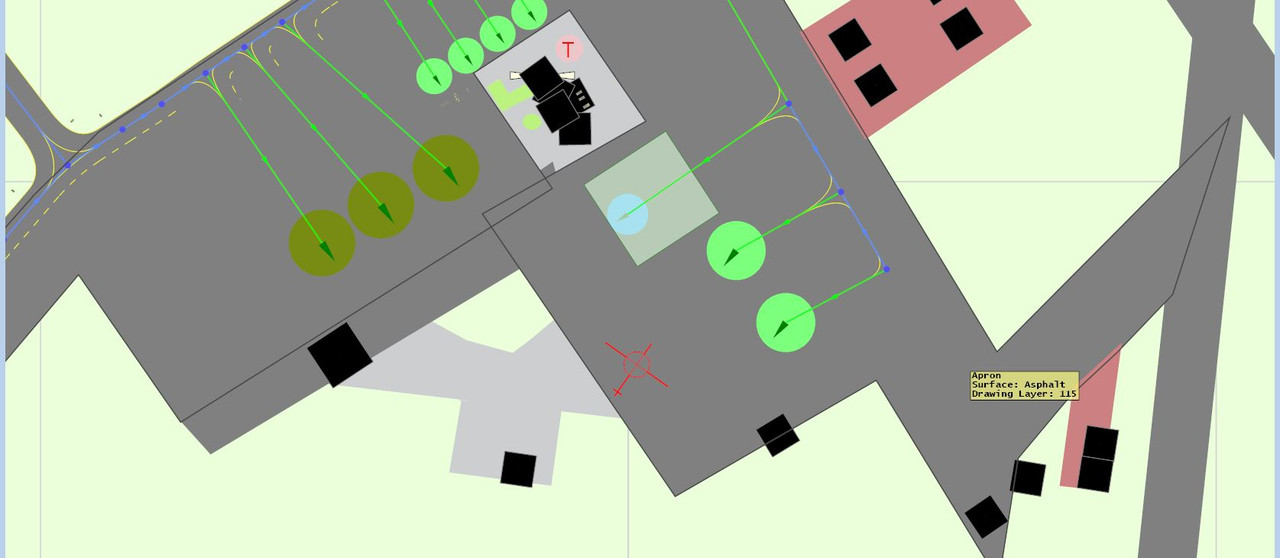
Airplane seen above is shown in same location in ADE below.
Capture2.jpg
 
Under P3Dv 5.3.17 here... No trees on stock KNQA airport, even with autogen vegetation full right. Possibly some other scenery still in the area?

Stock airport is somehow different from the AD to be found at Skyvector
KNQA -2022-jan-24-003.jpg


Your ADE file being probably a "reworked" version of KNQA, I would think that possibly the airport background (including "autogen exclude") does not cover the area where the 2 trees are displayed...

Only my 2 cents... but hoping it helps...

Blue skies
 
You can't use a regular exclusion rectangle. This is probably autogen. Use the Add Polygon Tool (1)

Draw a shape to cover the problem area (2)

Then select a type which excludes autogen. There are a number of choices (3)

1643028341824.png
 
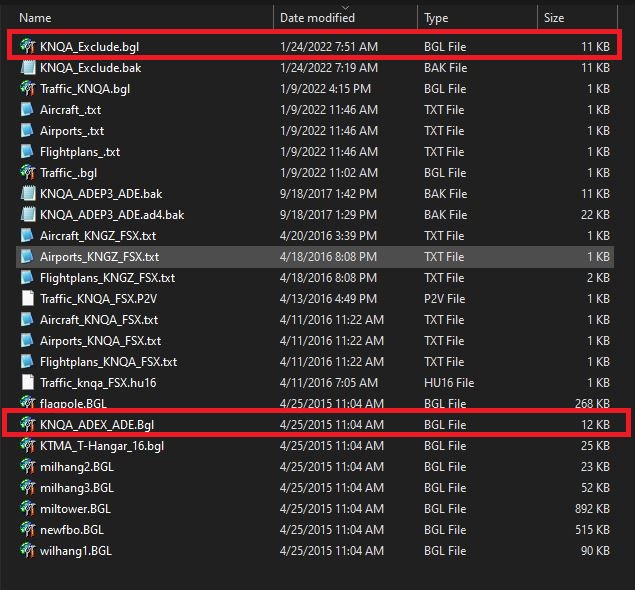
I had created an "exclude" bgl - and added it to my KNQA scenery folder which did manage to eliminate a lot of the stock bleed thru objects. All except that trees. It is an vegetation issue and if I adjust the vegetation
setting to the left (low/sparse) the trees are gone. Not knowing which of the two bgl files to use the poly tool on, I tried the exclude bgl - that didn't remove the trees. I then tried the poly tool on the main bgl -
trees still there. Once I had isolated the area where these trees were I followed the remainder of your suggestions. I might add that I was working with the project files as well. When I discovered inibuilds.com
I noticed they make an exclude.bgl for some pay and freeware airports. That gave me the incitive to follow suit for my KNQA airport and try my luck. I was pretty much successful but left with a few trees in wrong
place. I've included the contents of my KNQA scenery. I do appreciate you pointing to the poly tool. It is a bit tricky to pin down the areas to exclude. I can pin down the first one the the black stretch line will dissappear
but then I click on 2nd posit and a green square shows then the 3rd then the exclude option appears.

Capture.jpg
 
Back
Top