• Which the release of FS2020 we see an explosition of activity on the forun and of course we are very happy to see this. But having all questions about FS2020 in one forum becomes a bit messy. So therefore we would like to ask you all to use the following guidelines when posting your questions:

    • Tag FS2020 specific questions with the MSFS2020 tag.
    • Questions about making 3D assets can be posted in the 3D asset design forum. Either post them in the subforum of the modelling tool you use or in the general forum if they are general.
    • Questions about aircraft design can be posted in the Aircraft design forum
    • Questions about airport design can be posted in the FS2020 airport design forum. Once airport development tools have been updated for FS2020 you can post tool speciifc questions in the subforums of those tools as well of course.
    • Questions about terrain design can be posted in the FS2020 terrain design forum.
    • Questions about SimConnect can be posted in the SimConnect forum.

    Any other question that is not specific to an aspect of development or tool can be posted in the General chat forum.

    By following these guidelines we make sure that the forums remain easy to read for everybody and also that the right people can find your post to answer it.

FSX Rovaniemi, EFRO

Hi!

Rovaniemi revisited, version 3 is the current one. You find it here:
http://files.fsnordic.net/Flight_Simulator/Scenery/Finland/

You must have SODE module installed and activated before you install EFRO, otherwise you'll have no lights and no jetways at the airport.

The reindeers are at the hill, most likely the mesh settings have to be high enough the hill to exist there. It might happen that oversampled mesh addon for this area would override EFRO mesh, but I have no idea if one exists. The correct 10m mesh for Finland is included in Finland base Pack, found in FSNordic File library. I am updating the Base pack and Lapland sceneries though, so you might want to install the newer versions.

I know nothing about AES and at this time I am waiting to get a new computer and change to P3D v4. Then I'll take a look at EFRO again. :)
 
Hello Tatu,

Today I checked your scenery in P3D v4.1 before the Fly&See Santa event in VATSIM.

Firstly thanks a lot for your huge work and such a great freeware given to the community.

After this one flight I didn't notice any significant errors in P3D v4.1 however I was suprised that the approach lights (orange only) appeared when I was very close to the threshold of rwy 21. I tried to add some additional entries to prepar3d.cfg mentioned in your manual, but it didn't help.

Do you have any idea why?

In the previous post I read that the approach lights can be controlled by SODE - should I understand that in the SODE files included in Rovaniem Revisited v3 they are added and I should only remove the specific bgl of lights from scenery folder?

Somewhere above I found the information about the rovaniemi_optimized.zip - is it included in v3 or can still be used? If so, is it possible to download it from somewhere? I wasn't able to find it in fsnordic website.

Thanks in advance for your response and help.

Regards,
Marcin
 
Hi!

There seems to be some confusion with all the versions. There should not be available any other versions than the one for FSX (Rovaniemi revisited, version 3) found in http://files.fsnordic.net/Flight_Simulator/Scenery/Finland/ and in IVAO site if I remember correctly.

Like I said, SODE is required. If you can't see the approach lights or runway lights, then SODE is not working correctly. This is not really a choice if the lights "can be controlled by SODE", they are and must be controlled by SODE, and will change with the weather and other parameters automatically. The jetways are also controlled by SODE, but for docking animations you have to use the SODE menus.

So the installation should be rather easy, not necessary to delete any files but you have to move the SODE files that come with EFRO scenery to c:\ProgramData\12bpilot\SODE folder as instructed in the manual. And that is really ProgramData folder, not Program files.

Then when you installed SODE, it's not working until you activate it. So for that you use SODE platform manager.

Sode.PNG


Now you should be good to go.

Sometimes for some reason I don't know, the SODE does not load the files. You can go to SODE menu in the sim and reload all SODE stuff, usually works.
 
Last edited:
Thanks for your reply.

I added all files that come with EFRO scenery to SODE folder. SODE is also active because I use it to the other sceneries + I had the jetways in EFRO.

I will reaload all SODE stuff and do the another approach in different conditions to check if the lights are working from a distance. During my last flight the orange ones appeared very close to the runway so very late - from a distance they were not visible.

BTW: in which conditions should be visible the orange approach lights only and which conditions can activate - let say - the standard approach lights? I mean the difference between these two options:

upload_2017-12-11_16-30-55.png


3.jpg
 
BTW: in which conditions should be visible the orange approach lights only and which conditions can activate - let say - the standard approach lights? I mean the difference between these two options:

In Finland is in use low res red and high res white approach lights on bigger airports. The red lights are usually on when it's dark but the visibility is good. When the conditions get worse the white high res lights are in use. Of course in real life the pilot may ask different lights to be switched on.

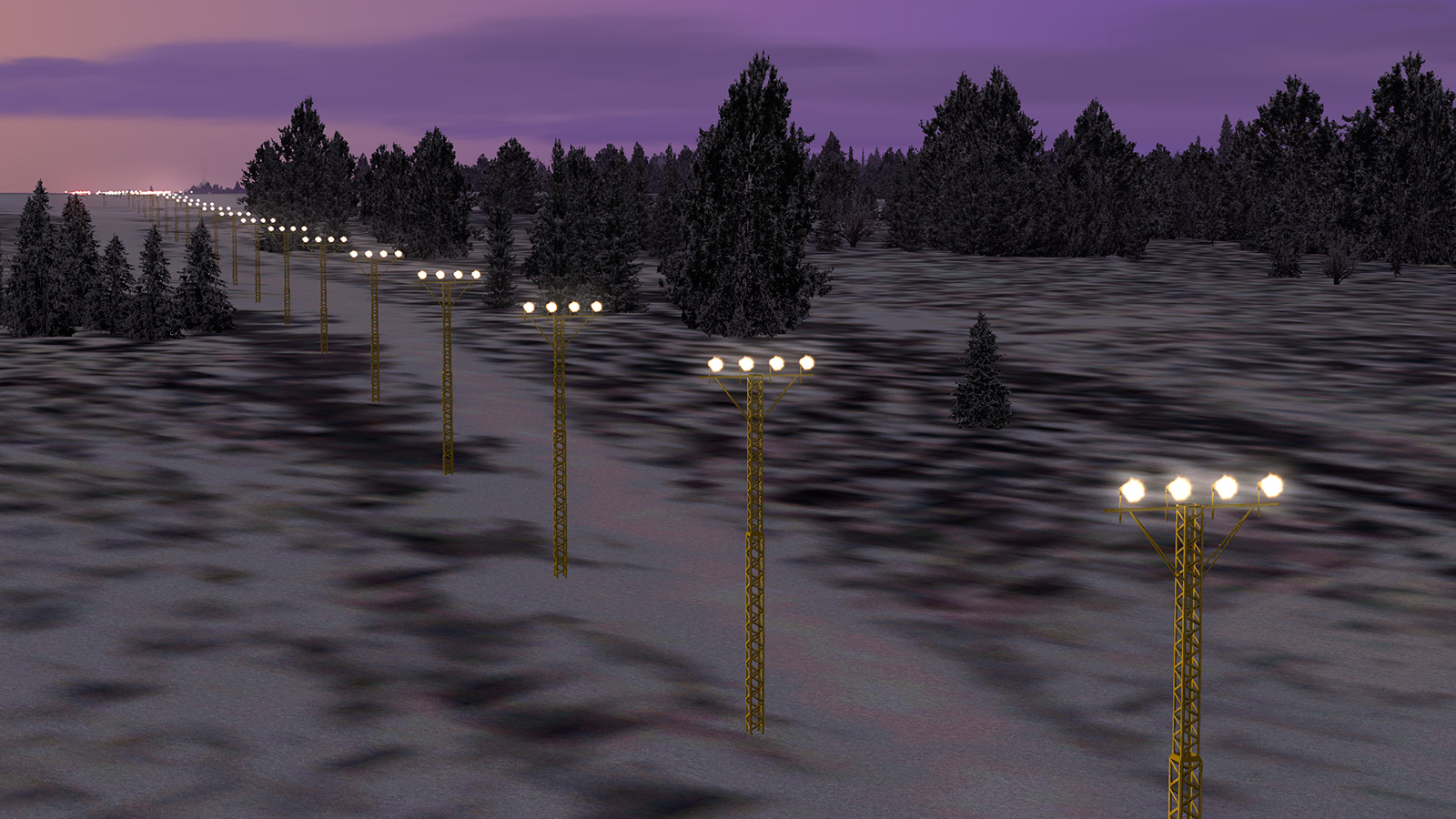
So I have coded the lights so, that the red lights are on when it's DUSK, DAWN or NIGHT and the visibility is good. The white lights will be switched on for the active runway (depending on the wind direction) when the visibility gets bad enough and/or it's snowing or raining. And this will happen any time of day. I don't remember now what was the visibility limit I set for the white lights, but with help of people who know more about this I tried to get it right. (I have actually a feeling that the white lights are on more during this time when the foreign charters are flying to Rovaniemi, but in the other hand.... I don't remember when I saw the sun last time... o_O Grey cloudy weather all the time.... )


And by the way.... Maybe it would be a good idea for next time when I work with EFRO to code the SODE lights so, that the pilot can choose the lighting. Should be possible, but I don't know if that will work with this kind of automatic system.
 
Ok, today will check it the lights, especially during bad visibility conditions + at night. My last flight was at dawn and maybe that's why the red lights appeared very close to threshold of runway. If you have no objections, I will inform you about the results of my today flights ;)

BTW: Just to let you know - for example in case of Drzewiecki Design's sceneries it's possible to switch the lights on using the specific frequency on NAV2 (in case of DD it's 112.00). I'm not sure if it's connected with SODE or maybe there is some kind of different solution. On the other hand - of course it's just my way of thinking - if there can be an option to activate the lights manually using SODE, I think the automatic system seems to not be necessary.

Nevertheless your scenery is great and again I want to thank your for the huge work and support.

P.S. Should we still consider to manually add the entries mentioned in the scenery manual to prepar3d.cfg or it's useless?
 
I am sorry, I can't answer the questions about P3D, since I don't own the sim myself and cannot test anything.

The red lights are done with effects at the moment, I'll change them next time I work with EFRO. That's the reason they are not showing very far away.

I know pilot controlled lighting is possible with SODE, but I don't think that would replace the automatic system. Then I would have to answer for people who get no lights at all when they don't realize it's done through SODE menus. ;)

The automatic system is also not totally unrealistic, so I'd rather keep it.
 
By the way... now is the perfect time to test lights at EFRO. It's snowing, rather bad visibility and RWY 03 in use. 5 PM Finnish time, 3 PM UTC(?). Active sky weather is usually pretty accurate.... :)
 
Hi Tatu, I noticed that the weather was perfect for test lights at EFRO yesterday. Just to let you know - I was able to see red lights, but I was not able to see the white lights, even if I changed the time to dark night. I checked it at both RWY 03 and RWY 21 (although the wind direction was for RWY 03).

1.jpg


2.jpg


3.jpg


4.jpg


5.jpg
 
OK. I have no idea were to start, so I'll just write here what I am thinking.

* It seems that SODE is working, otherwise you'd not see the red lights. Did you notice if the jetways are showing?
* Runway lights are visible, so again SODE seems to be working and the lights too.
* I have to check if the material settings for approach lights are the same as the rwy lights.
* Is the weather P3D weather or from Active sky or some other software?

Oh.... by the way... did you see this in SODE download page:
Note: SODE requires to have the FSX-SP2/X-PACK SimConnect version installed. For FSX-SE and Prepar3D users that never had FSX installed, that version can be installed manually and is also required for several other 3rd party SimConnect add-ons.
 
Last edited:
Sadly my installation is working here. I tested with yesterday's weather (Active Sky historic weather) and got white lights for rwy 03. Then I changed to the current weather, which is basically few or no clouds, and got red lights. Then I changed to FSX-SE internal real weather which looked similar to Active sky current weather and again the lights were red as expected.

I guess there must be something in SODE installation that is not working correctly. :(
 
Hi, SODE should be active as I see the jetways. My weather engine is ActiveSky for P3D v4. As far as I know I have the simconnect of FSX SP2, it's required for some other applications like GSX for example. Maybe I will try to contact Jeffrey via SODE support forum to check debug file. BTW: which SODE version are you using? 1.5.3?
 
Hi. I am using SODE 1.5.3.

Try this download. I have set up the configuration a bit better, although the functions are the same, so most likely it will not change anything.
The files go to ProgramData\12bpilot\SODE
EFRO SODE files
 
Good afternoon,
So I know this scenery is only really meant for FSX however I saw someone earlier in the comments mentioning p3dv4, now this is the simulator I am currently running. I followed all the steps in the pdf tutorial page and copied all the SODE files and everything however this scenery has not worked, I can see the blue jetways from the terminal building but that is it. There is also no way to add the scenery in the addons scenery tab in the p3d menu. I am not specifically asking advice from the developer as it is really for FSX but would like anyone who can assist that uses p3dv4 and advise me where I am going wrong.
Thanks and much appreciated.
Joe.
 
I'm looking to download: Rovaniemi (EFRO) revisited Version 3 and FinlandX for FSX. I tried downloading them at "files.fsnordic.net", but when I try and Unzip the files I receive an error message: "Cannot open file: it does not appear to be a valid archive". I also tried using "Online Unzip" websites, with the same results. I've downloaded other files from that website without any issues. Can someone point me to another website so I can download these two files. Thanks in advance!!

Ron
 
Thanks, but I'm still getting the same result. Even tried on a different computer, same result there also. Other downloads on that website work fine, strange!

Ron
 
Back
Top