• Which the release of FS2020 we see an explosition of activity on the forun and of course we are very happy to see this. But having all questions about FS2020 in one forum becomes a bit messy. So therefore we would like to ask you all to use the following guidelines when posting your questions:

    • Tag FS2020 specific questions with the MSFS2020 tag.
    • Questions about making 3D assets can be posted in the 3D asset design forum. Either post them in the subforum of the modelling tool you use or in the general forum if they are general.
    • Questions about aircraft design can be posted in the Aircraft design forum
    • Questions about airport design can be posted in the FS2020 airport design forum. Once airport development tools have been updated for FS2020 you can post tool speciifc questions in the subforums of those tools as well of course.
    • Questions about terrain design can be posted in the FS2020 terrain design forum.
    • Questions about SimConnect can be posted in the SimConnect forum.

    Any other question that is not specific to an aspect of development or tool can be posted in the General chat forum.

    By following these guidelines we make sure that the forums remain easy to read for everybody and also that the right people can find your post to answer it.

FSX Texture shadow

Messages
14
Hey,
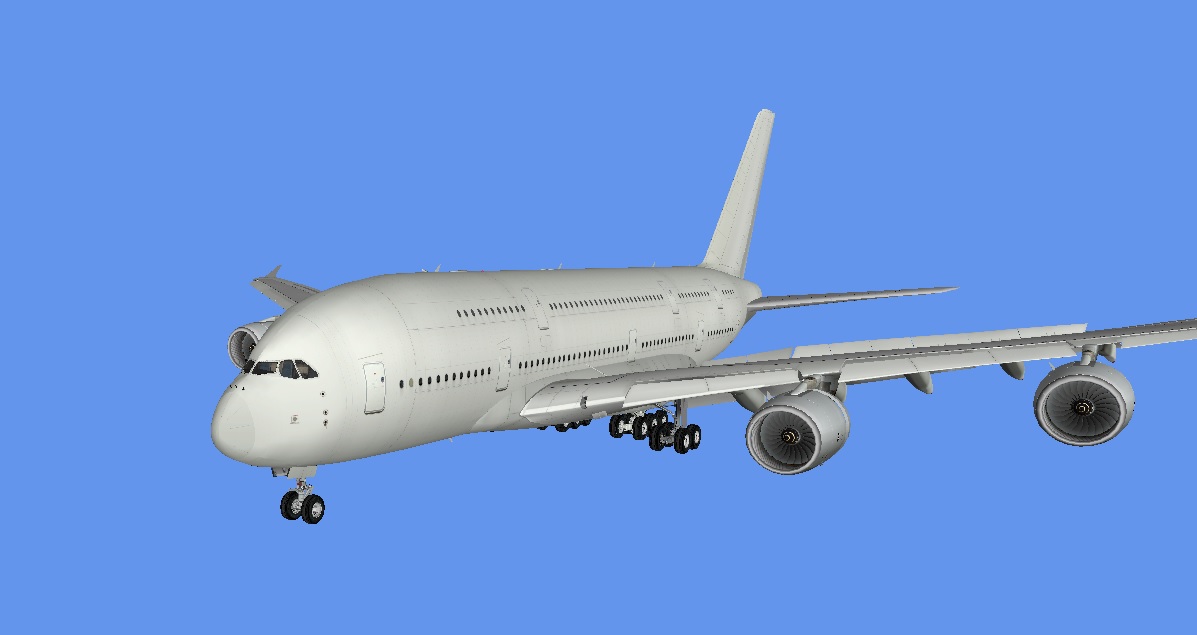
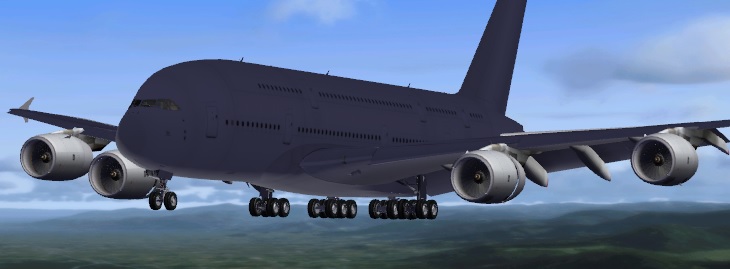
I have a problem with the Shadows in FSX i converted my Textures in DXT5 and in the ModelConverterX looks everything fine
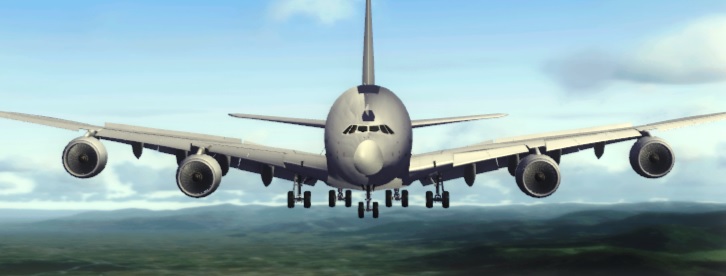
but in FSX it looks terrible. There is an Error of the shadow i think, because when i Switch to the side it looks Ok.In ModelConverterX it looks also Ok. Please help me!
pzsf74u9.jpg

ulig79fc.jpg
 
Looks like an "inverted normals" to me, due to a wrong choice of mirroring process in the modeling tool. The "shades" you see on some parts are computed as if the polygons were "lighten" from "the other side", like if you were "inside" the plane, but luminosity transfered on the "ouside"...

Depending on your modeling tool (if this A380 is your model) you may have to fix normals, or re-invert wrong parts twice, once using the basic mirroring, and a secund time with a parametric mirorring. That way, the part will get back in place, but with fixed normals.
 
Yes, never use the Mirror button at the top of the screen, only add a Mirror modifier to the stack (on the right of the screen).
 
Maybe you turn on 'display normals' in MCX to see where the normals of the fuselage point.
It still looks like they were inverse.
 
From examining the image I'm willing to bet it's the bump map as well. There is a process for normal maps that must be followed before it is introduced to the FSX sim otherwise problems may occur. The process is simple and is just a matter of manipulating the channels.
Once the normal map has been created,
1. Copy the red channel to the alpha channel.
2. Paint the red channel black rgb 0,0,0.
3. Invert the green channel ctrl-i.
4. Paint the blue channel white rgb 255,255,255.
That's it, save as dds and all should be well.

I hope that solves the problem.
 
AFAIK there is a tool inside MCX that does this conversion job.
Just open the normal map in MCX texture converter (found under 'special tools'), click 'convert normalmap for fsx' and save.
Done. Looks fine.
 
Yep... I agree with Paul. Missing Bump Map. Add that and the shadow will be on the bottom. Happened to me yesterday.
 
I have never used MCX. I looked at it briefly in its early inception but didn't see a need for it. From everything I have been reading it sounds like Arno has made quite a useful tool. I should download the latest version and check it out.
 
On a side note, you can rent Photoshop CS now. I think its up to CS7, not sure. You might try it for 30 days and see if you like it. I love it. Glad I bought it. $1,000.00 is a LOT of money, but if you use it quite a bit, its worth it. Just have to save up for a bit, or rent it.
 
Back
Top