
-
Which the release of FS2020 we see an explosition of activity on the forun and of course we are very happy to see this. But having all questions about FS2020 in one forum becomes a bit messy. So therefore we would like to ask you all to use the following guidelines when posting your questions:
- Tag FS2020 specific questions with the MSFS2020 tag.
- Questions about making 3D assets can be posted in the 3D asset design forum. Either post them in the subforum of the modelling tool you use or in the general forum if they are general.
- Questions about aircraft design can be posted in the Aircraft design forum
- Questions about airport design can be posted in the FS2020 airport design forum. Once airport development tools have been updated for FS2020 you can post tool speciifc questions in the subforums of those tools as well of course.
- Questions about terrain design can be posted in the FS2020 terrain design forum.
- Questions about SimConnect can be posted in the SimConnect forum.
Any other question that is not specific to an aspect of development or tool can be posted in the General chat forum.
By following these guidelines we make sure that the forums remain easy to read for everybody and also that the right people can find your post to answer it.
You are using an out of date browser. It may not display this or other websites correctly.
You should upgrade or use an alternative browser.
You should upgrade or use an alternative browser.
FSX Texture shadow
- Thread starter a380lover
- Start date

- Messages
- 10,163
- Country

Do you have Photoshop? If so, you can download an nVidia kit that has a bump map creator. If you do have PS, get the kit and try making a bump map with it and see if the shadow persists.
Also, as a test, try making a FSX material with just the fuselage texture in it, no other layers in the Material, and see if the shadow is there. Would be interesting to know if it might be a model issue, like Normals, etc.
Also, as a test, try making a FSX material with just the fuselage texture in it, no other layers in the Material, and see if the shadow is there. Would be interesting to know if it might be a model issue, like Normals, etc.

Paul Domingue
Resource contributor
- Messages
- 1,532
- Country

Ok this is getting confusing. Let's start with the basics. First, what paint program are you using to create your maps?
Step 1, apply only the diffuse material and delete any alpha channel. See how it looks in the SIM. Let us know how that works and we'll go from there.
Step 1, apply only the diffuse material and delete any alpha channel. See how it looks in the SIM. Let us know how that works and we'll go from there.

Paul Domingue
Resource contributor
- Messages
- 1,532
- Country
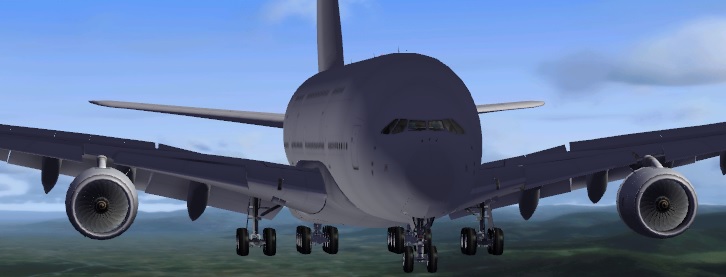
If those pictures are with just the diffuse material then I have to say it is a problem with the model. The first picture looks like you have inverted polys on the right side. I don't remember if you said what sim you are using. If FSX and you have DX10 running turn it off while testing to be on the safe side.


dave hoeffgen
Resource contributor
- Messages
- 1,439
- Country

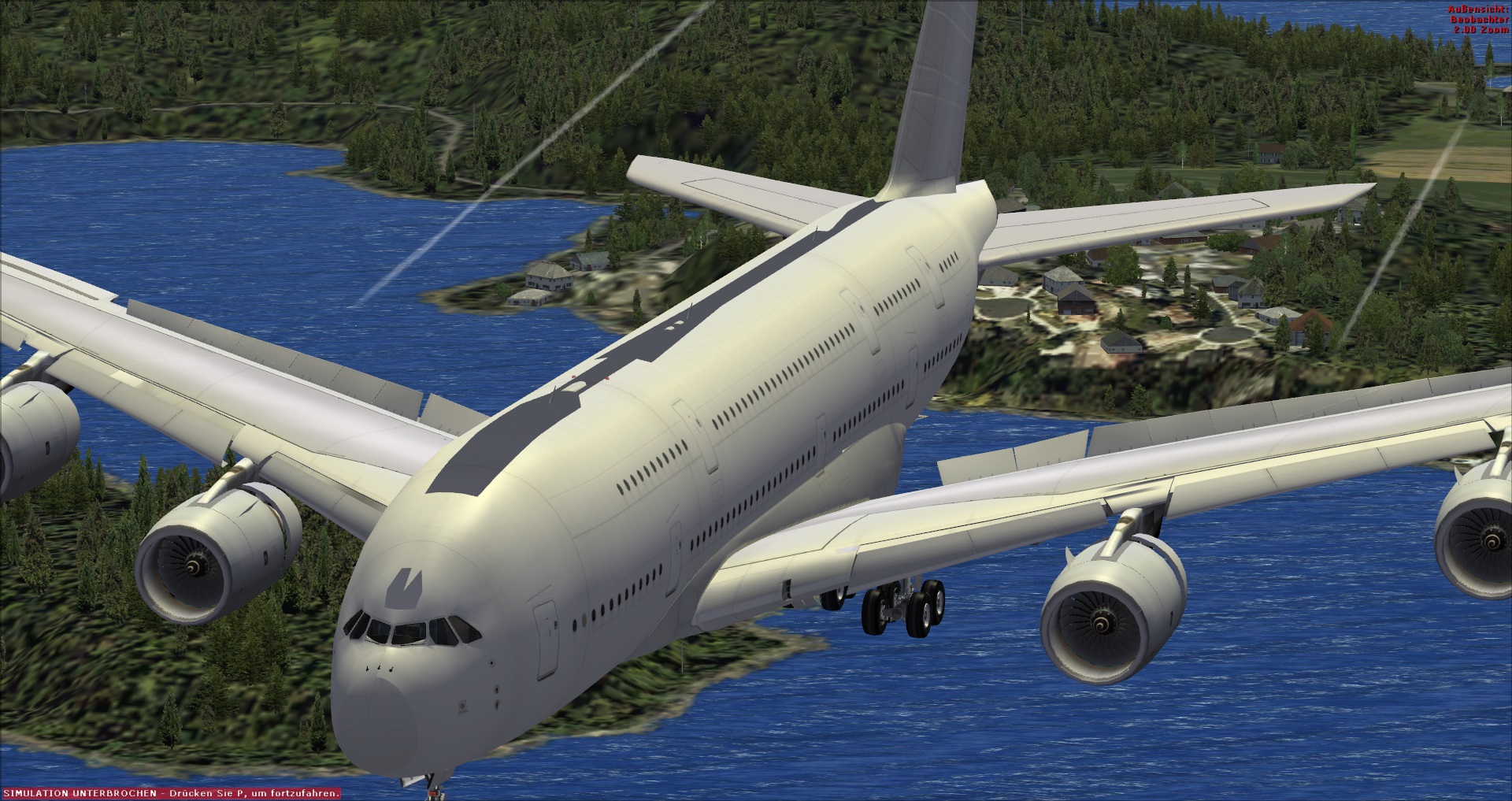
This still looks like you should check your model's normals again.

