• Which the release of FS2020 we see an explosition of activity on the forun and of course we are very happy to see this. But having all questions about FS2020 in one forum becomes a bit messy. So therefore we would like to ask you all to use the following guidelines when posting your questions:

    • Tag FS2020 specific questions with the MSFS2020 tag.
    • Questions about making 3D assets can be posted in the 3D asset design forum. Either post them in the subforum of the modelling tool you use or in the general forum if they are general.
    • Questions about aircraft design can be posted in the Aircraft design forum
    • Questions about airport design can be posted in the FS2020 airport design forum. Once airport development tools have been updated for FS2020 you can post tool speciifc questions in the subforums of those tools as well of course.
    • Questions about terrain design can be posted in the FS2020 terrain design forum.
    • Questions about SimConnect can be posted in the SimConnect forum.

    Any other question that is not specific to an aspect of development or tool can be posted in the General chat forum.

    By following these guidelines we make sure that the forums remain easy to read for everybody and also that the right people can find your post to answer it.
Creating Photoreal.

Messages
52
Country
india
Hi Guys,

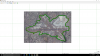
I have a couple of problems I'd like to solve. Suppose I want to only create PR for the areas inside the outlined PR, how do I proceed? Do I mask it with white/black? or Transparent Alpha?

I'd really like some help here.!

Thanks!
 

Attachments

  • Screenshot (3465).png
    Screenshot (3465).png
    1.2 MB · Views: 514
Using S builder? Yes.

You create a mask layer and paint the road black in it, then the vector roads underneath will show.

or, even better, flatten the whole airport area (which in my opinion, you should anyway) and add the roads as ground poly items with ADE or similar. GPs build over photoreal scenery. The benefit of crating them as GP items is that you can make them very high definition roads, with markings, cracks on pavement, etc....
 
Using S builder? Yes.

You create a mask layer and paint the road black in it, then the vector roads underneath will show.

or, even better, flatten the whole airport area (which in my opinion, you should anyway) and add the roads as ground poly items with ADE or similar. GPs build over photoreal scenery. The benefit of crating them as GP items is that you can make them very high definition roads, with markings, cracks on pavement, etc....
Actually, what I meant was I only want PR to show INSIDE the outlined area, (exclude the city PR). So I assume to achieve that I will have to paint the area I want PR to appear (Airport ) in White? and the rest in black? Yeah btw using SBuilderX313. I'll surely take your idea in though.
 
yes sir, that is correct. Create a Grayscale 8 Bit blend mask with the interior part white, and the exterior black.
 
Back
Top