• Which the release of FS2020 we see an explosition of activity on the forun and of course we are very happy to see this. But having all questions about FS2020 in one forum becomes a bit messy. So therefore we would like to ask you all to use the following guidelines when posting your questions:

    • Tag FS2020 specific questions with the MSFS2020 tag.
    • Questions about making 3D assets can be posted in the 3D asset design forum. Either post them in the subforum of the modelling tool you use or in the general forum if they are general.
    • Questions about aircraft design can be posted in the Aircraft design forum
    • Questions about airport design can be posted in the FS2020 airport design forum. Once airport development tools have been updated for FS2020 you can post tool speciifc questions in the subforums of those tools as well of course.
    • Questions about terrain design can be posted in the FS2020 terrain design forum.
    • Questions about SimConnect can be posted in the SimConnect forum.

    Any other question that is not specific to an aspect of development or tool can be posted in the General chat forum.

    By following these guidelines we make sure that the forums remain easy to read for everybody and also that the right people can find your post to answer it.

Dictionary key error

Drew, re my earlier message:

If you checked Save textures to the main texture folder and did not also check Save library to Add-on Scenery folder, then you (or the placement utility) have to manually copy all the textures - not the folders - into the destination texture folder later
Upon further examination opf the code, SAMM is already intended to create a single texture folder in this case - butb there's an error in the code that prevents this. I'll have it fixed shortly and the missing texture problem my go away.

Don
 
Please ignore my last message. It must have been "finger trouble". SAMM does seem to reliably save all textures in a single folder (Library\libraryname\texture) when Save textures to the main texture folder is checked and you need only copy the contents of this folder to the destination texture folder if you don't have SAMM do it for you.

As previously requested, please check whether or not any textures are missing from the main texture folder.

Don
 
The door is not animated, but it has a condition. It is controlled by the lightState variable. So I guess it is connected to the lights being on or not.
Ah, that'd make sense so when the aircraft shuts down...
Drew, re your first test with the new development release, did you reprocess all models with that release or just re-create the library.
Yea, each time I overwrite the EXE with a new dev release I delete the 4 folders and the INI file to start clean. Anything else I should do?
The answer is simple. As far as SAMM is concerned, it's a new model. But, I agree, the shadow setting should be preserved - and will be.
As I suspected, but was also wondering if there was some technical reason regarding the models themselves.
As previously requested, please check whether or not any textures are missing from the main texture folder.
I deleted everything and started clean again just to make sure. Compiled 2 FSX static KC-10 models. Each aircraft has 4 textures in its model /texture folder:

cdaiDC10.bmp
cdaiDC10_L.bmp
cdaiDC10b.bmp
cdaiDC10b_L.bmp

And no textures are in any of the All folders. The Library /texture folder that is generated for two static models has 8 textures in it - 4 for each model:

MAIW_CDAI_KC10A_RCH_2_79-1712%[texture name].bmp
// 3 more
MAIW_CDAI_KC10A_RCH_2_79-1949%[texture name].bmp
// 3 more

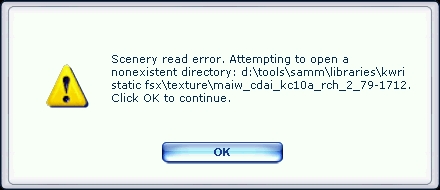
Here's the error I get on scenery load:

texError2.jpg


I still can't discern any type of rhyme or reason regarding which textures go missing. The last time I put out the two aircraft models the first textured fine and the second was black. Now the first is black and the second is textured fine - exported and placed the same as last time.

I also just realized (with a palm to my face) that the error message is asking for a directory not a texture file - even if it truncated the file name I should still be getting this error message four times instead of once. I think you mentioned that before, I must have also glazed over then as well. Yeesh.

So I did what it wanted me to - I created a MAIW_CDAI_KC10A_RCH_2_79-1712 folder inside the /texture folder and stuck the textures in there. I reloaded the sim and got the error message again but it was for the /scenery/global/texture folder so it found my folder but still not the textures. So I restarted the sim again after changing the texture names back to the ones used in the model /texture folders. That did the job - both planes loaded up with textures.

So seems the library creation is at fault - it puts all the textures in the same folder but doesn't seem to inform all the models of this fact.
 
So I did what it wanted me to - I created a MAIW_CDAI_KC10A_RCH_2_79-1712 folder inside the /texture folder and stuck the textures in there. I reloaded the sim and got the error message again but it was for the /scenery/global/texture folder so it found my folder but still not the textures. So I restarted the sim again after changing the texture names back to the ones used in the model /texture folders. That did the job - both planes loaded up with textures.
I just wanted to highlight the fact that I should have realized this 5 days ago

:banghead::banghead::banghead::banghead::banghead:
 
So seems the library creation is at fault - it puts all the textures in the same folder but doesn't seem to inform all the models of this fact.
I'm not suggesting it's not, but I can't make it fail.

By default, SAMM static models look for their textures in a dedicated texture subfolder of the companion texture folder to the scenery file in which the .bgl containing the model is installed - similar to the texture structure for aircraft.

The key is the Save textures to main texture folder checkbox. If it is checked, SAMM creates a single texture folder for the library (despite my finger trouble eariler today) and modifies the .mdls that it places in the library bgl to make them look for the textures in the main texture folder. If not checked, it builds a texture folder containing individual texture folders for each model and places the models in the library .bgl unchanged.

So, once you create a library, the scenery and texture folders created by SAMM are "a matched set". You must install both. (I'm not saying you didn't; I just want to be sure your are aware.)

I can't explain why the models in the bgl weren't matched to the textures. If it occurs again, please send me the library folder and tell me how you created the library.

Re the door on the C12, since static aircraft don't have light switches, I'm afraid the door must stay open. This is a non-standard method for operating passenger doors - for which FS9 provides a stock animation.

BTW, I'm making some progress on the compile error for the C5, but I'll likely be another day before I've fixed it.

Don
 
If it occurs again, please send me the library folder and tell me how you created the library.
This is what has been occurring for me every time I create a library with textures all in one folder - it's why I keep getting these missing directory errors (which I erroneously thought were missing texture errors).

Ok I did this twice lets see if you can replicate:

1) Clear 4 folders and INI
2) Load up SAMM and open MAIW_AIA_P-8A_NAS Patuxent River
3) Select first texture, select night textures, select no ground shadow, select FS9 & FSX and save MDL
4) Repeat in succession for the remaining two textures
5) Open library compiler and select the three FSX models, name the library and select to place all textures in one folder
6) Create the library and load it into ADE's library manager
7) Place one each of the three aircraft in order left to right at an airport and compile
8) Load up FSX and add the library folder to the Scenery Library
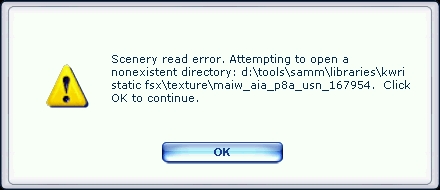
9) Load up the airport and you'll get the following error message:

texerror3.jpg


10) Continue through the error as it falls back twice searching for the textures

11) Close FSX and open the scenery library texture folder. Create a new folder "MAIW_AIA_P8A_USN_167954". Move the two textures for the aircraft into that folder and then remove the "MAIW_AIA_P8A_USN_167954%" prefix to return them to their original names
12) Load up FSX and load the airport and you should see all three aircraft textured

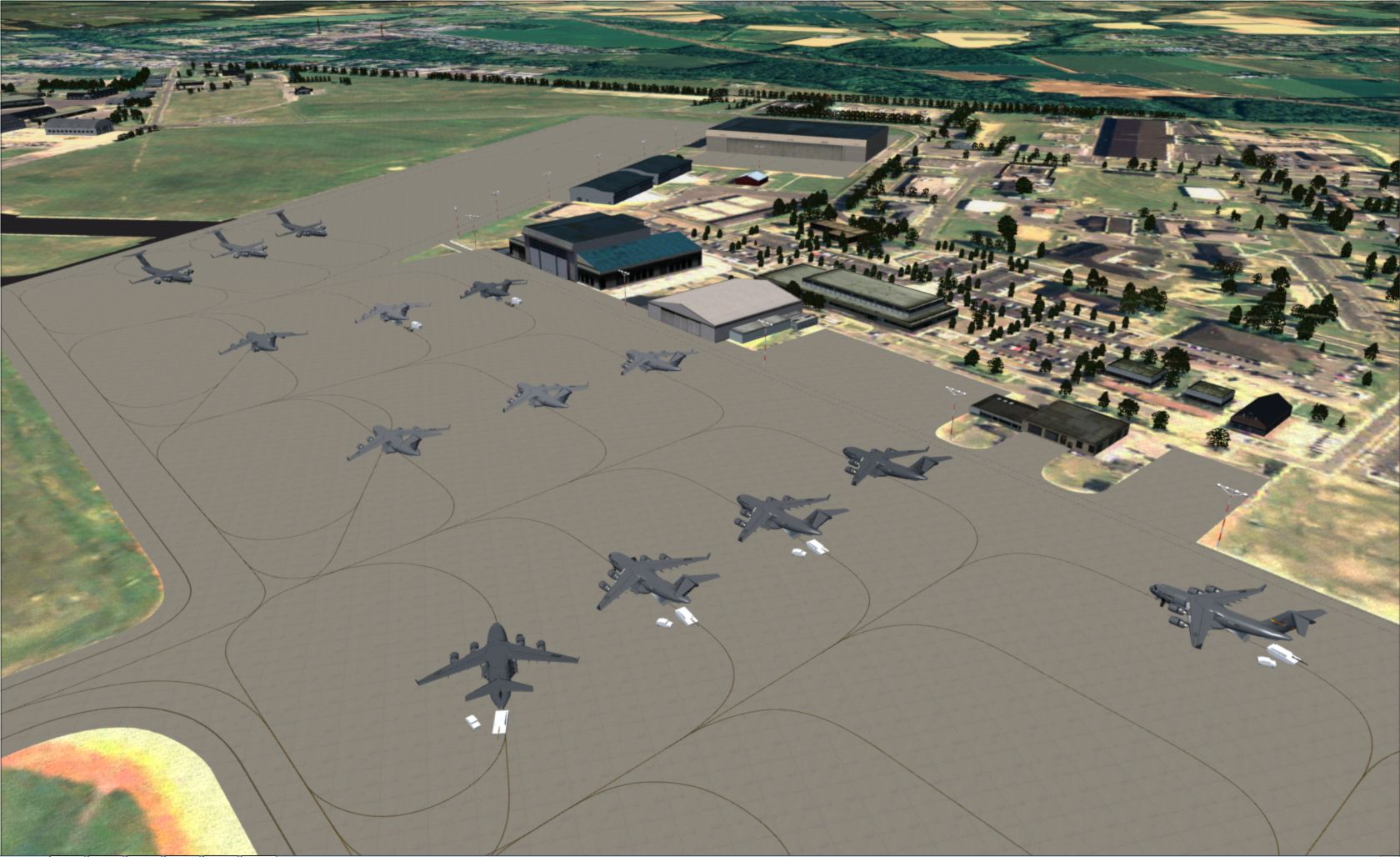
Note that for the record, I've tested compiling libraries of models (not all of them) without checking the main texture box and things seem to be working fine. Being able to place objects in preview mode is not a high priority, I can just as easily use ADE which doesn't care how the /texture folder looks. I just want to make sure this is a problem that needs to be looked at and would rather get a fix for the missing texture box that pops up when I try saving some models in SAMM, like the MAIW_PAI_C-17 AMC East Coast, which loads fine except for the cargo:

 
Now I know what's going on! And it also explains why every othert aircraft was untextured. I'll get a fix out shortly.

Don
 
Last edited:
It's all there now. Incidentally, to apply the texture fix, you only have to re-create the library. No need to re-build the models.

Don
 
SAMM Development Release 2.1.00(g), available from http://stuff4fs.com, fixes the C5 - to the extent it can be fixed.

The C5 and several other models do not use standard animations for certain control surfaces and other animated parts. Instead, the position of those control surfaces - and the nose wheel steering - is a function of the corresponding cockpit control. Unfortunately, in a static aircraft, there are no such cockpit controls.

In these situations, SAMM places the control surface in its "0" position - whatever that is. In the case of the C5, for example, this means the nose wheel is turned hard right and the ailerons are deployed. Not ideal but, at the moment, its the best I can do.

I may be able to create user-adjustable parameters for these controls, but that will take some investigation (and my wife thinks my spending 12hr/day making pretty airplanes isn't all that helpful, so it may be a couple of weeks before I have a chance to get at it.)

Don

PS: If you want to close the door on that C12, you can adjust the light flags from the Listings and Tools panel.
 
Last edited:
AWESOME THANK YOU

No really, this is great I was really hoping to be able to stick a static C5 in there where it belongs. It looks fine - no immediate need for attention.

Everything is working great with two minor exceptions: The MAIW_NBAI_F-18E-F_NAS Lemoore and the MAIW_PAI_C-17 AMC East Coast aren't looking right. The former shows up one as black the other as an ok texture only at a certain LOD and the latter still doesn't properly texture cargo on open aircraft. Both these models threw missing texture errors when saving as MDL. None of the other models that threw missing texture errors show any problems with the textures chosen
 
PS: If you want to close the door on that C12, you can adjust the light flags from the Listings and Tools panel.
Well I found the g_lightStates parameter but not really sure what to do with it. Would indeed like to close the door that would provide a nice bit of variety
 
The MAIW_NBAI_F-18E-F_NAS Lemoore and the MAIW_PAI_C-17 AMC East Coast aren't looking right.
I'll take a look tomorrow.

Well I found the g_lightStates parameter but not really sure what to do with it.
Perhaps Arno remembers which bit. Other than that, I suggest you cycle through them and see which bit works. Or, you can analyse the model; SAMM gives you some tools, MCX gives you more.

Don
 
Both .mdls have unusual texture block configurations, but SAMM should be able to handle that. I'll get a fix out ASAP - probably later today.

Incidentally, the document MDLFMT.doc in the FS2002 SDK highlights all the control bits in the FS8 aircraft .mdl.

Don
 
SAMM 2.1.00(h), available as the SAMM Development Release from http://stuff4fs.com, fixes the noted texture issues with the F18E and C17.

Please note, the C17 .mdl calls for two night texture files that aren't provided. SAMM "knows" how to cope but will warn you about this.

SAMM's getting close to where it should have been at general release.

Don
 
Incidentally, the document MDLFMT.doc in the FS2002 SDK highlights all the control bits in the FS8 aircraft .mdl.
Wait FS8 or FS9? I thought these were FS9 models or do the bits carry over? Also I found some downloads but not sure which one has the doc in question. Do you know or can you email it to me?
SAMM 2.1.00(h), available as the SAMM Development Release from http://stuff4fs.com, fixes the noted texture issues with the F18E and C17.
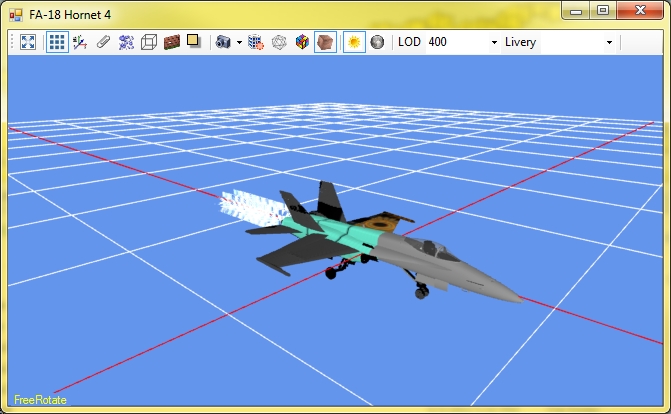
Actually the F/A-18 is tossing a dictionary key error at me when I try to convert the following textures:

MAIW_NBAI_FA18F_USN_NH_VFA-41_166849
MAIW_NBAI_FA18F_USN_NH_VFA-41_166850

However the C-17s look great and will add additional variety to the tarmac in addition to the static ground objects I put in place already. Wow this airport is really coming alive! For the record the F/A-18 issue isn't an error I need fixed for this release so don't rush if it you don't have time - I have a MAIW F/A-18 placed already (will also convert the default Acceleration plane) and more is better but one is enough.

You and Arno are definitely getting special thanks in the ReadMe...
 
Hrm... on second thought don't think I'll be using that Acceleration F/A-18...

mcx.jpg


Shows up fine in the sim as a flyable model. I just selected night textures and no ground shadow for the model save...
 
Wait FS8 or FS9? I thought these were FS9 models or do the bits carry over?
FS8 and FS9 aircraft use the same (FS8) model format. The document link is: http://files.fsnordic.net/?download=714

Shows up fine in the sim as a flyable model. I just selected night textures and no ground shadow for the model save...
Looks like there's still a couple of modelling techniques I'll have to cater for. Check back later today.

Don
 
SAMM 2.1.00(i), available as the SAMM Development Release from http://stuff4fs.com, fixes the F-18F issue. However, it appears that one of the changes I made during the past few days has "broken" the creation of static models from FSX aircraft - as evidenced by your experienece with the stock Acceleration F-18.

2.1.00 does not fix whatever problem I have created for FSX aircraft. However, FS9 aircraft should be fine now - at least for the type of problems we've been discussing. I'll now try to figure out what I've done to the FSX code.

Incidentally, the MAIW F-18F models you highlighted are missing a number of textures referred to in the aircraft .mdl file, including the night texture. (Yesterday's fix wasn't quite "right", and it was those missing textures that triggered the problem you reported.) I have no idea whether or not those missing textures, other than the _L, are actually used by the model.

Don
 
Back
Top