

- Messages
- 234
- Country

I’ve been using parallax windows/interiors but the glass is not reflecting, no matter what I do. I used it in small buildings on individual windows before, but now I tried a large one, with multi-room parallax texture. It’s working OK, although with a surprising effect that seemingly the actual rooms from a 4x4 room interior texture the rooms are taken at random and shuffled. That’s OK, will probably mean no visible patterns on very large buildings.
So I created a new texture and a test building (just a cube basically). It has Albedo with transparent windows and shutters, ORM texture (glass is black on Roughness channel, so should be smooth and shiny, and Normal map (with glass flat). I tried making it fully metallic and not - no difference). This is the model. Parallax works.
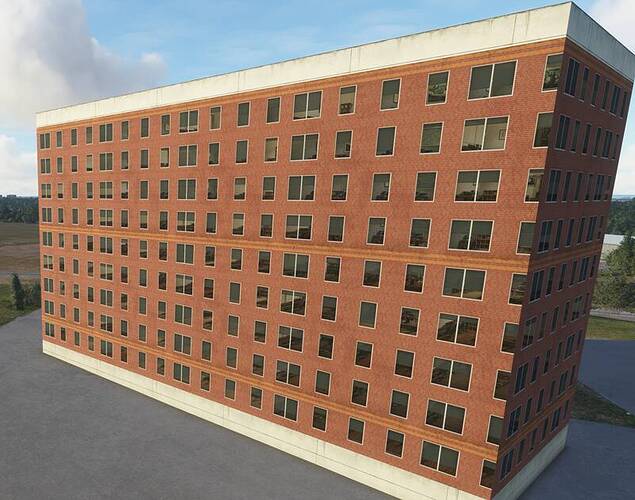
image800×629 75.9 KB
But there are no reflections whatsoever. What may look like reflections on this image are slightly transparent rolling shutters.
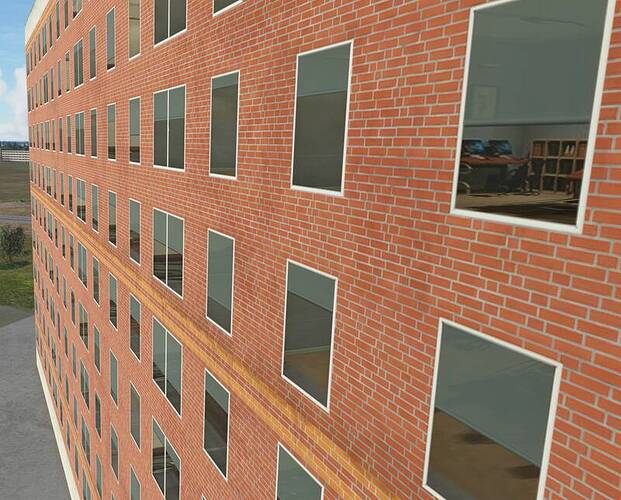
image800×644 89.9 KB
On the autogen building nearby, and anything else, glass reflects beautifully:
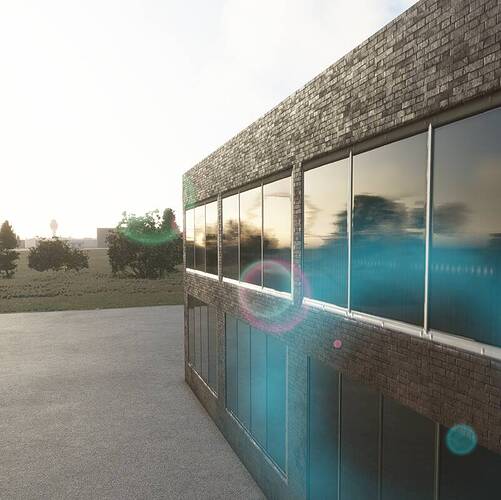
image800×797 66.1 KB
The materials I created in a similar way (see screenshot), but not for Parallax - using Standard MSFS material instead, have perfectly shiny and reflective glass in MSFS:
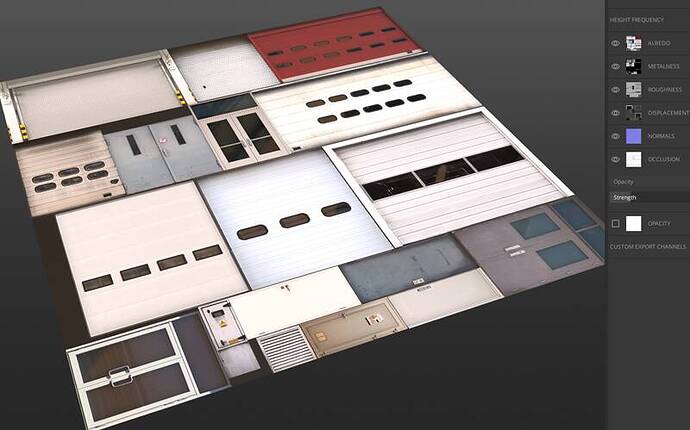
image800×499 43.8 KB
But, apparently, it doesn’t work with Parallax. Any ideas what am I doing wrong? I had glass reflectivity problems before with making a transparent glass texture - but at list it was somewhat reflective, just not as nicely as default MSFS glass. I solved it by using “MSFS Glass” material and not a Standard one, removing the pilot/cockpit reflection by setting “Reflection Mask Factor” to 0. That gave me shiny glass. But there are not many options in Parallax material…
My workflow is Blender -> Belnder2MSFS
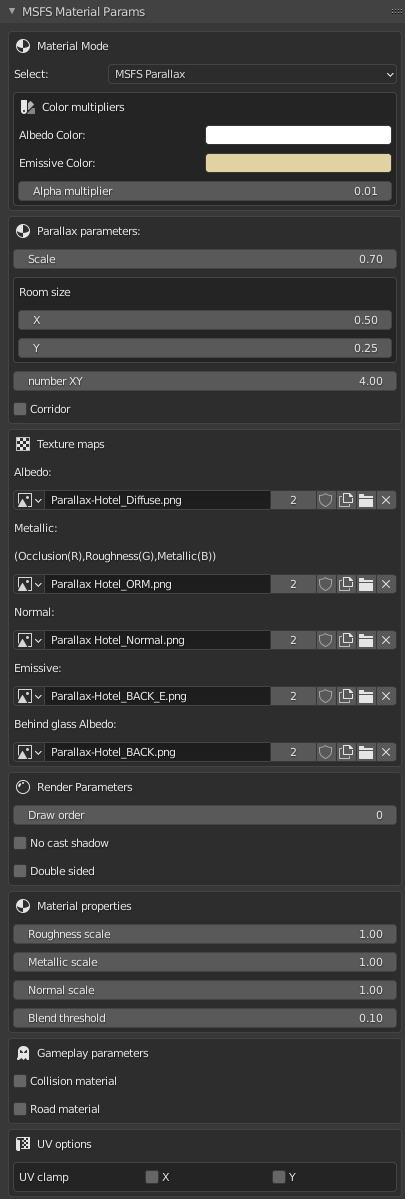
Here are my material settings, BTW some people who are struggling making parallax work at all, can find them useful:
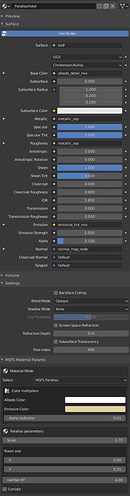
399×1523 73.9 KB
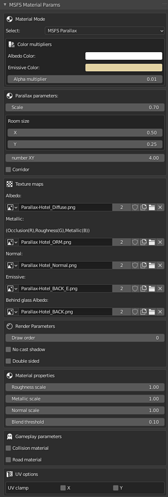
405×1199 29 KB
So I created a new texture and a test building (just a cube basically). It has Albedo with transparent windows and shutters, ORM texture (glass is black on Roughness channel, so should be smooth and shiny, and Normal map (with glass flat). I tried making it fully metallic and not - no difference). This is the model. Parallax works.

image800×629 75.9 KB
But there are no reflections whatsoever. What may look like reflections on this image are slightly transparent rolling shutters.
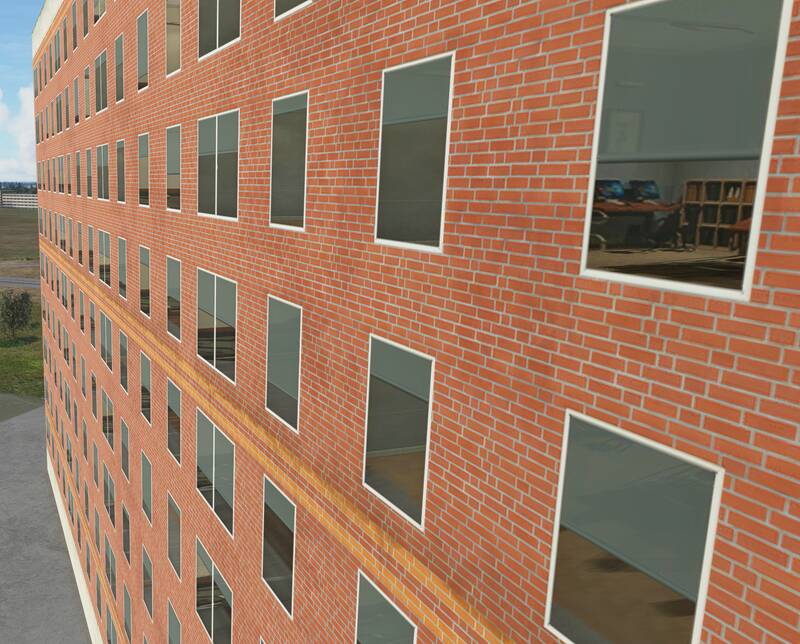
image800×644 89.9 KB
On the autogen building nearby, and anything else, glass reflects beautifully:

image800×797 66.1 KB
The materials I created in a similar way (see screenshot), but not for Parallax - using Standard MSFS material instead, have perfectly shiny and reflective glass in MSFS:

image800×499 43.8 KB
But, apparently, it doesn’t work with Parallax. Any ideas what am I doing wrong? I had glass reflectivity problems before with making a transparent glass texture - but at list it was somewhat reflective, just not as nicely as default MSFS glass. I solved it by using “MSFS Glass” material and not a Standard one, removing the pilot/cockpit reflection by setting “Reflection Mask Factor” to 0. That gave me shiny glass. But there are not many options in Parallax material…
My workflow is Blender -> Belnder2MSFS
Here are my material settings, BTW some people who are struggling making parallax work at all, can find them useful:
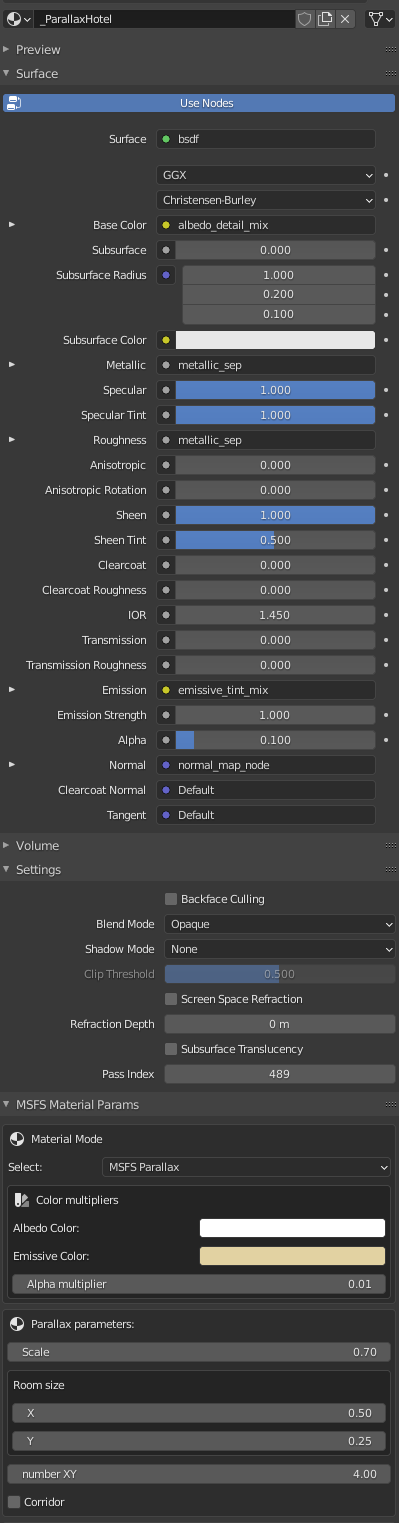
399×1523 73.9 KB
405×1199 29 KB