

Hi all,
I've posted before with some questions that I've managed to figure out but I'm still struggling with a certain aspect of texture creation for my airport (I have a thread on the MSFS forum where I post progress).
Texturing buildings is relatively straightforward, I've figured out UV mapping and since they're more-or-less boxes it's not a huge mystery. I am still stuck on how to get my taxiways (and any other hard surfaces) textured to a high level of detail and finished in the way that would be comparable to other developers.
To give an impression of where I stand, here is a screenshot in-sim of my photoscenery (applied as projected mesh with a "grass" surface) underlaying my taxiway mesh (applied as projected mesh with "tarmac" surface). The first picture is when I layer the taxiway mesh on top of the photoscenery:

Here it is with the taxiway mesh under the photoscenery:

The dark green edge is a semi-transparent fill in the texture extended from the transparent selection:

This method is one I've "copied" from FlyTampa when looking through their texture files for Amsterdam (reference pic attached, THE TEXTURE IS COPYRIGHT FLYTAMPA, ONLY FOR ILLUSTRATION PURPOSES HERE).

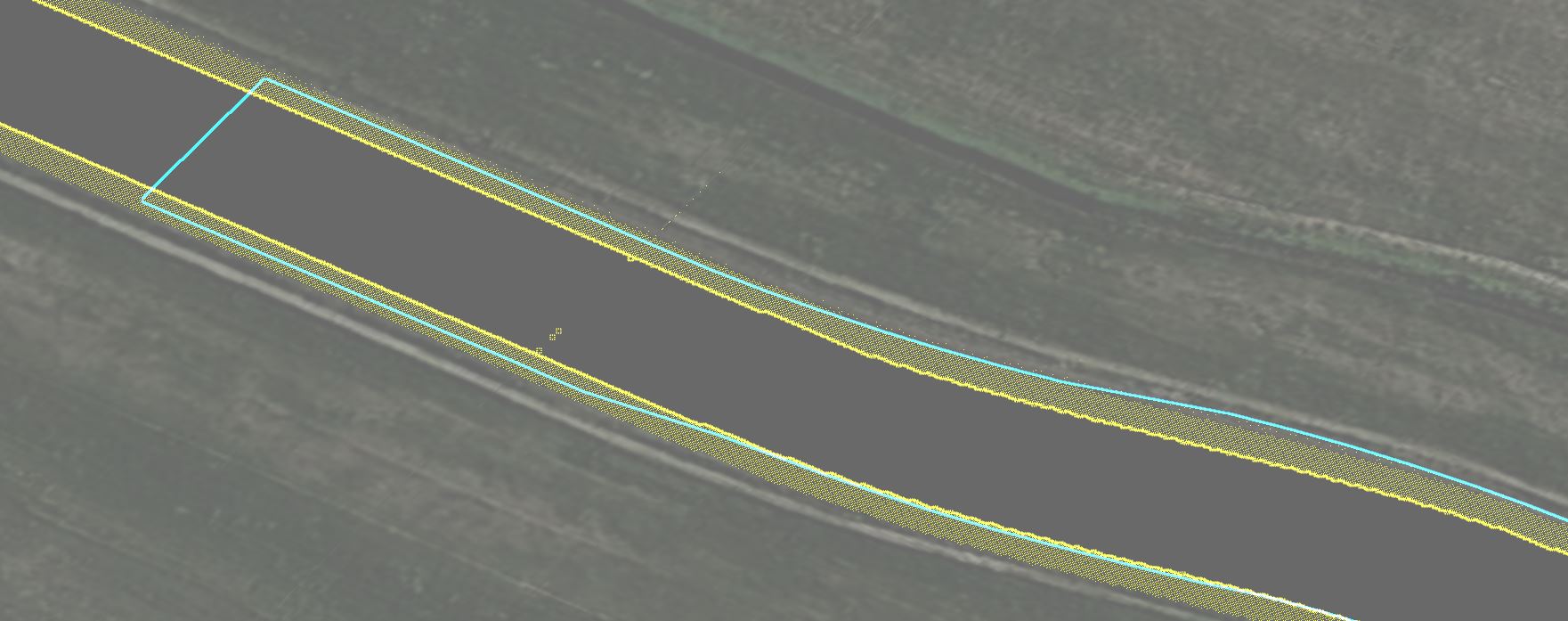
I get the principle behind what FlyTampa does, but I can't seem to get it working properly or with a high degree of precision for my own scenery. In 3ds Max the problem is more clear. Applying the background photo as a mask is all well and good, but my surfaces themselves are a mesh and I feel they're quite accurate. Lining them up by vertex by hand is a huge pain in the you-know-what and something I really want to avoid.

Aside from this problem - I could just go through each vertex as time consuming as that is - the textures in MSFS which I've applied to my taxiways are nowhere near a decent level of detail and it doesn't seem like a standard practice to have each intersection/mesh be textured separately with a 4096x4096 bitmap for the detail.
Am I missing something here? Do I just need to bite the bullet and texture each part of the taxiway separately? Is there a standard way to do this?
Any help would be appreciated!
I've posted before with some questions that I've managed to figure out but I'm still struggling with a certain aspect of texture creation for my airport (I have a thread on the MSFS forum where I post progress).
Texturing buildings is relatively straightforward, I've figured out UV mapping and since they're more-or-less boxes it's not a huge mystery. I am still stuck on how to get my taxiways (and any other hard surfaces) textured to a high level of detail and finished in the way that would be comparable to other developers.
To give an impression of where I stand, here is a screenshot in-sim of my photoscenery (applied as projected mesh with a "grass" surface) underlaying my taxiway mesh (applied as projected mesh with "tarmac" surface). The first picture is when I layer the taxiway mesh on top of the photoscenery:
Here it is with the taxiway mesh under the photoscenery:
The dark green edge is a semi-transparent fill in the texture extended from the transparent selection:
This method is one I've "copied" from FlyTampa when looking through their texture files for Amsterdam (reference pic attached, THE TEXTURE IS COPYRIGHT FLYTAMPA, ONLY FOR ILLUSTRATION PURPOSES HERE).
I get the principle behind what FlyTampa does, but I can't seem to get it working properly or with a high degree of precision for my own scenery. In 3ds Max the problem is more clear. Applying the background photo as a mask is all well and good, but my surfaces themselves are a mesh and I feel they're quite accurate. Lining them up by vertex by hand is a huge pain in the you-know-what and something I really want to avoid.
Aside from this problem - I could just go through each vertex as time consuming as that is - the textures in MSFS which I've applied to my taxiways are nowhere near a decent level of detail and it doesn't seem like a standard practice to have each intersection/mesh be textured separately with a 4096x4096 bitmap for the detail.
Am I missing something here? Do I just need to bite the bullet and texture each part of the taxiway separately? Is there a standard way to do this?
Any help would be appreciated!