• Which the release of FS2020 we see an explosition of activity on the forun and of course we are very happy to see this. But having all questions about FS2020 in one forum becomes a bit messy. So therefore we would like to ask you all to use the following guidelines when posting your questions:

    • Tag FS2020 specific questions with the MSFS2020 tag.
    • Questions about making 3D assets can be posted in the 3D asset design forum. Either post them in the subforum of the modelling tool you use or in the general forum if they are general.
    • Questions about aircraft design can be posted in the Aircraft design forum
    • Questions about airport design can be posted in the FS2020 airport design forum. Once airport development tools have been updated for FS2020 you can post tool speciifc questions in the subforums of those tools as well of course.
    • Questions about terrain design can be posted in the FS2020 terrain design forum.
    • Questions about SimConnect can be posted in the SimConnect forum.

    Any other question that is not specific to an aspect of development or tool can be posted in the General chat forum.

    By following these guidelines we make sure that the forums remain easy to read for everybody and also that the right people can find your post to answer it.

MSFS20 ENSD - Sandane Airport, Anda

Messages
55
Country
norway
ENSD - Sandane Airport, Anda | Version 0.1.0 | 2020-08-23

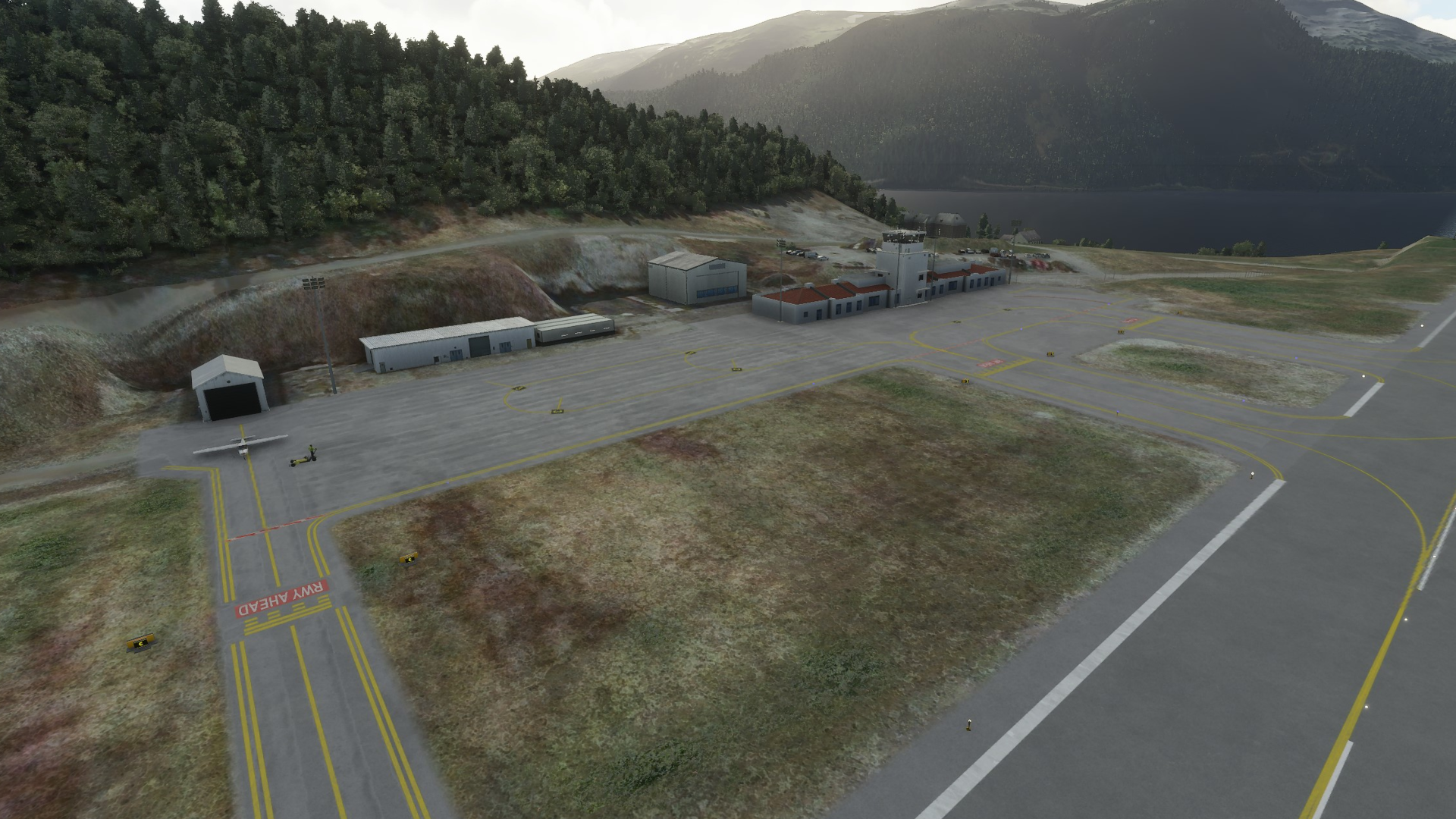
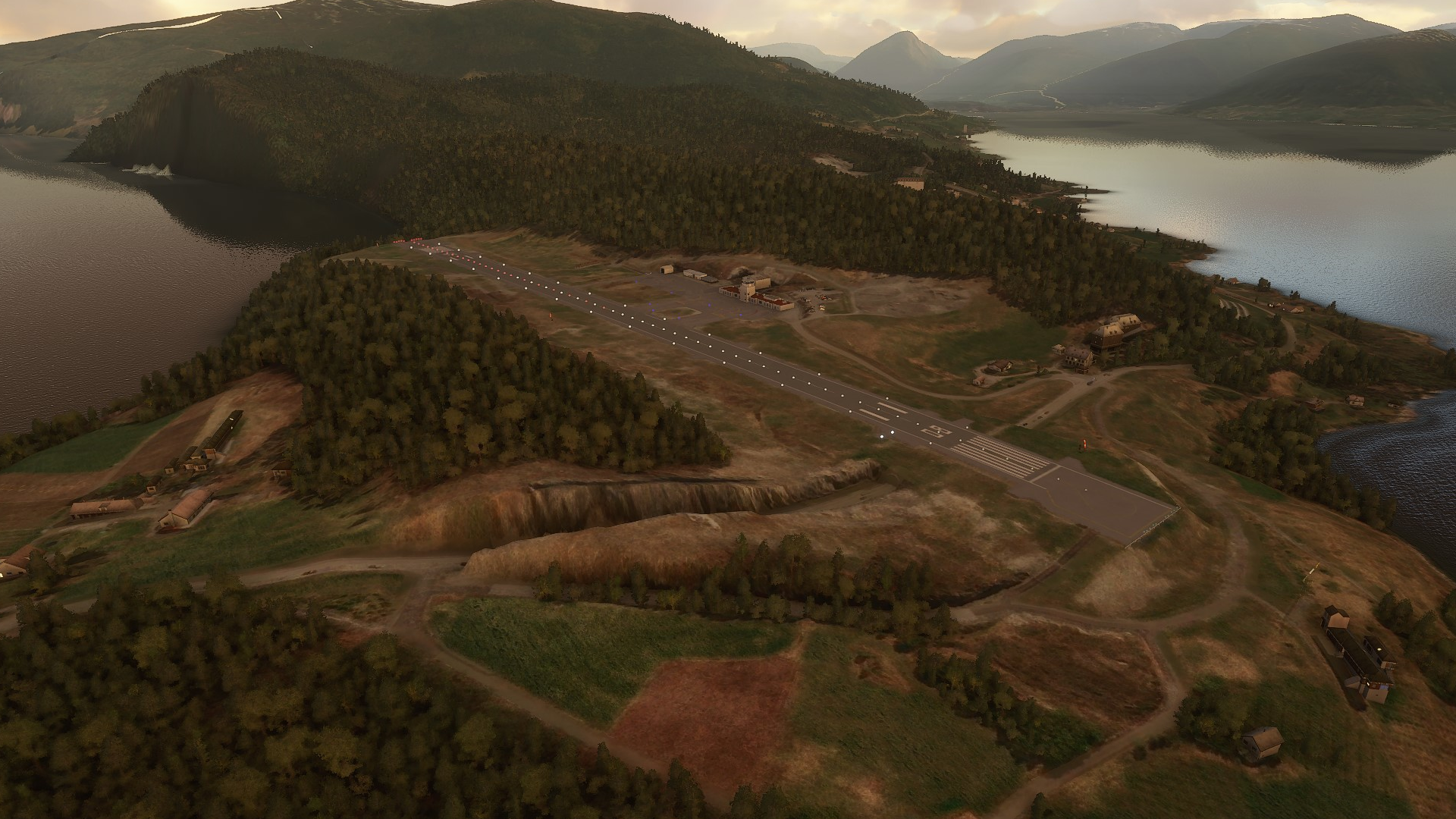
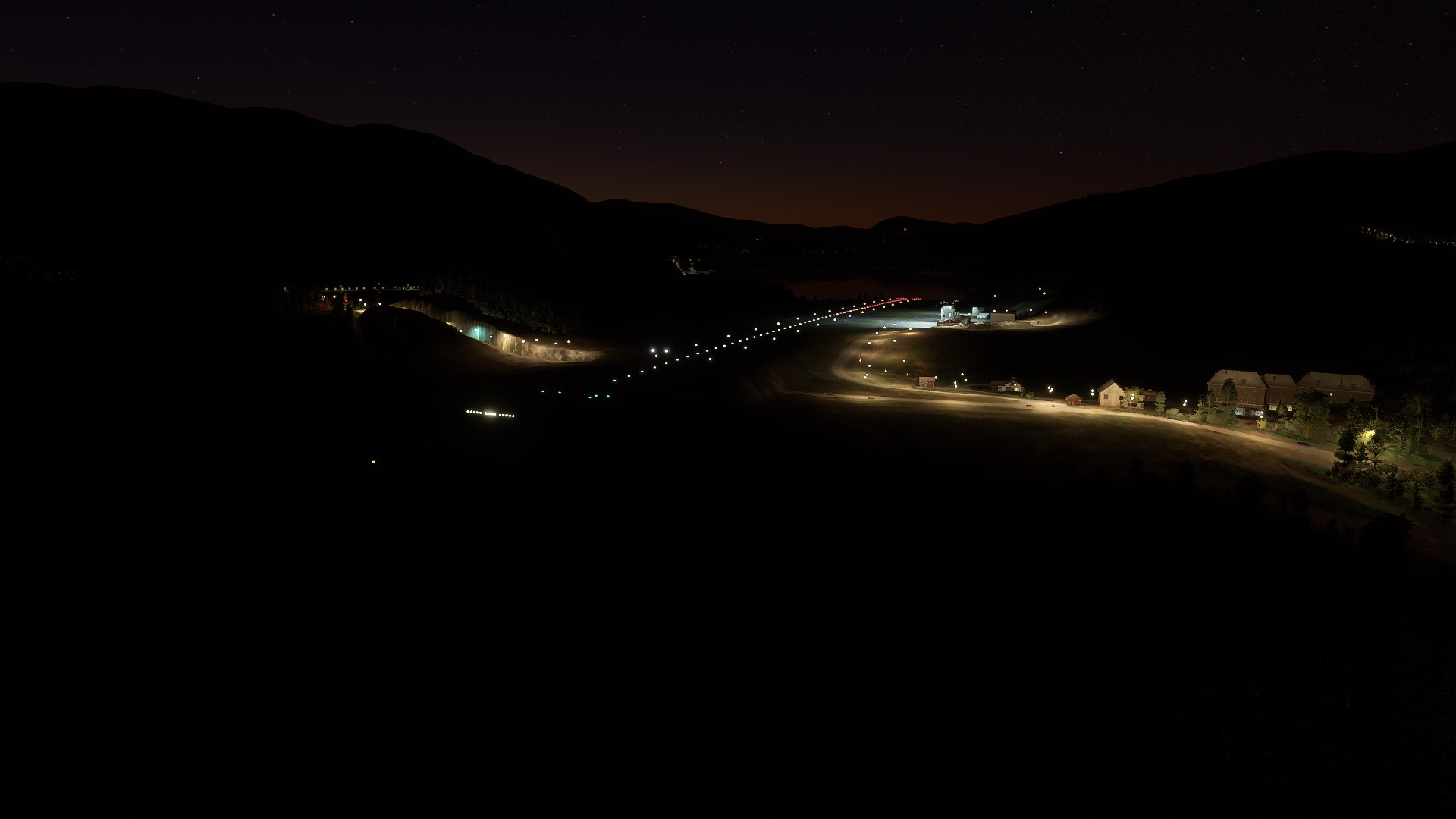
I’ve created a rendition of my local airport ENSD - Anda. It’s a massive improvement compared to the default. The airport is located on the beautiful west coast of Norway, and is considered one of the most dangerous airports in Norway due to the relative short runway, fjords on both ends, and the mountains around the airport. It's currently in version 0.1.0, so I'm still working on it. Any compliments and critiques is much appreciated :D

Features:
  • Sloped runway based on accurate height data
  • Updated apron based on up to date sattalite imagery
  • Correct taxiways and parkings based on local charts
  • Manual terraforming to make the terrain more like real life
  • Added buildings that resambles to some degree the real ones
  • Custom ground marking textures to match the real life markings
  • Correct metadata for the airport
  • Same tower frequency as real life
Check out version 0.2.0 here!

ENSD_Preview_1.png
ENSD_Preview_2.png
ENSD_Preview_3.png


ENSD_Preview_4.png
ENSD_Preview_6.png
ENSD_Preview_7.png
 
Last edited:
Hahaha Thats funny because I flown there yesterday and I saw the default Glitches (its now on YouTube as I recorded a video), thanks for this :)
 
Cool! Indeed also my first addon scenery for MSFS.

Because i didn't know how the default looked, i removed it, checked the default, quickly installed your again... what a great improvement!!

Kind regards,

Marcel
 
How did you manage to create an own painting on the ground? I'll need that too as the center line at the airport I'm working on need much less "space" between the lines as the default one comes with. ButI've no clue how to get my own "dotted" line inside the SDK.
 
I have been visiting you very nice Airport! Wow! I am trying to do something like this for EKVG.... have you ever noticed your runway has 26/08, google earth is showing 27/09!? the same differences I have notice for EKVG, some say 12/31 and other 13/30
What have you been using to build this airport, it looks so good for doing with the inworld editor
 
Last edited:
How did you manage to create an own painting on the ground? I'll need that too as the center line at the airport I'm working on need much less "space" between the lines as the default one comes with. ButI've no clue how to get my own "dotted" line inside the SDK.
For creating custom ground markings, I use Gimp. I basically create what I want, like "RWY AHEAD" for example. I make sure it follows the guidline of the SDK Documentation, and import it into my own MaterialLib asset in the project.

If you are want to create a custom center line however, my tip would be to:
1. Turn on center line marking in your Runway object (To use it as a guide)
2. Add a PaintedLine object, with "EDGE_SERVICE_SOLID" as type
3. Place the PaintedLine with desired length using the Runway default center line as a guide to make it straight and follow the Runway,
4. When you are done, you can disable the center line marking on you Runway object

Hope this helps! :D
 
I have been visiting you very nice Airport! Wow! I am trying to do something like this for EKVG.... have you ever noticed your runway has 26/08, google earth is showing 27/09!? the same differences I have notice for EKVG, some say 12/31 and other 13/30
What have you been using to build this airport, it looks so good for doing with the inworld editor
First of all thank you! :D

I use official charts for the airport to find out the Runway heading and numbering. I actually used 27/9 in the start, but after looking at the updated charts for the airport I changed it to 26/8 since this is the current marking. Sattelite photos and fly over photos are rarely up to date since they dont update ofte, so you best source would be to find the official charts for the airport.

The reason the headings differ from time to time, I ASSUME (Please correct me if I'm wrong anyone), is because of magnetic variation. The north pole and south pole of the earth are not static, they move around, so every year, the degrees change slightly.
 
For creating custom ground markings, I use Gimp. I basically create what I want, like "RWY AHEAD" for example. I make sure it follows the guidline of the SDK Documentation, and import it into my own MaterialLib asset in the project.

If you are want to create a custom center line however, my tip would be to:
1. Turn on center line marking in your Runway object (To use it as a guide)
2. Add a PaintedLine object, with "EDGE_SERVICE_SOLID" as type
3. Place the PaintedLine with desired length using the Runway default center line as a guide to make it straight and follow the Runway,
4. When you are done, you can disable the center line marking on you Runway object

Hope this helps! :D
I tried using the provided ground markings but they are flipped. I couldn't find a way to make them look right.
 
Absolutely stellar work, man! As an AFIS-officer working at ENSD, I am very pleased with this addon, and a bit proud we're one of the first ones to get a proper scenery workover :) . The default version almost made me hurl :p. But seriously, great work. The sloped runway is modelled beautifully, and the fact you got the updated apron correct, all great. In many ways your work here is better than the ORBX version for P3D, as they didn't really bother using updated data or looking at the AIP before modelling it. Looking forward to seeing further development in the future, some custom 3d models, and the placement of the flood lights between the apron and runway will be absolutely great. Thanks for the great work! :D
 
Back
Top